
Glass Aurora Widgets
Version:1.1.7
Published:2026-11-14
Introduction
Glass Aurora Widgets brings a set of minimal, translucent home screen widgets that blend modern glass-like aesthetics with practical functionality, letting users customize clocks, weather, and info panels without sacrificing performance. It focuses on subtle animations, adaptive colors, and straightforward setup for Android devices.
What Glass Aurora Widgets Offers
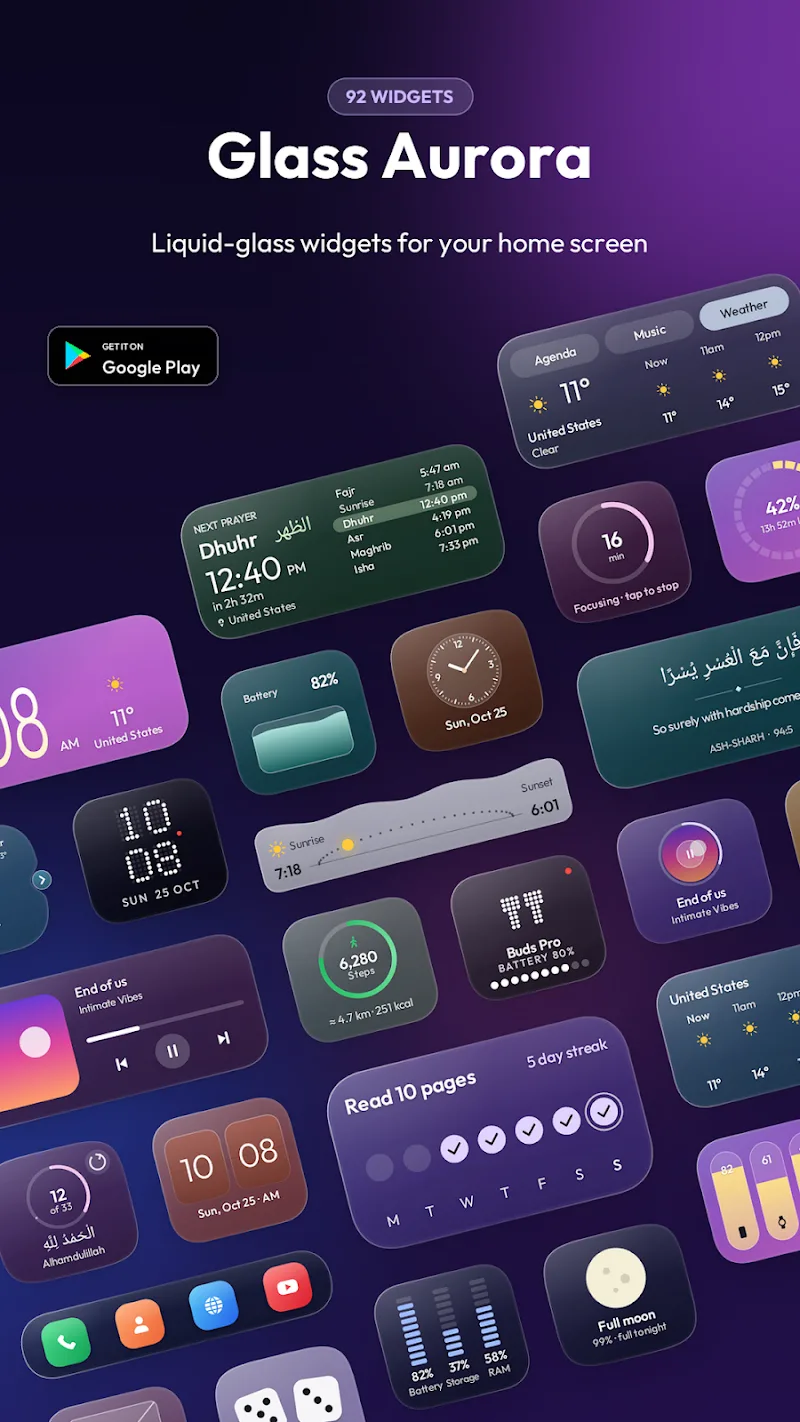
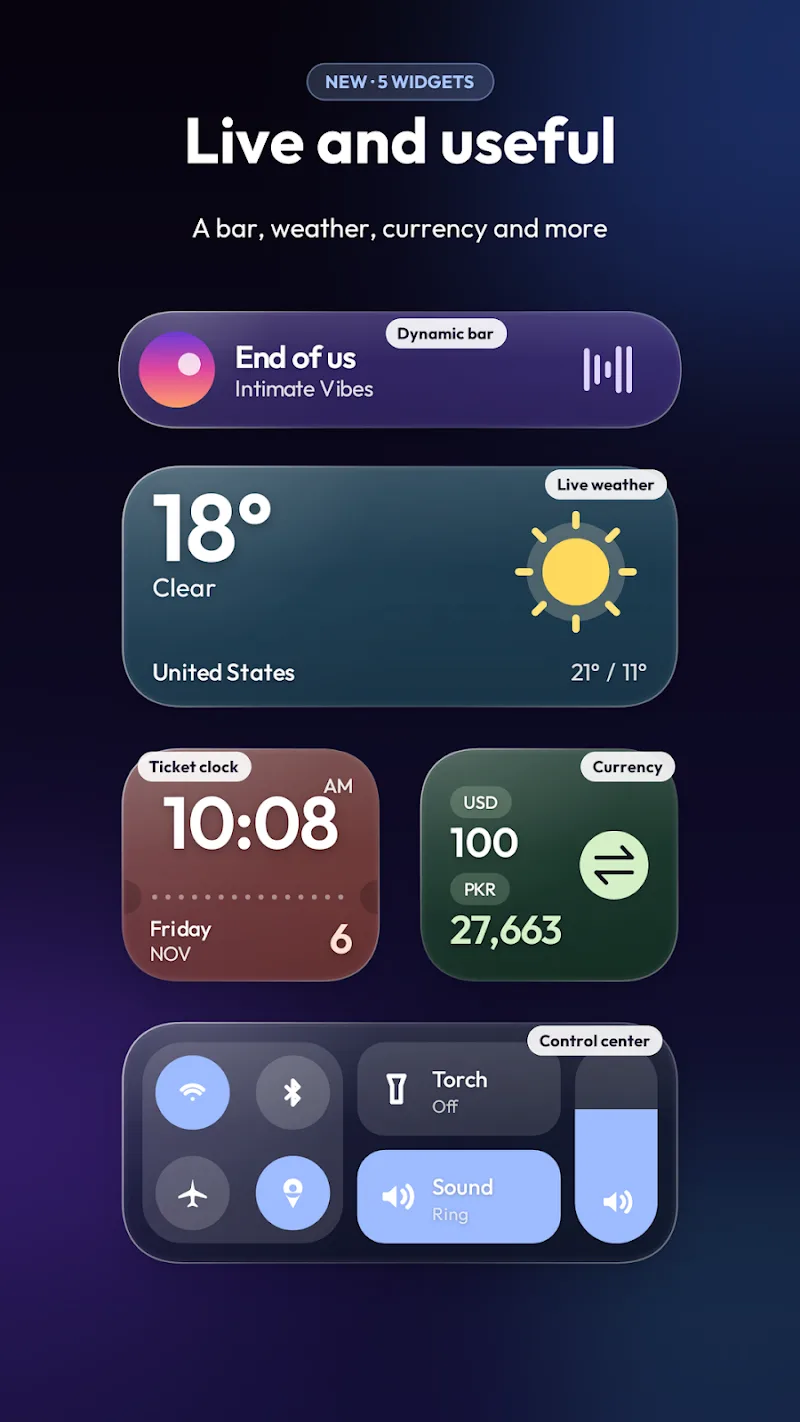
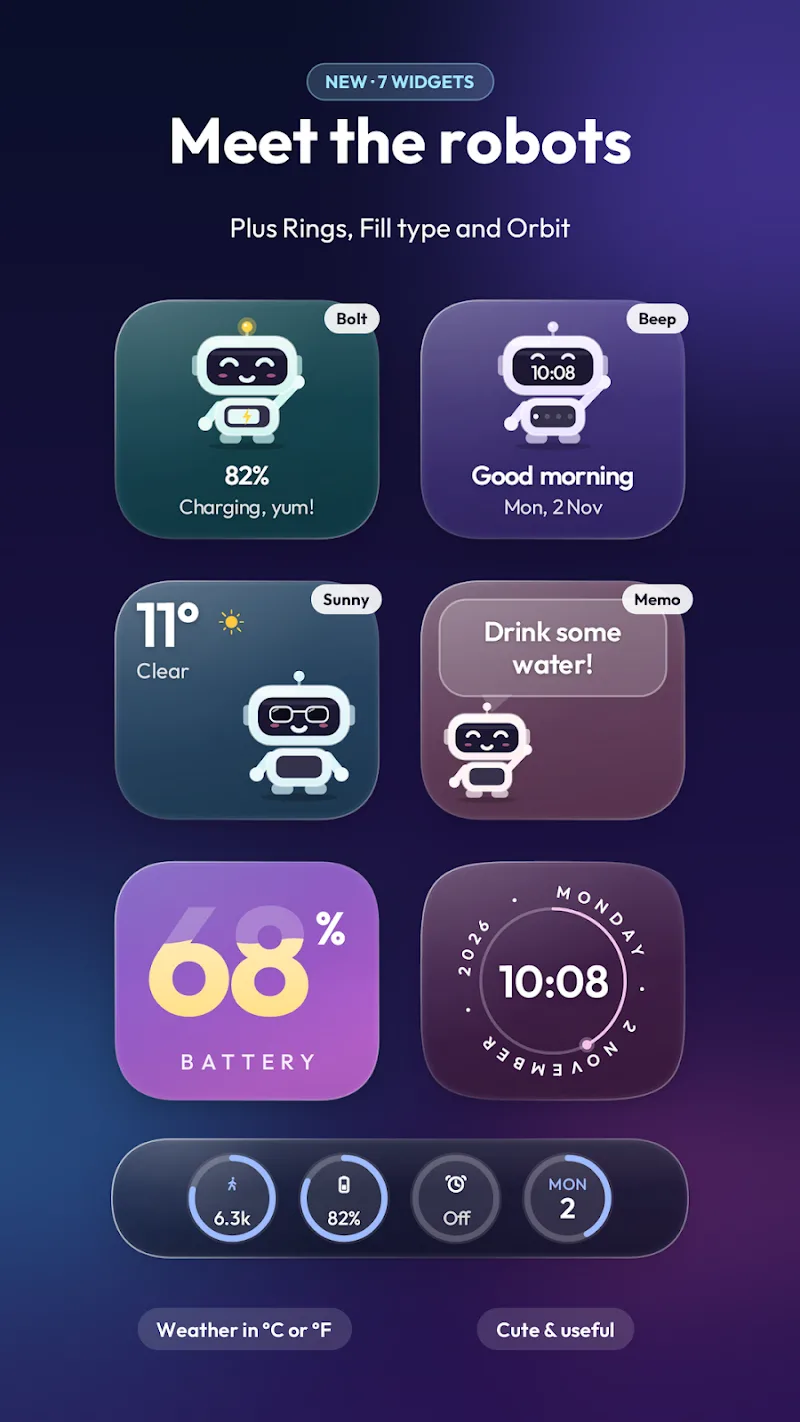
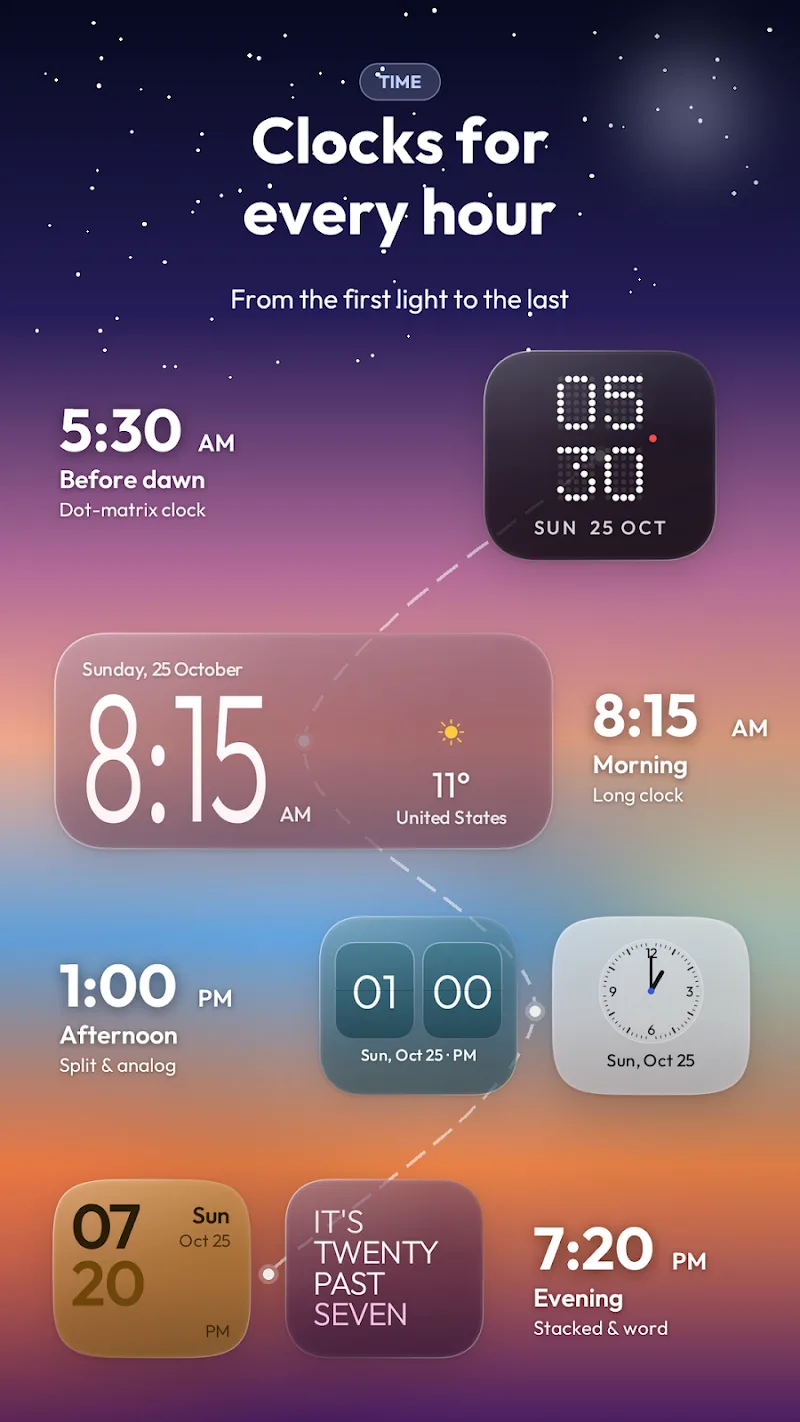
Glass Aurora Widgets delivers a curated collection of widgets designed to complement a clean home screen. The app concentrates on readable typography, soft blur effects, and configurable modules so essential information is always accessible. Widgets include time and date displays, weather summaries, battery and system monitors, and quick-launch shortcuts.
Core Features and Tools
At its heart, the app provides a toolbox of elements that can be mixed and matched. Key items include:
- Adaptive themes that automatically adjust tint and contrast based on your wallpaper or system night mode.
- Resizable modules which support multiple grid sizes and offer flexible layouts for phones and tablets.
- Live data hooks for weather, calendar events, and battery stats with adjustable refresh intervals.
- Gesture support so taps and long-presses can open apps, toggle settings, or run shortcuts.
These features let Glass Aurora Widgets balance form and function, keeping widgets lightweight while adding useful interactivity.
Design and Customization
Customization is a major focus. Users can tweak opacity, blur strength, corner radius, and font choices to match personal taste. Color accents can be sourced from wallpaper colors or chosen manually, and preset palettes make it simple to achieve a cohesive look without trial and error.
Each widget has independent settings, so you can run a translucent clock with bold numerals beside a low-contrast weather panel. The app also includes a set of smart presets for quick setup, plus an advanced editor for fine-grained adjustments.
Performance and Compatibility
Glass Aurora Widgets emphasizes efficient performance to avoid draining battery or slowing the device. Background updates are optimized to minimize wakelocks, and refresh frequencies are configurable to suit either real-time needs or battery-saving priorities. The app is compatible with recent Android versions and adapts to different screen densities and orientations.
Memory and CPU usage are kept modest by using vector-based elements and conditional animations that pause when the device is idle or battery is low. This makes Glass Aurora Widgets suitable for modern flagships as well as mid-range phones.
Getting Started and Setup
Installing and placing widgets is straightforward. After granting the minimal permissions required for widgets and optional services (such as location for weather), open the widget picker and choose the desired Glass Aurora Widgets module. Resize handles appear immediately, and a tap on the widget opens its configuration panel.
For newcomers, the app offers a guided setup mode that walks through theme selection, default actions, and linking calendar or weather providers. Advanced users can skip guidance and dive straight into the editor to build custom layouts.
Integration and Workflow Tips
To make widgets feel native, combine Glass Aurora Widgets with a launcher that supports icon packs and gesture controls. Use compact layouts for a minimalist home screen or larger panels on a tablet for dashboard-style information at a glance. Prioritize the widgets you check most often—time, weather, and next calendar event—for prominent placement.
- Set weather refresh to a longer interval when on mobile data to conserve bandwidth.
- Use dark accents and lower opacity at night to reduce glare.
- Assign a long-press action to frequently used apps for faster access.
Glass Aurora Widgets is designed to be both beautiful and practical. With careful customization and the right integration, it transforms ordinary home screens into elegant, informative spaces while staying respectful of battery and system resources.
Show More
Information
Screenshots
Latest Update
-
![PDownloader MOD Premium Unlocked APK]()
PDownloader MOD Premium Unlocked
-
![NoScroll MOD Premium Unlocked APK]()
NoScroll MOD Premium Unlocked
-
![smartChord vV MOD Premium Unlocked APK]()
smartChord vV MOD Premium Unlocked
-
![JukeBox MOD Premium Unlocked APK]()
JukeBox MOD Premium Unlocked
-
![Moxy Icon Pack APK]()
Moxy Icon Pack
-
![Aurora - Poweramp Skin APK]()
Aurora - Poweramp Skin
-
![Habit Tracker - HabitGenius MOD Premium Unlocked APK]()
Habit Tracker - HabitGenius MOD Premium Unlocked
-
![tTorrent MOD Paid/Optimized APK]()
tTorrent MOD Paid/Optimized
-
![IP Camera Pro APK]()
IP Camera Pro
-
![Life : Personal Diary MOD Premium Unlocked APK]()
Life : Personal Diary MOD Premium Unlocked
-
![Starlight Widgets APK]()
Starlight Widgets
-
![Luminous Black - Poweramp Skin APK]()
Luminous Black - Poweramp Skin








Latest News
-
![Revealing the Launch Playlists and Cross-Progression for COD Warzone Mobile News]()
-
![March 2024 Free Redemption Codes for Honkai: Star Rail News]()
-
PUBG Mobile Teams Up with Bentley Motors: Luxury Cars, Exclusive Collectibles, and Beyond 2024-04-18
![PUBG Mobile Teams Up with Bentley Motors: Luxury Cars, Exclusive Collectibles, and Beyond News]()
-
![Monster Never Cry is now accessible on both Android and iOS mobile devices. News]()
-
V2.2 of the Farlight 84 update introduces an overhauled Season structure, fresh in-game currency, an 2024-04-16
![V2.2 of the Farlight 84 update introduces an overhauled Season structure, fresh in-game currency, an News]()
-
![Arrival of Genshin Impact 4.6 Update: 'Embers of Two Realms, Twilight of Crimson' News]()
-
April 2024 Clash of Clans Update: Unveiling a Fresh Companion, Enhanced Levels, Chat Tagging, and Be 2024-04-16
![April 2024 Clash of Clans Update: Unveiling a Fresh Companion, Enhanced Levels, Chat Tagging, and Be News]()






