
eKavach
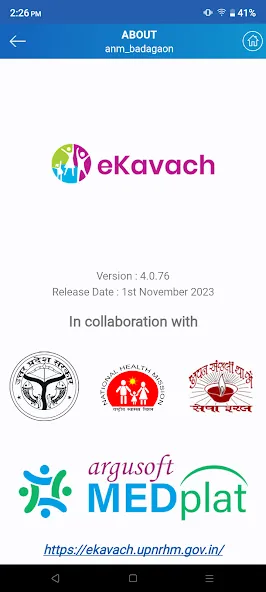
Version:4.0.95
Published:2026-11-19
Introduction
eKavach is a lightweight Android security companion designed to protect your device from malware, phishing, and intrusive apps while preserving battery life and performance. It combines on-demand scanning, real-time monitoring, and privacy tools in one interface so users can maintain control over permissions and network activity with minimal fuss.
What eKavach Does
At its core, the application focuses on practical device protection rather than overwhelming users with jargon. eKavach scans installed packages, examines file behavior, and surveils network requests to identify suspicious activity. Alerts are prioritized so that critical threats stand out, and routine checks can be scheduled to run when the device is idle.
Primary Capabilities
- Real-time Protection: Background monitoring for apps, downloads, and system events with instant notifications.
- On-demand Scanner: Manual scans of apps, storage, and specific folders to find hidden or dormant threats.
- Permission Auditor: A concise view of which apps access camera, location, contacts, and other sensitive resources.
- Web Safeguard: Blocks known phishing sites and warns about risky links.
- Quarantine and Restore: Isolates suspicious files and lets users review before deleting or restoring.
User Interface and Performance
The design emphasizes clarity: a dashboard highlights recent alerts, scan status, and battery impact. eKavach is optimized to minimize CPU spikes during scans and pauses nonessential tasks to reduce thermal and power drain. Icons and labels are straightforward, so even less technical users can navigate protection settings without confusion.
How It Integrates With Daily Use
Installation takes only a few taps and initial setup walks you through basic permissions and the recommended scan types. After the first scan, eKavach maintains a simple rule set—trusted apps, monitored apps, and blocked items—so repetitive prompts are reduced. Notifications include actionable choices like view details, quarantine, or ignore.
Tools for Privacy and Control
Beyond detecting malicious software, eKavach includes tools that help manage privacy on a granular level. The permission manager surfaces apps with extensive access, while a lightweight firewall mode can restrict outbound connections for specific apps. Activity logs record anonymized events for troubleshooting without collecting unnecessary personal data.
Practical Usage Tips
- Schedule scans overnight: Run full scans when the device is charging to avoid interruptions.
- Review permissions monthly: Use the permission auditor to rescind access you no longer need to grant.
- Enable web protection: Turn on link safeguards to reduce phishing risks while browsing or using social apps.
- Use quarantine first: Isolate suspicious items before choosing to delete them, in case of false positives.
Who Should Consider eKavach
eKavach is a good fit for users who want practical protection without heavy system overhead. If you use banking apps, access work email on your phone, or manage sensitive contacts and media, the app adds an extra layer of security without demanding expert knowledge. Its compact footprint makes it suitable for mid-range and older devices where performance matters.
Installation and Getting Started
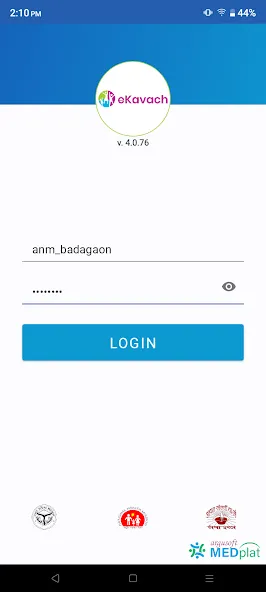
Downloading and activating the app requires standard Android permissions for storage and accessibility features to perform real-time checks. During the first run, a guided setup helps configure scan frequency, notification preferences, and the initial permission audit. Users can export logs and reports for further analysis if needed.
Final Thoughts on Daily Protection
eKavach positions itself as a practical shield that balances thorough scanning with respect for device resources. Regular updates to threat databases and straightforward controls keep the learning curve low while maintaining good coverage against common mobile threats. For users who want consistent, unobtrusive security, it provides a clear, manageable option.
Show More
Information
Screenshots
Latest Update












Latest News
-
![Revealing the Launch Playlists and Cross-Progression for COD Warzone Mobile News]()
-
![March 2024 Free Redemption Codes for Honkai: Star Rail News]()
-
PUBG Mobile Teams Up with Bentley Motors: Luxury Cars, Exclusive Collectibles, and Beyond 2024-04-18
![PUBG Mobile Teams Up with Bentley Motors: Luxury Cars, Exclusive Collectibles, and Beyond News]()
-
![Monster Never Cry is now accessible on both Android and iOS mobile devices. News]()
-
V2.2 of the Farlight 84 update introduces an overhauled Season structure, fresh in-game currency, an 2024-04-16
![V2.2 of the Farlight 84 update introduces an overhauled Season structure, fresh in-game currency, an News]()
-
![Arrival of Genshin Impact 4.6 Update: 'Embers of Two Realms, Twilight of Crimson' News]()
-
April 2024 Clash of Clans Update: Unveiling a Fresh Companion, Enhanced Levels, Chat Tagging, and Be 2024-04-16
![April 2024 Clash of Clans Update: Unveiling a Fresh Companion, Enhanced Levels, Chat Tagging, and Be News]()






