Studora
Version:1.0.5
Published:2026-04-15
Introduction
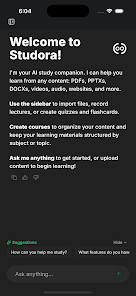
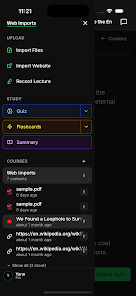
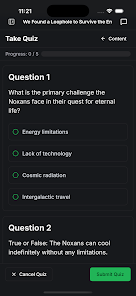
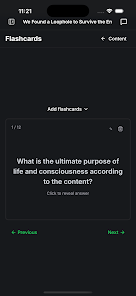
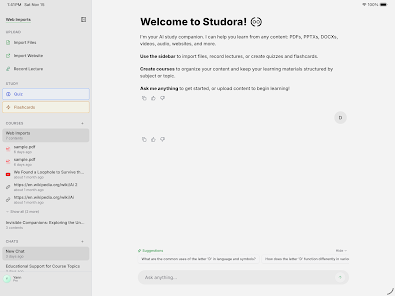
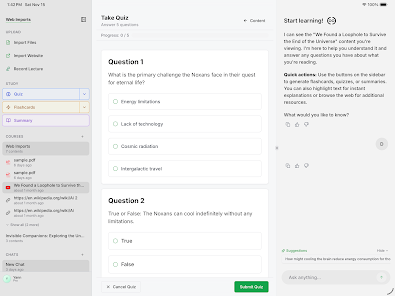
Studora turns your study materials into interactive learning tools using artificial intelligence. Upload PDFs, documents, videos, audio recordings, or web pages and the app generates personalized quizzes, flashcards, and concise summaries so you can study more efficiently. The Studora chat feature lets you ask questions about your own materials and receive answers with source references, while folder sharing and collaboration support group study. The app offers a free tier and an optional Pro subscription for extended access and unlimited generation.
Key Features
Key features include an AI chat that answers questions about uploaded content with source references, automatically generated quizzes that support multiple question types, AI-created flashcard decks for spaced-repetition practice, and concise summaries. Studora supports a broad set of content formats (PDFs, documents, audio, video, web pages), folder organization and sharing for group work, dark mode, and cross-device access on web and mobile.
Advantages
The app personalizes study materials by turning static notes into active practice tools, reducing preparation time. It supports slides, textbooks, recordings, and online articles so you can study from different sources. Collaboration features make it easier to share folders and work with classmates. A free core is available while an optional Pro subscription unlocks unlimited use and additional capabilities.
Limitations
Some advanced features and unlimited generation require a paid Pro subscription. AI-generated summaries, quizzes, and answers depend on the clarity and completeness of the original materials and may need human review to ensure accuracy.
Show More