
PS2 Emulator DamonPS2 PPSSPP
Version:6.1.2
Published:2026-05-26
Introduction
PS2 Emulator DamonPS2 PPSSPP brings reliable PlayStation 2 emulation to Android phones and tablets, offering a straightforward way to replay classic titles or try regional releases without complex setup. The app focuses on quick startup, consistent frame pacing and broad support for common disc image formats so you can load .iso, .bin or .img files and begin playing with minimal configuration. Designed for local, single‑device use, PS2 Emulator DamonPS2 PPSSPP emphasizes an authentic gameplay experience while providing modern conveniences such as HD upscaling and customizable controls.
Key features
At the core of the app are compatibility and performance tools that help a wide portion of the PS2 library run smoothly on contemporary hardware. Upscaling options allow internal resolution boosts and output up to 1080p with selectable multipliers, while widescreen rendering can adapt many 4:3 titles to 16:9 displays. Important conveniences include skipping the BIOS sequence for faster launches, support for standard disc image types and optional Pro features that unlock advanced rendering controls, extra save functionality and additional gamepad settings. Multithreading and NEON acceleration are utilized where supported to improve responsiveness across different devices.
Gameplay mechanics and level structure
Because the emulator reproduces PS2 hardware behavior, each game's original mechanics, pacing and level design are preserved: platformers retain stage layouts and timing windows, action‑RPGs keep progression systems and encounter pacing intact, and racing or sports games maintain lap/event structures and AI behavior. The emulator does not change game logic; it aims to match original timing and collision handling so that level progression and challenge feel authentic. For titles sensitive to frame timing, small adjustments such as frame skip and CPU affinity can help restore intended interactions without modifying game content.
Controls, customization and accessibility
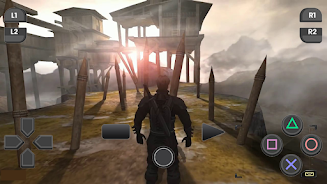
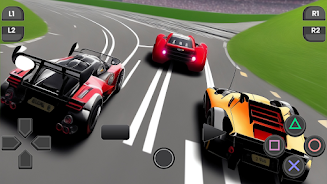
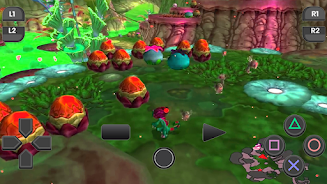
PS2 Emulator DamonPS2 PPSSPP supports both touch controls and external gamepads, offering flexibility for different play styles. On-screen layouts are fully adjustable: move buttons to suit left‑ or right‑handed players, rescale elements for visibility, and set button transparency to reduce clutter. Physical controller mapping allows remapping of any input, and analog sensitivity settings smooth camera or steering response. These options improve accessibility for longer sessions and accommodate players who rely on assistive configurations or nonstandard controllers.
Progression systems, saving and replay value
Save management mirrors the console experience while adding modern convenience. Memory card emulation preserves in‑game saves in the expected format, and save states provide instant snapshots so you can experiment or retry difficult sections without losing progress. The free app supports standard memory card saves, while the Pro upgrade extends save state slots and provides more flexible save export options for multi‑playthrough management. Because many PS2 games include branching storylines, unlockables and collectibles, the combination of accurate emulation and expanded save tools encourages replay and experimentation.
Visual style and presentation
Visual upgrades aim to improve clarity without overriding original art direction. Upscaling reduces pixelation, corrects aspect ratio issues and refines edges, while preserving original textures, lighting and post‑processing intended by developers. Rendering presets help you balance image quality and performance, and Pro users can access finer controls such as anisotropic filtering and shader options on capable hardware. These choices let you tailor the presentation to device limits while maintaining the games' visual identity.
Performance, offline use and challenge tuning
The emulator runs entirely on‑device, so offline play is fully supported and no online services are required for normal single‑player sessions. Performance tuning tools include frame skip, multithreading toggles and NEON acceleration to match your device's capability; adjusting these settings can stabilize frame delivery and reduce input latency, which in turn affects the perceived difficulty of timing‑sensitive sections. Players who prefer visual fidelity can lean toward higher resolutions, while those prioritizing responsiveness can reduce rendering presets to keep gameplay consistent.
Compatibility notes and limitations
PS2 Emulator DamonPS2 PPSSPP does not include PS2 game ROMs or BIOS files; users must provide legally owned images. Not every title will reach perfect compatibility, and a few games may require additional tweaks or specific settings to run optimally on certain hardware. The free version contains ads and reserves selected advanced features for the paid Pro upgrade; upgrading removes ads and provides expanded save and rendering controls. If you encounter issues with a particular game, reviewing device settings like CPU cores and NEON flags or consulting compatibility lists can often identify practical workarounds without altering the game's code.
Show More