MapGeo
Version:2023.11
Published:2026-08-04
Introduction
MapGeo is a compact geography training app that places single-location prompts on interactive maps and asks players to tap where a province, district, country, or landmark is located. MapGeo emphasizes short, focused practice sessions, immediate accuracy feedback, and a progressive learning curve, making it suitable for test preparation, classroom drills, and quick study breaks. The app ships as an Android APK with an ad-free one-time purchase model and includes a Restore option for previous buyers so progress remains accessible across reinstalls.
Gameplay and mechanics
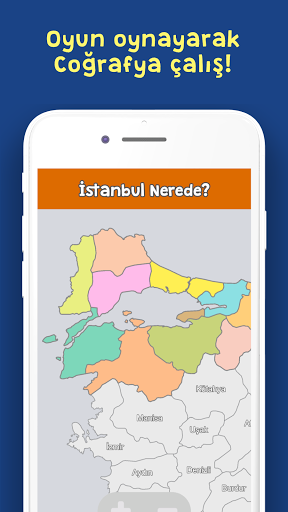
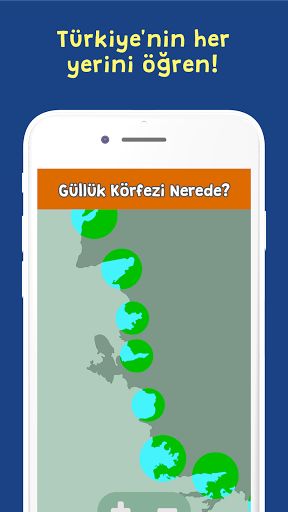
Each round in MapGeo presents a single, clearly worded prompt on an interactive map. Players respond by tapping the map area they believe corresponds to the prompt. Accuracy is measured instantly and shown visually so players can see how close their tap was to the target location. Rounds are intentionally short and focused on one place at a time to minimize cognitive overload and maximize repetition. The prompt set includes provinces, administrative districts, countries, and well-known landmarks so practice covers multiple scales of geographic knowledge. Mistakes are treated as learning opportunities: the app highlights the correct location and stores error patterns for later practice.
Controls and user interface
MapGeo uses simple touch controls and a clean interface designed for mobile screens. Tapping selects an answer, while pinch-to-zoom and pan gestures let players inspect map detail before responding. Visual feedback combines a target overlay and distance indicator so users immediately understand where they went wrong. Menus are compact and unobtrusive, focusing on quick access to maps, progress, and settings without interrupting study flow. The interface is optimized for one-handed operation and works with a range of screen sizes common to Android devices.
Progression, learning algorithm, and challenge systems
The app includes a progressive learning algorithm that raises challenge gradually as a player’s accuracy improves. Locations answered correctly move into less frequent review, while frequently missed places are queued more often so users spend extra time on weak spots. Sessions record performance metrics and save progress between plays, making it easy to pick up where a study break left off. Difficulty can ramp not by adding complexity to a single prompt but by tightening the acceptable accuracy threshold and by increasing geographic granularity, for example shifting from country-level targets to provinces or districts within the same region.
Content, level structure, and replay value
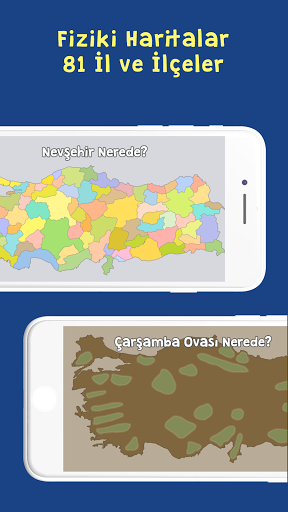
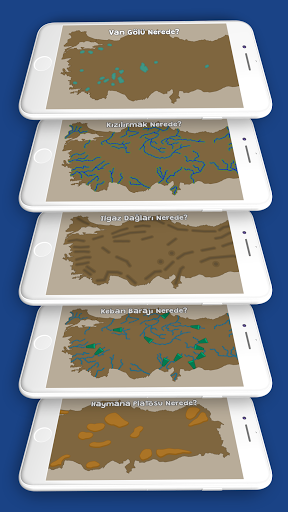
MapGeo ships with a curated content set that includes 20 full world maps and 20 mini puzzles focused on specific regions. Full maps cover broad geographic areas and are structured for cumulative practice, while mini puzzles are short sequences that reinforce particular regions or themes. The fixed content set is suitable for structured practice and predictable review cycles. Replay value comes from adaptive repetition, the progressive algorithm, and the player-driven decision to revisit particular maps or mini puzzles until mastery is achieved.
Visual style and customization
The visual approach favors clarity over ornamentation: high-contrast map tiles, legible labels, and unobtrusive overlays ensure the target location is easy to interpret both at a distance and when zoomed in. A small set of customization options lets users adjust percussive interaction sounds, toggle label density for different study modes, and change map zoom sensitivity. These lightweight adjustments help learners tailor the experience to study conditions or accessibility needs without introducing complex configuration screens.
Accessibility and user experience
MapGeo is designed with accessibility in mind: touch targets are large enough to reduce tapping errors, pinch-to-zoom and pan gestures are responsive, and visual feedback includes clear contrasts to assist users with mild visual impairment. Audio cues provide reinforcement for correct and incorrect answers, and controls can be configured to minimize reliance on sound. The overall user experience prioritizes low friction so learners spend more time practicing and less time navigating menus.
Offline play, device compatibility, and limitations
The APK supports offline play once maps are downloaded, allowing students to practice without a constant internet connection. Because the app is distributed as an Android APK, it is tailored to Android devices and will not be available natively on other platforms. The fixed content set of 20 maps and 20 mini puzzles provides focused material but may feel limited for users seeking a constantly expanding atlas; however, this constraint keeps the app compact and predictable for classroom settings and exam review.
Who will benefit
MapGeo is suited to learners preparing for geography tests, teachers running short classroom drills, and anyone looking for efficient, repeatable practice to improve spatial awareness. Its single-location prompt style is intentionally simple to support rapid repetition and targeted remediation rather than complex simulation or multiplayer mechanics. The app balances clear feedback, adaptive repetition, and a compact feature set to help users build reliable recall over repeated sessions.
Show More