Pocket World 3D
Version:2.6.6.1
Published:2026-08-05
Introduction
Pocket World 3D transforms iconic buildings and global landmarks into tactile 3D puzzles you assemble piece by piece on your phone or tablet. Pocket World 3D invites a relaxed, methodical approach to play: rotate components, lift sections into place and step back to appreciate small dioramas that capture architectural detail without pressure. The editor version of this description highlights the calm pacing, clear controls and long-term collection-building that make the app a good fit for short breaks, wind-down sessions before bed, or focused hobby time.
Gameplay and Controls
Gameplay centers on hands-on assembly rather than timers or score-chasing, emphasizing the tactile satisfaction of construction. You pick up parts, drag them toward their intended positions and use touch gestures to orient pieces precisely; pinch and swipe control zoom and rotation while a rotate handle appears for trickier subassemblies. The interface favors a simple drag-and-drop workflow with visible snap points so alignment feels intuitive. Optional hints and a careful reveal tool are available for tricky joins, but they can be limited to preserve the deliberate gameplay rhythm. Small interface cues and undo options make trial and adjustment easy, so experimentation is encouraged without penalty.
Progression and Challenge
Progression is model-based and player-driven: puzzles are organized into themed collections that introduce construction fundamentals before gradually increasing complexity. Early scenes teach camera use and part recognition with larger components, while later models introduce nested assemblies, finer trim pieces and subtler fitting tolerances. Completing a model unlocks the next scene in the same collection and expands the in-app catalog, giving a tangible sense of growth as your personal gallery fills. For players who want more difficulty, higher tiers reduce hint availability and tighten tolerances, turning familiar landmarks into exacting tests of spatial reasoning and patience.
Visual Style and Audio
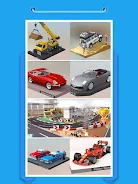
The visual presentation favors photoreal miniature dioramas with soft lighting and clear texturing so each part reads well on small screens. Depth of field and subtle camera effects help you focus on construction points while maintaining an accurate sense of the whole model. A restrained classical soundtrack and subtle ambient cues support concentration without distracting from hands-on assembly; audio controls allow you to mute music, lower effects or keep the default calm score. Display settings let you tweak camera sensitivity, brightness and contrast to suit different viewing conditions and personal taste.
Level Structure and Customization
Levels are organized by landmark, complexity and style so you can choose a quick scene or commit to a more intricate build. Each model lists estimated piece counts and an approximate completion time to help plan sessions. Customization options include camera presets that save preferred views, toggleable interface hints, and simple display adjustments to accommodate different devices. A personal gallery stores completed models for revisiting in photo mode, where you can reposition the camera and capture screenshots of finished dioramas to build a visual collection.
Replay Value and User Experience
Replay value comes from multiple directions: retrying favorite models at higher difficulty, attempting cleaner builds with fewer hints, or exploring scenes you skipped on first pass. Pocket World 3D rewards methodical play by introducing small design variations between similar landmarks and by progressively increasing piece density so assemblies require more planning. The user experience focuses on clarity and accessibility with large touch targets, explicit on-screen labels and forgiving undo mechanics so mistakes are easy to correct. Navigation is intentionally low-friction to keep the building experience central rather than buried behind menus.
Accessibility and Offline Play
Accessibility features are built in to accommodate different needs, including adjustable menu text sizes, control sensitivity settings for users who prefer larger or smaller gestures, and color-contrast options to aid visibility. The main puzzle catalog is playable offline once models are downloaded, making the app suitable for travel or areas with limited connectivity; occasional content updates and new collections require an internet connection to download. Touch controls are designed to be usable one-handed and visual cues are explicit so players who rely on consistent feedback can assemble parts confidently.
Challenge Systems and Tips
Challenge in the app derives from piece count, assembly complexity and hint restrictions rather than external rankings or timers. Players can limit hints, aim for cleaner builds, or work through sectional assemblies that reward planning and foresight. To get the most from each puzzle, survey the scene with rotation and zoom gestures before fitting pieces, group visually similar parts, and use camera presets to access awkward angles. Over time, working through progressively harder models strengthens spatial reasoning and delivers a steady sense of achievement as your in-app gallery grows.
Show More