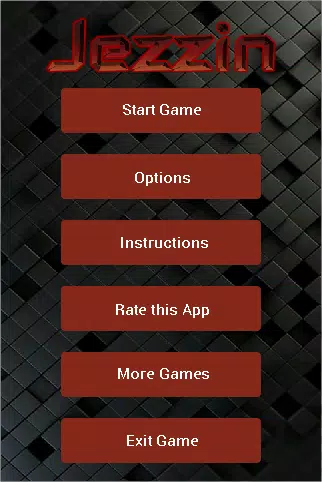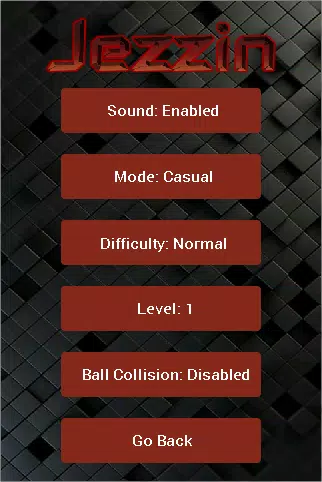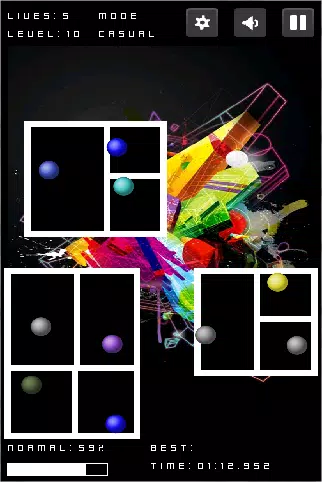
Jezzin
Version:1.3
Published:2026-10-12
Introduction
Jezzin is a polished personal productivity app that combines task management, note-taking and calendar planning into a single, streamlined interface. Designed for mobile users, Jezzin helps organize daily tasks, set smart reminders and syncs across devices to keep schedules, projects and collaborators in one place.
What Jezzin Brings to Your Workflow
At its core, Jezzin is built to reduce context switching. Tasks, notes and calendar events live together so you can convert a meeting note into an actionable task or attach a reminder to a checklist item. The app supports nested projects, tags, and priority flags so you can sort work by urgency or theme without juggling multiple apps.
Key Features and Tools
- Unified Inbox: Capture ideas, emails and voice memos in one place and triage them later.
- Smart Reminders: Time-, location- and context-based reminders that trigger when you need them.
- Rich Notes: Formatting, checklists, images and file attachments make notes more useful than basic text.
- Calendar Integration: Two-way sync with popular calendars keeps deadlines and events aligned.
- Collaborative Boards: Share projects with teammates, assign tasks and comment inline to keep communication centralized.
Interface and Navigation
Jezzin uses a minimalist layout that prioritizes content and speed. A customizable home view surfaces upcoming actions, while swipe gestures let you complete or snooze items without extra taps. The color palette and typography are designed for readability; optional dark mode reduces eye strain during long sessions.
How It Fits Into Daily Routines
Whether you plan your day with a morning review or prefer a reactive approach, Jezzin adapts. Daily summaries highlight key tasks and events, while a focus mode filters distractions so you only see what matters. Quick add widgets let you capture tasks from the home screen or share sheet, minimizing interruptions to your workflow.
Synchronization and Offline Use
Reliable sync is a priority. Jezzin keeps data consistent across phones, tablets and the web, with conflict resolution that surfaces changes for review. Offline access ensures your notes and tasks remain editable without an internet connection; changes upload automatically once connectivity returns.
Customization and Automation
Advanced users can tailor Jezzin with custom views, saved filters and recurring task rules. Automation options include smart sorting, auto-archiving completed items after a set period and templates for recurring projects. These tools reduce manual maintenance and keep long-term plans organized.
Performance and Compatibility
Designed for Android, Jezzin is optimized to keep resource use low and responsiveness high. Background sync is tuned to avoid battery drain while still delivering timely notifications. The app supports a wide range of Android versions and screen sizes, with adaptive layouts for phones and tablets.
Security and Privacy
Jezzin stores user data with encryption in transit and at rest. Local passcode and biometric unlock protect sensitive lists, and the app provides export options so you can back up or migrate data. Permission requests are scoped narrowly to only what’s needed for syncing and reminders.
Getting Started
Onboarding in Jezzin is quick: import tasks from existing calendars, connect cloud accounts, and choose a home layout that fits your routine. Templates for common workflows—such as project planning, meeting notes and weekly reviews—help you reach productivity gains without building structures from scratch.
Tips for Power Users
- Use tags and saved filters to build context-based views like "Errands" or "Work Focus."
- Create templates for repeated workflows to save setup time on new projects.
- Enable location reminders for errands and geofenced tasks to automate triggers.
- Link notes to calendar events for richer meeting follow-ups and fewer lost action items.
Jezzin aims to be a single hub for personal and team productivity, balancing powerful features with a clean, approachable design. It’s a practical option for anyone looking to streamline planning, keep track of commitments and collaborate without clutter.
Show More