Staying Connected
Version:0.1.5.5
Published:2026-10-13
Introduction
Staying Connected is a lightweight communication hub that consolidates messaging, contacts, and status updates into a single, easy-to-use interface, making cross-platform conversations smoother and less cluttered for busy users who need reliable access to their social and professional networks anytime with streamlined notifications.
Core Features
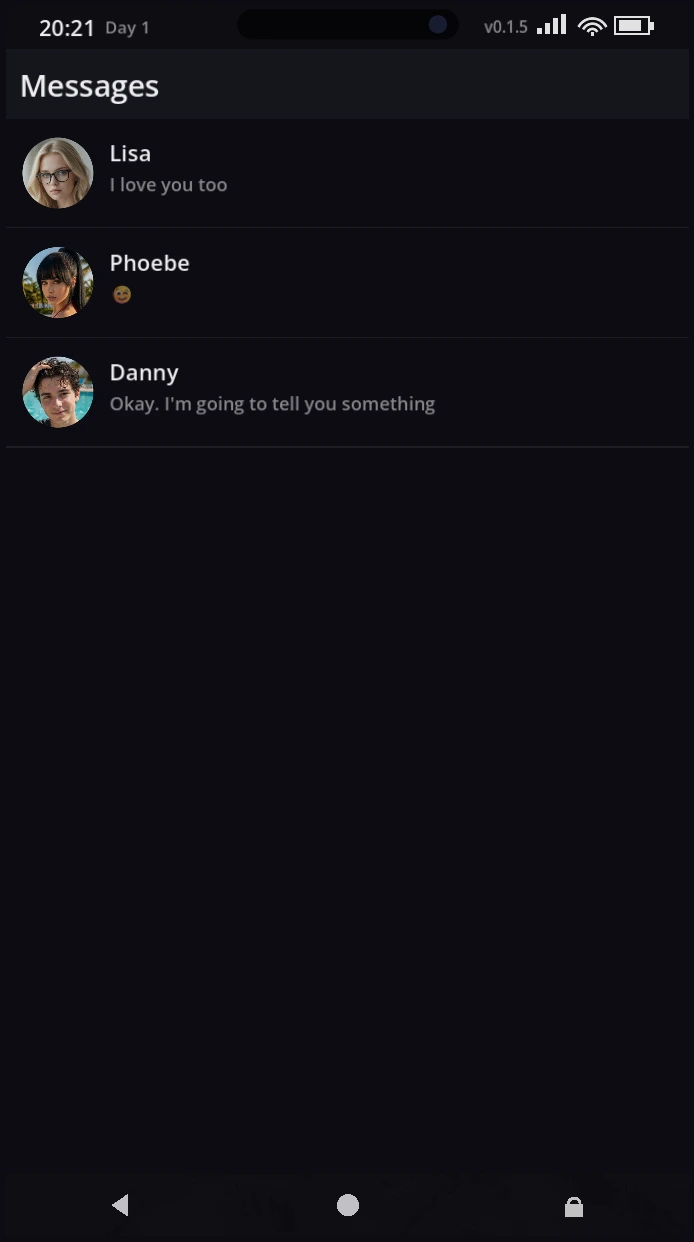
Staying Connected centralizes essential tools so you can manage conversations, calls, and contact information from one place. It supports unified inboxes that aggregate messages from SMS, email, and supported chat services. Built-in presence indicators show who is available at a glance, while threaded conversations keep context clear across multiple channels.
Interface and Workflow
The design focuses on speed and clarity. A clean main dashboard presents recent conversations, pinned contacts, and quick actions. Navigation uses simple gestures and an adaptive toolbar so common tasks—replying, archiving, or calling—are just one tap away. The app offers split-screen compatibility for multitasking on larger devices.
Organization Tools
Efficient organization is a priority. Labels and folders let you categorize threads by project, personal, or priority. Smart filters automatically surface unread or important messages. A consolidated search scans messages, attachments, and contact fields to find what you need without switching apps.
Customization and Notifications
Personalization helps reduce noise while keeping critical alerts prominent. Notification profiles can be configured per-contact or per-channel: choose sound, vibration, and do-not-disturb schedules. Theme options range from light to dark and include adjustable font sizes for accessibility. Quick-reply templates let you send consistent responses with one tap.
Privacy and Security
Privacy features are straightforward and transparent. You control what data is shared and where it is stored. Local encryption secures message caches on-device, and optional cloud backup encrypts data before transmission. Permission management is granular so you can restrict access to contacts, storage, or microphone as needed.
Integration and Automation
Staying Connected integrates with calendar and task apps to show upcoming events and quick-create actions. Automation rules can move messages into folders, set auto-responses while you’re busy, or trigger reminders based on keywords. Third-party plugin support extends functionality without bloating the core app.
Performance and Compatibility
Engineered for efficiency, the app runs smoothly on a wide range of Android devices. Background syncing is optimized to conserve battery and data. The app supports Android adaptive icons and respects system power management to maintain reliable performance during long days of use.
Accessibility and Support
Accessibility is built in with screen reader compatibility, high-contrast themes, and scalable text. Contextual help dialogs and an in-app support center provide step-by-step guidance for common tasks. Regular updates address bugs and add enhancements based on user feedback.
Getting Started
Begin by importing contacts and connecting the services you use most. Configure notification profiles and create a couple of labels to organize incoming communication. Use the onboarding walkthrough to learn gestures and shortcuts; within minutes you’ll have a personalized workflow that keeps interruptions low and important messages visible.
Why Choose Staying Connected
For people who juggle multiple communication channels, Staying Connected reduces fragmentation and saves time. It balances robust functionality with a thoughtful interface, delivering fast access to conversations, flexible controls, and privacy-conscious features that make everyday communication more manageable.
Show More