Minecraft Earth
Version:0.33.0
Published:2026-10-13
Introduction
Minecraft Earth blends the creative sandbox of Minecraft with augmented reality to let players build, explore, and collaborate in real-world locations. Using mobile devices, you place virtual blocks and structures onto physical spaces, invite friends to shared builds, and collect resources for crafting and adventures.
Immersive AR Gameplay
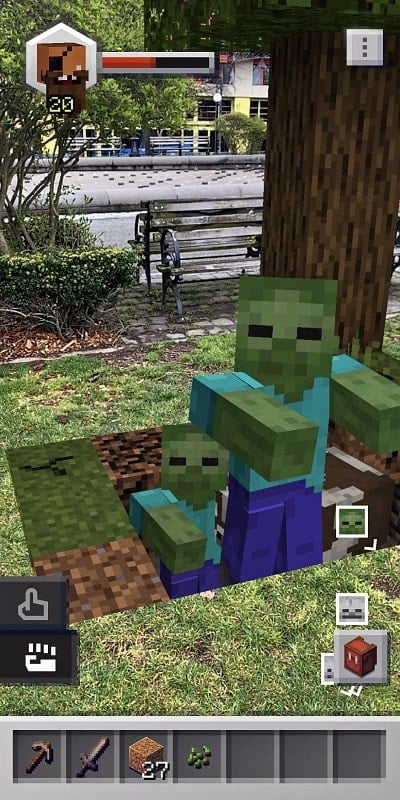
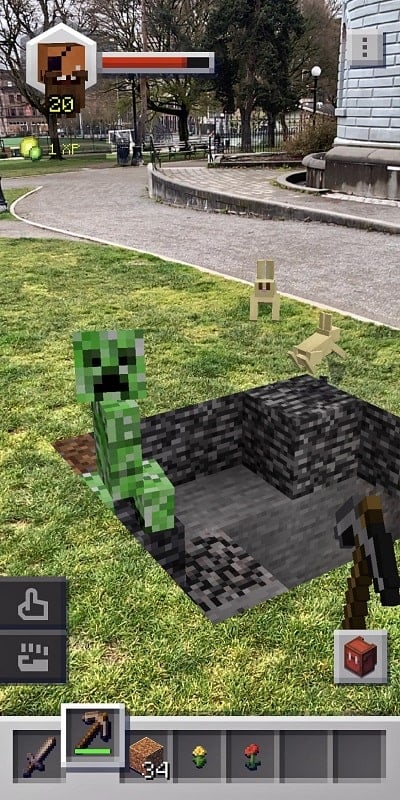
Minecraft Earth transforms ordinary surroundings into a layered playground. The game uses AR to anchor mini-builds and full-scale structures on tabletops, parks, and streets. Players can walk around their creations, examine them from different angles, and interact with mobs and items as if they were part of the environment.
Core Mechanics and Progression
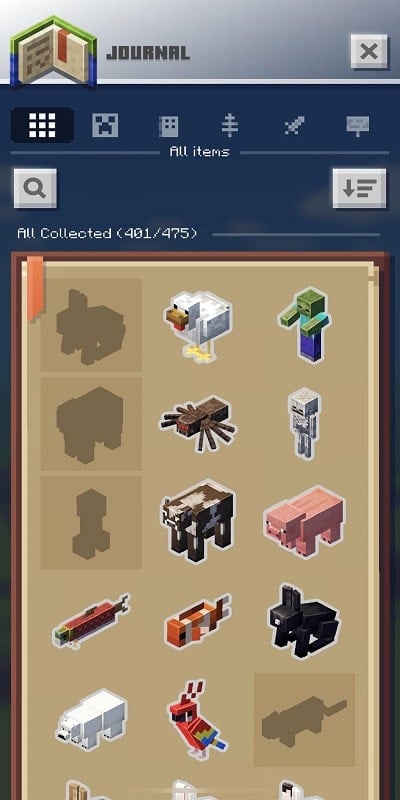
Progression centers on exploration, resource gathering, and level advancement. Players unlock new materials, blueprints, and tools by completing challenges, visiting adventure zones, and trading with others. As your profile gains experience, you gain access to larger buildplates and rarer components for more ambitious projects.
Building, Crafting and Creativity
Construction in Minecraft Earth emphasizes both quick, collaborative builds and long-form projects. Buildplates let you assemble structures piece by piece, while Tappables scattered around real-world locations yield blocks, items, and surprises. The crafting system is straightforward: combine collected resources to fabricate decorative and functional blocks, then place them into your builds.
Social Play and Collaboration
One of the strongest features is cooperative construction. Invite friends to a shared build session where multiple people place blocks simultaneously, or join local community events to contribute to collective projects. Collaboration extends to trading resources and showing off finished builds in public spaces.
Adventure Zones and Encounters
Adventure zones are short, mission-like experiences that spawn in nearby locations. These encounters usually involve battling small waves of mobs, solving a simple objective, or rescuing trapped creatures. Completing adventures awards experience, unique blocks, and cosmetic items that add flair to your creations.
Visuals and Performance
Graphics combine the classic Minecraft pixel aesthetic with AR overlays that sit against real-world backdrops. Performance depends heavily on device capabilities: newer phones deliver fluid tracking and detailed textures, while older hardware may reduce frame rates or limit AR fidelity. The game offers settings to balance visual quality and battery use.
Controls and Interaction
Controls are optimized for touch: tap to place blocks, pinch to zoom, and drag to rotate the viewpoint. AR gestures let you move and resize buildplates in physical space. The interface keeps essential tools accessible so players can switch between building, crafting, and exploring without interruption.
Maps, Locations and Safety
While the game encourages exploration, it includes safety prompts and boundaries to discourage risky behavior. Maps highlight tappables and adventure spawns nearby, and you can filter activities by distance. Location-based mechanics reward players who visit diverse environments but also allow remote planning so you can design without leaving home.
Customization and Rewards
Customization covers skins, block palettes, and decorative items unlocked through play. Seasonal events and limited-time challenges regularly introduce new cosmetics and themed blocks. Progress rewards foster a steady sense of achievement and give creators fresh options to personalize their worlds.
Getting Started Quickly
Begin by placing a small buildplate in a clear area and collecting nearby tappables. Complete a few simple adventures to gather resources and earn experience. Invite a friend to a co-op session to learn collaborative tools faster and experiment with larger structures. Frequent play uncovers new mechanics and sources of rare materials.
Tips for Better Builds
- Start with a small layout to test scale in AR before committing to large structures.
- Use contrasting block colors to make details pop against real-world backgrounds.
- Coordinate roles in multiplayer — one player gathers resources while another focuses on construction.
- Take screenshots of builds in different lighting to evaluate how they read in AR.
Minecraft Earth appeals to players who enjoy hands-on creativity and shared experiences. With a focus on AR-driven construction, social collaboration, and short outdoor adventures, it offers a fresh way to bring block-based imagination into the spaces you already use every day.
Show More