RetroArch
Version:1.16.0_GIT
Published:2026-10-13
Introduction
RetroArch is a versatile, open-source front end that consolidates retro console emulation into a single, polished interface. Designed for enthusiasts and newcomers alike, it provides modular cores, advanced video filters, and robust state management to recreate classic games on modern Android devices while emphasizing customization and performance.
What RetroArch Does
At its core, RetroArch acts as a unifying shell that runs multiple emulator engines — known as cores — within one ecosystem. Instead of installing separate emulators for each system, users launch cores from the RetroArch menu and configure them centrally. This design simplifies management and keeps settings consistent across many platforms.
Key Components Explained
- Cores: Individual emulator modules for systems like NES, SNES, Genesis, PlayStation, and many handhelds.
- Shaders: Post-processing filters that recreate CRT look, smooth pixels, or apply color grading for a chosen aesthetic.
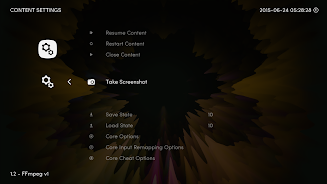
- Save States: Instant save and load functions that let you return to precise moments in gameplay.
- Netplay: Peer-to-peer multiplayer support for select cores, enabling cooperative and competitive sessions over a network.
How It Works on Android
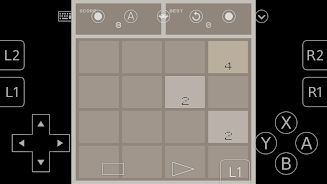
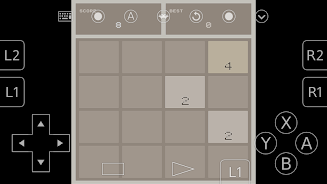
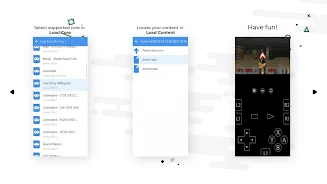
RetroArch organizes content through a file browser and playlist system. Users load ROMs or homebrew files into the app’s directories, then associate them with the appropriate core. Once a core is active, you can tweak audio and video options, remap controls, and enable enhancements like rewind or frame delay compensation to improve playability on mobile hardware.
Interface and Performance
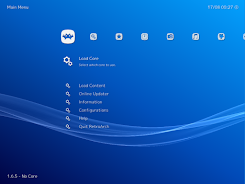
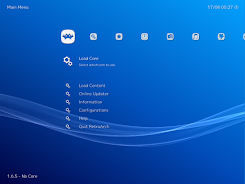
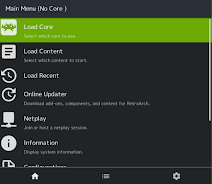
The interface balances accessibility and depth. The main menu offers clear categories for loading content, updating cores, and adjusting settings. Performance options allow you to tailor frame timing, audio latency, and resolution scaling; these controls help RetroArch run smoothly on both budget and high-end Android devices. For many users, selecting the proper core and fine-tuning the settings yields near-native experience.
Customization Options
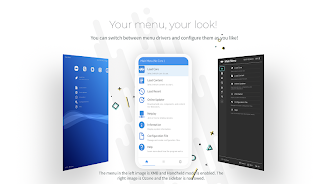
Customization is a standout aspect. RetroArch supports custom overlays, input mapping for touchscreens and controllers, and profile-saving so each game or system can preserve unique configurations. Advanced users can chain shaders, set per-core audio locks, or script startup commands to create tailored sessions for specific titles.
Practical Tools for Everyday Use
- Playlist Management: Organize games by system, genre, or custom tags for quick access.
- Thumbnail Support: Add box art to playlists for a visual library experience.
- Auto-Configuration: Core updater and database helpers reduce setup time by matching cores to content.
Tips for New Users
Start by installing a stable core for a single system, then load a legally obtained file or homebrew project to test. Use the latency and shader presets before customizing everything manually — this gives a baseline to compare tweaks. If you use a controller, save a profile immediately after mapping; it prevents rework later.
Advanced User Recommendations
Explore the built-in core updater to keep modules current, and try different shader combinations to find a visual style that suits your screen. If you plan on multiplayer, verify that both players use compatible core versions and settings to reduce connection or desync issues.
Why Enthusiasts Choose RetroArch
Many users prefer RetroArch because it consolidates multiple emulation experiences under one roof without sacrificing configurability. The modular core approach makes experimentation straightforward, and the community-driven development means frequent updates and broad hardware support. For mobile users who value both authenticity and convenience, RetroArch provides a flexible platform.
Getting Started
Install RetroArch from a trusted app store, open the app, and explore the Online Updater to download cores. Use the file browser to locate compatible content and assign cores as needed. Always respect copyright and use legally owned media or freely licensed homebrew files.
Whether you’re nostalgic about classic titles or building a portable retro library, RetroArch delivers an extensive toolkit for recreating vintage gaming experiences with modern conveniences and deep customization options.
Show More