AnimeCream
Version:1.0
Published:2026-10-13
Introduction
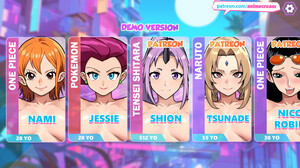
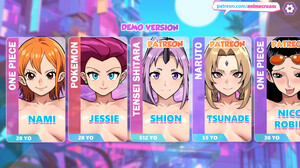
AnimeCream is an Android app that helps users create and customize anime-style avatars, wallpapers, and stickers with intuitive tools and AI-assisted effects. It blends easy-to-use editing controls with themed templates to produce vibrant, shareable artwork without steep learning curves or complex settings.
Core features and toolkit
AnimeCream offers a compact but powerful set of creative tools designed for fast results. The app includes a layered editor, facial recognition for avatar mapping, dozens of presets for hair, eyes, and outfits, and a curated library of backgrounds and props. Users can access color palettes, line-art smoothing, and specialized brushes tailored to anime-style illustration.
- Avatar generator: Create characters from scratch or transform photos into stylized portraits using automatic detection and manual tweaks.
- Templates and themes: Ready-made layouts for wallpapers, social banners, and profile images speed up the design process.
- Stickers and frames: Convert creations into sticker packs and decorative frames suitable for messaging apps.
- Export options: High-resolution PNG and JPG export, with transparent background support for overlays.
How the app works
Starting with a template or a blank canvas, AnimeCream guides users through character creation step by step. An initial face or pose is generated by AI, which can then be adjusted through sliders and dropdowns to change facial features, expressions, hairstyle, accessories, and clothing. Backgrounds and effects are added from the asset library or imported from the device. The app saves progress automatically and allows non-destructive edits via layers.
Customization and artistic controls
Customization is at the heart of AnimeCream. Users can fine-tune every element—eye shape, eyebrow angle, skin tone, shading intensity, and highlight placement—to achieve the desired aesthetic. Advanced controls include gradient maps, selective blur, and paneling tools for comic-style layouts. For those who prefer hands-on drawing, pressure-sensitive stroke control supports stylus input where hardware permits.
Workflow and productivity
Designed for both quick edits and longer creative sessions, the app balances convenience with depth. Templates allow users to produce shareable art in minutes, while the layered editor supports detailed revisions. Common tasks like palette saving, asset reuse, and one-tap background replacement reduce repetitive work. A version history feature makes it simple to revert to earlier stages without losing progress.
Exporting, sharing, and compatibility
AnimeCream supports standard export formats and optimized sizes for social networks. Export presets make it straightforward to prepare avatars for profile photos, create banner-ready wallpapers, or generate sticker sheets for messaging apps. Direct sharing buttons connect to popular platforms and cloud storage providers. The app is optimized for a wide range of Android devices and manages memory efficiently to avoid crashes during large exports.
Performance and resource use
Performance is prioritized to keep the experience responsive. The app uses on-device acceleration for brushes and effects, with optional cloud-assisted processing for style transfers that require more compute. Memory usage scales depending on canvas size and number of layers; lower-memory mode limits undo levels and reduces texture resolution for older devices while maintaining core functionality.
User experience and interface
The interface in AnimeCream is laid out for clarity: a central canvas, a collapsible toolbar, and contextual menus that change based on active tools. Tooltips and short guided tutorials help new users understand core operations quickly. Settings let creators customize the UI density and toggle advanced controls for a cleaner workspace.
Privacy and permissions
AnimeCream requests only the permissions required to access photos, storage, and optional camera use. Photo transformations happen on-device unless users opt into cloud processing for specific filters. The app provides clear privacy settings and export controls so users retain ownership of their artwork and can manage sharing preferences.
Getting started tips
- Begin with a template and replace elements to learn how the layer system behaves.
- Use the palette save feature to maintain consistent colors across multiple assets.
- Export at the highest resolution you need once the design is finalized to avoid quality loss.
- Try the one-click background switcher to preview compositions quickly.
AnimeCream is geared toward casual creators and hobbyist illustrators who want an efficient way to produce anime-inspired visuals on Android devices. With accessible controls, a supportive asset library, and flexible export choices, it streamlines the process of turning ideas into polished visuals ready for sharing or further refinement.
Show More