Talking Pierre the Parrot
Version:3.4
Published:2026-10-14
Introduction
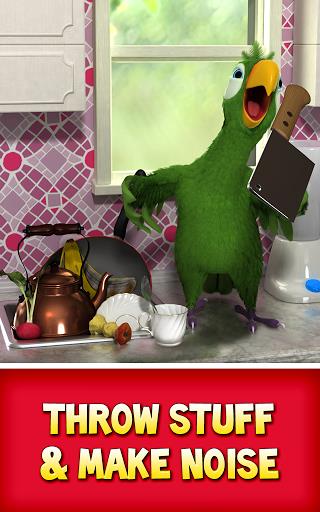
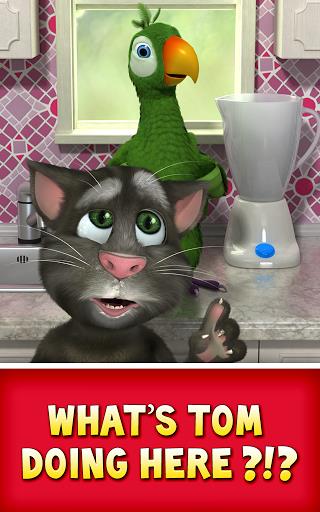
Talking Pierre the Parrot is a lively interactive app that brings a cheeky virtual parrot to your Android device. It repeats spoken phrases, plays simple piano tunes, and reacts to taps, creating playful interactions for kids and casual users. The interface is colorful and easy to navigate.
Key features at a glance
Talking Pierre the Parrot combines simple entertainment with responsive audio and animation. The app captures voice input and returns a humorous, parrot-like replay, while separate modes let the bird poke fun at your recordings or perform short melodies. Sensors and touch responses trigger different animations so the experience feels immediate and engaging.
Interactive modes and tools
Inside the app you’ll find a few distinct areas: one for voice mimicry, one for music play, and small mini-interactions for extra variety. The voice mimicry mode records short snippets and replays them with a signature tone, while piano-style keys allow anyone to play basic tunes. Additional buttons prompt the parrot to laugh, sleep, or react to tickles, keeping the moment playful.
Design and user interface
The layout is optimized for children and casual users, with large icons, bright colors, and minimal text. Controls are intuitive: tap the parrot to get an immediate reaction, press the record button to capture speech, or switch to musical keys to compose quick riffs. Talking Pierre the Parrot keeps menus short and presents actions visually so first-time users can dive in right away.
Performance and compatibility
Performance is lightweight on modern Android devices. Animations are smooth and voice processing completes quickly, even on lower-end phones. The app footprint is modest, which helps conserve storage and keeps battery usage reasonable during short play sessions. Most Android versions still in common use are supported, and the app adapts its audio quality based on device capabilities.
Practical uses and audience
While primarily designed as a fun diversion, the app can also serve educational and therapeutic purposes. Children enjoy experimenting with sounds and rhythm, which supports early auditory exploration. Adults may use the recording features for quick voice memos or playful messages. Talking Pierre the Parrot suits families looking for safe, light entertainment and anyone wanting a simple, amusing audio companion.
Customization and settings
The settings panel is compact but useful. Users can toggle sound effects, adjust replay speed, and manage the microphone permission. Volume handling respects system controls and the app saves recent recordings for quick replay. These lightweight customization options let users tailor the experience without being overwhelmed by technical choices.
Tips for the best experience
- Use a quiet space: Recordings sound clearer when background noise is low, improving replay quality.
- Tap varied areas: Different touches produce distinct reactions, so explore the parrot’s full range of animations.
- Experiment with melodies: The piano mode is forgiving, so beginners can create pleasing tunes with no musical training.
- Keep the app updated: Updates may add new reactions, improve stability, and refine audio processing.
Safety and privacy
The app requests only essential permissions for microphone use and does not require unnecessary personal data. Recordings are processed locally on your device, and privacy settings allow you to clear stored clips. Parents can feel comfortable letting children explore the app without complicated account setups.
Why install it?
If you want a lighthearted, low-friction way to add a playful element to daily life, Talking Pierre the Parrot offers immediate amusement with minimal setup. It’s particularly suitable for short bursts of entertainment, creative voice play, or keeping young users engaged with colorful visuals and clear responses. Downloading the app provides a compact, cheerful companion that’s easy to use and simple to enjoy.
Show More