pitchy
Version:1.1.2
Published:2026-10-15
Introduction
pitchy is a streamlined pitch-detection and vocal training app designed for musicians, teachers, and hobbyists. It combines real-time tuning feedback, visual pitch tracking, and practice exercises to help users improve intonation and accuracy. The interface prioritizes clarity so sessions stay focused and productive.
What pitchy does
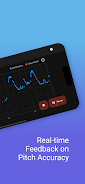
At its core, pitchy analyzes incoming audio and displays note names, cent deviations, and a live waveform or spectrogram. Singers can see whether they are flat or sharp, instrumentalists can check tuning across octaves, and voice coaches can monitor progress during lessons. The app is suitable for quick tuning checks, warm-ups, and structured practice routines.
Key functionality and tools
pitchy groups essential tools in a compact layout so you can switch modes fast. Important features include:
- Real-time tuner: Instant pitch readout with cent precision and clear visual guidance.
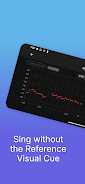
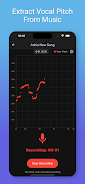
- Spectrogram and waveform: Visualize harmonics and pitch stability for deeper analysis.
- Practice exercises: Scales, intervals, and custom drills with adjustable tempo and pitch range.
- Recording and history: Save takes, compare attempts, and track improvements over time.
- Noise tolerance: Adaptive filters help extract pitch in noisy environments.
How the workflow feels
Using pitchy starts with a quick calibration step where you select the instrument type or microphone sensitivity. From there you choose a mode: tuning, practice, or analysis. The tuning mode gives single-note feedback; practice mode runs sequences with optional metronome clicks; analysis mode records phrases and highlights pitch drift and outliers. Each mode is tailored to minimize setup and maximize time spent making music.
Interface and performance
The design emphasizes readability—large pitch indicators, color-coded accuracy bands, and an adjustable zoom for detailed inspection. The app maintains low latency so visual feedback keeps pace with the audio input, an important feature for live practice. On modern devices the CPU footprint stays modest; battery use is optimized for typical session lengths.
Customization and settings
pitchy offers several controls to match different use cases. You can change temperament and reference tuning (A=440 Hz or custom), set detection sensitivity to handle soft singing or loud instruments, and switch between relative and absolute pitch displays. Advanced users can alter averaging windows and smoothing to fine-tune responsiveness versus stability.
Practical tips for users
Newcomers should begin with short sessions focused on a single scale or interval. Use the visual decay or history feature to compare current notes with previous attempts. When practicing, try slowing the exercise tempo and using short segments to build muscle memory. For teachers, enable recording to capture student progress and annotate recordings outside the app.
Why musicians reach for it
Musicians appreciate pitchy for its balance of accuracy and simplicity. It gives clear, actionable feedback without overwhelming with technical jargon. The combination of visual tools and practice modes makes it useful both as a tuning aid and a training companion. Users often note that the app speeds up warm-ups and helps identify subtle intonation issues they might miss by ear alone.
Getting started and compatibility
Installation is straightforward: grant microphone access and choose a starting mode. The app supports a wide range of microphones, from built-in device mics to external USB or audio-interface inputs. Minimal permissions are required, and saved recordings are stored locally with options for export. Regular updates refine detection accuracy and add new drills based on user feedback.
For anyone serious about improving pitch control, pitchy offers a concise set of tools that fit into daily practice without distraction. Its blend of measurement, visualization, and practice routines makes it a practical addition to a musician’s toolkit, whether preparing for rehearsals, lessons, or self-directed study.
Show More