LNR Lighting
Version:1.0.0
Published:2026-10-19
Introduction
LNR Lighting is a versatile mobile app that lets users design, control, and schedule smart lighting setups from their Android device. It combines intuitive scene creation, multi-zone control, and energy monitoring into a single interface, making it easier to customize ambiance and automate lights for home or small business environments.
Key features at a glance
The app offers a comprehensive toolkit for managing LED strips, smart bulbs, and connected fixtures. LNR Lighting supports group control, color and temperature adjustments, and preset scenes that you can trigger with a tap. Advanced users will appreciate support for custom effects, real-time feedback from devices, and the ability to import or export configuration profiles.
Interface and setup
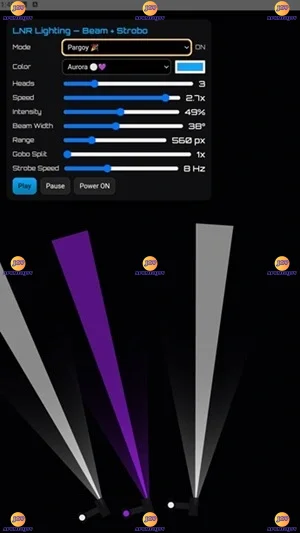
Setup focuses on speed and clarity. A guided pairing flow walks you through network discovery and device naming, while a dashboard consolidates active zones, current scenes, and upcoming schedules. Controls are arranged so common tasks are one tap away: select a room, pick a scene, or tweak brightness without navigating deep menus. The design balances visual previews with functional controls to help you see changes before applying them.
Customization and scenes
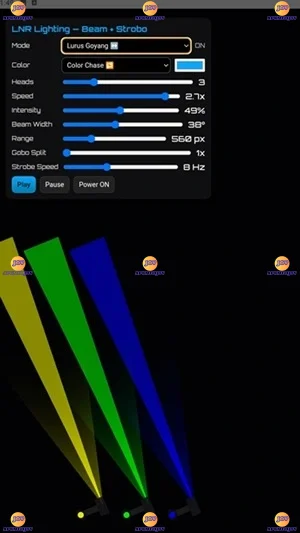
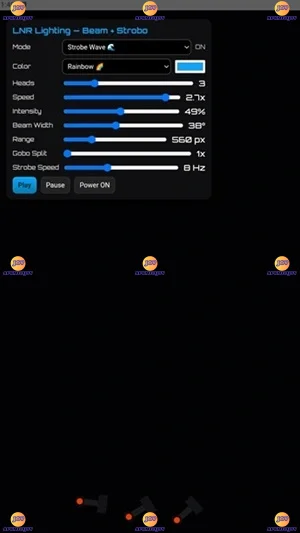
Creating a tailored atmosphere is straightforward. Use the scene editor to combine color, intensity, and timing into reusable presets. LNR Lighting lets you save multiple variations for the same space — for example, a bright morning scene, a dimmed evening mode, and a vibrant party setting. You can also layer effects such as fades, strobe patterns, and color cycles, then assign them to shortcuts or widgets for quick access.
Automation and scheduling
Automation tools let lights respond to daily rhythms or external events. Schedule scenes by time or sunrise/sunset, and create conditional triggers based on device states or sensor input. The scheduler supports exceptions for holidays and one-time overrides, and routines can run across multiple zones simultaneously. Those who use smart home hubs can integrate lighting routines with third-party automations to build a cohesive environment.
Power monitoring and efficiency
Built-in consumption tracking gives insight into how much energy your lighting uses. LNR Lighting presents simple graphs and per-device statistics so you can identify high-usage fixtures and optimize runtime. Energy-saving modes reduce brightness automatically during selected hours and suggest alternative scenes that preserve comfort while cutting power draw.
Performance and compatibility
Performance is tuned for responsive control: commands show up on connected lights with minimal delay, and local control is prioritized where possible to maintain operation if cloud services are unavailable. LNR Lighting supports common protocols and devices used by Android users, and the developer updates the compatibility list regularly. The app is built to run smoothly on a wide range of devices without heavy battery drain.
Security and privacy
The app uses encrypted connections to protect device communication and stores minimal personal data on your device. Account-based features are optional, and local-only operation is available for users who prefer to keep their setup off the cloud. When account features are enabled, two-factor authentication and session controls help safeguard access.
Practical workflow examples
- Morning routine: Gradual wake scenes across bedroom and kitchen that increase brightness and shift color temperature to energize your morning.
- Evening relaxation: A single tap dims living room lights, sets warm tones, and lowers energy usage for a calm environment.
- Event mode: Sync multiple zones with color cycles and dynamic effects for parties or presentations.
Tips for daily use
Organize lights into named zones to simplify control, and make use of widgets for the scenes you use most. Experiment with the scene editor to find transitions that feel natural, and check energy reports weekly to identify opportunities to cut unnecessary runtime. Regular firmware checks on connected devices will maintain compatibility and unlock new features when available.
LNR Lighting brings professional-grade control into a friendly mobile experience, whether you’re coordinating a few smart bulbs or managing a larger multi-room setup. With clear workflows, flexible automation, and practical energy tools, the app helps users get the most from their lighting investment while keeping everyday operation simple and reliable.
Show More