Pocket GF ~ AI Girlfriend
Version:9.8
Published:2026-10-25
Introduction
Pocket GF ~ AI Girlfriend is a mobile companion built for natural conversation, simple productivity and personal customization on Android devices. This editor review describes how the app blends free-form chat with lightweight assistant features—scheduling, reminders, note summaries and mood tracking—while keeping privacy choices visible and easy to control. The design favors short, consistent interactions that fit daily routines and low-spec phones without draining battery or requiring constant connectivity.
Core experience and interaction model
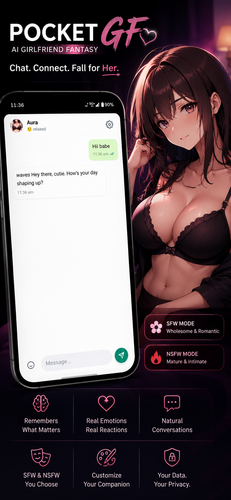
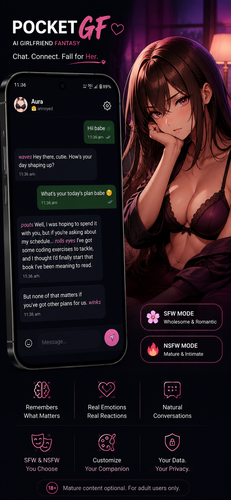
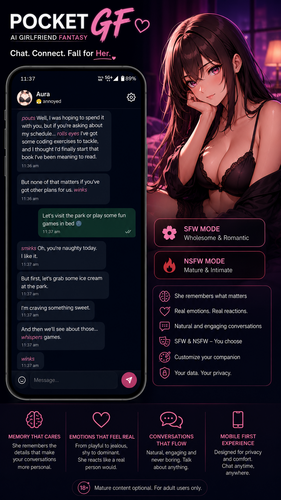
The core of the experience is conversational flow rather than rigid scripts: messages are handled as free-form exchanges where context, recent topics and user-set preferences influence replies. Conversation mechanics rely on clear prompts and short commands you can type naturally or tap from suggested actions. The app adapts over time, using short-term memory slots you can enable or disable, so it remembers what you want it to and discards what you don’t. Within Pocket GF ~ AI Girlfriend, the emphasis is on believable responses and gentle suggestions rather than on gaming-style rewards or competitive features.
Controls, prompts and accessibility
Controls are straightforward: a single chat view with a compact toolbar gives quick access to personality settings, memory management and the command list. Typing, voice-to-text (where supported by the device), and quick-reply buttons let users tailor interactions to their preferred input method. Accessibility options include adjustable font sizes, high-contrast color themes, and simplified interface layouts for users who prefer fewer on-screen controls. Haptic and visual feedback settings are available so notifications remain unobtrusive.
Progression, personalization and progression systems
Instead of levels or leaderboards, progression in the app is personal: as you interact, the assistant suggests refined personality traits, tone adjustments and new command shortcuts based on your usage patterns. Personalization unlocks via continued use—new personas and vocabulary tweaks appear as suggestions once the app has enough context to offer meaningful alternatives. This progression creates a sense of growth without forcing grinding or artificial barriers; it’s about improving conversational relevance and making routine tasks faster.
Customization, visual style and interface
Customization options let you shape tone, response length and appearance. Choose between several starter personas and then tune humor, directness and topical boundaries. The visual style favors uncluttered typography, subtle color accents and a choice of avatar styles so the chat feels familiar without being distracting. Theme and chat color adjustments help the interface blend into different daily environments, from bright daytime use to low-light evenings.
Practical tools, controls and challenge systems
Beyond small talk, the app turns conversations into actions: in-chat commands convert a message into a calendar event, summarize notes into bullet points, or set a reminder with natural language. For users who want to sharpen social skills or practice conversational habits, optional guided prompt exercises present short, timed scenarios that simulate everyday exchanges; these are designed as practice modes rather than tests, offering gentle feedback and tips for clearer expression. Challenges are optional, self-paced, and focused on improving conversational habits rather than scoring.
Offline capabilities, privacy and data control
Offline functionality is deliberate: basic chat and access to locally stored personalities remain available without a network, and cloud sync is opt-in so users can choose whether conversations are backed up. Privacy settings are prominent and easy to use, with clear controls to delete conversation history, export or wipe memory slots, and toggle local-only storage. Safety filters aim to reduce inappropriate or explicit content in generated replies so the app remains suitable for a broad audience.
Replay value, daily workflow and real-world use
Replay value comes from ongoing refinement—new personality tweaks and productivity shortcuts keep the interaction feeling fresh rather than repetitive. In daily workflow the app serves as a pocket assistant for small tasks: gentle nudges to build habits, quick meeting summaries, reminder setups and short note organization. Many users report that Pocket GF ~ AI Girlfriend fits into short bursts of activity throughout the day, making it a lightweight companion for routine planning and casual conversation without demanding long sessions.
Show More