CubeX - Solver, Timer, 3D Cube
Version:3.2.1.4
Published:2026-11-03
Introduction
CubeX - Solver, Timer, 3D Cube is a compact toolkit for cubers who want a single app that combines a scramble generator, an explainable solver, a precision timer, and an interactive 3D viewer. Designed to be lightweight and focused, CubeX - Solver, Timer, 3D Cube helps both beginners learning fundamentals and experienced solvers refining speed by keeping controls, feedback, and practice tools in one place.
Overview
The core of the app centers on transparent learning: the solver does more than list moves, it annotates phases, explains the intent behind actions, and offers alternate sequences when multiple routes exist. Visitors to the 3D viewer can follow each rotation from any angle and match virtual steps to a physical cube. Scramble generation produces standardized mixes for single- and multi-step practice, while the solver adapts explanations so you can choose a full walkthrough or a concise, efficiency-focused solution.
Controls and interaction
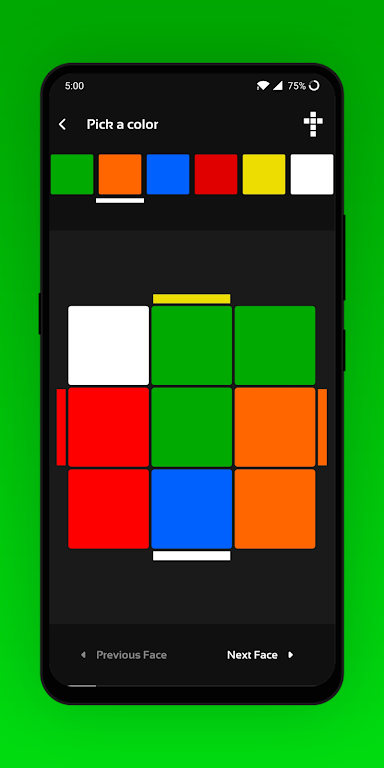
Controls are optimized for touch-first devices: swipe to rotate the cube, pinch to zoom, and tap faces to apply or compose moves directly in the viewer. Notation input is available for those who prefer typing sequences, and a manual state entry option lets you recreate an arbitrary cube position from a photograph or written description. Timer controls are large and deliberate to minimize accidental taps during a run, with optional gesture inputs for users who favor quick starts and stops.
Solver behavior and progression
The solver guides users through common solution phases with annotated move lists and optional step-by-step walkthroughs that are ideal for learners. As you progress, the app supports switching to optimized routes that prioritize move count or algorithmic efficiency. Progression is user-driven: shorten walkthrough detail as skills advance, focus practice on specific phases with repeat drills, or enable algorithm variations to expand your repertoire. A simple level structure groups practice tasks into basic, intermediate, and advanced patterns so you can track which categories still need work.
Timing, analysis, and challenge systems
The built-in timer includes inspection, penalties, and a persistent history of attempts so you can compute averages, bests, and streaks. After sessions the app presents basic distribution charts and summary statistics to help identify trends such as consistency or frequently missed steps. Challenge modes let you create local drills—timed sequences or consistency targets—that run entirely on-device without online leaderboards, which keeps your data private while offering structured goals to sustain replay value.
Visual style and accessibility
Visual presentation balances clarity and flexibility with readable notation, high-contrast stickers, and customizable face colors that can be matched to your physical cube. Interface elements scale so buttons and text remain usable on smaller screens, and an optional face-highlighting feature focuses attention on the next move or the current subsystem. Accessibility settings include larger touch targets, adjustable fonts, and color-blind friendly palettes to ensure that a wide range of users can practice comfortably.
Customization and workflow
Customize notation preferences, timer behavior during inspection, animation speed, and solver verbosity so the app fits your preferred training style. Shortcuts and gesture configurations reduce repetitive taps when chaining scrambles and solves or when rehearsing algorithm loops. Export and local backup options make it straightforward to save session logs and settings to your device for migration to a new phone without relying on cloud services.
Offline play and performance
The app is engineered for offline use so you can train anywhere without connectivity. The 3D renderer adjusts visual fidelity to match device capability, favoring smooth interactions on mid-range hardware while conserving battery and memory. Timing and solver routines prioritize responsiveness so touch input remains accurate during fast practice, and animation buffering minimizes stalls when stepping through long sequences.
Who benefits and getting started
Whether you are just learning the turns or aiming to shave seconds off competition-style solves, CubeX - Solver, Timer, 3D Cube provides practical utilities that remove the need for multiple separate tools. To begin, set your sticker colors and notation, run a few scrambles in the viewer, and try the solver in step mode to understand why each move is made. Regular practice with the teaching solver, targeted timing drills, and focused algorithm rehearsal builds reliable habits and keeps practice sessions varied and productive.
Show More