BetVisa
Version:1.30.10398
Published:2026-11-12
Introduction
BetVisa is an Android app that simplifies managing online wagers, deposits and withdrawals with clear tracking and secure payment flows. Designed for users who place bets or follow multiple accounts, BetVisa consolidates transaction history, balance alerts and quick transfer tools into a single, streamlined mobile interface.
Core features
At its heart, BetVisa focuses on practical tools that reduce friction between placing a stake and tracking outcomes. The app provides a consolidated ledger for bets, a native wallet overview, instant push notifications for deposits and withdrawals, and category filters so you can view activity by sport, platform or timeframe. A favorites system lets you pin preferred bookmakers or payment methods for faster access.
How the workflow operates
The workflow is built around three clear steps: connect accounts, monitor transactions, and act quickly. Connect supported bookmaker profiles and payment sources using secure tokens so repeated logins are minimized. Once linked, BetVisa automatically syncs balances and recent bets at regular intervals. When an event settles or a deposit clears, the system issues a concise alert and places the item in an organized activity feed to reduce clutter.
Practical tools for everyday use
BetVisa includes a suite of practical utilities that improve daily management. Use the built-in calculator to estimate potential returns and net profit after fees. Set recurring balance thresholds to receive warnings when a wallet balance drops below a target. Export histories as CSV for personal accounting or tax reporting, and mark items with custom tags so you can group related bets or transactions for later review.
Security and privacy
Security is treated as a priority. BetVisa uses encrypted communication channels for all account syncs and offers optional biometric unlock to keep access fast yet secure. Sensitive credentials are not stored in plain text; instead the app relies on secure tokens and local encryption to reduce exposure. Privacy settings allow you to control what data is retained and for how long, with straightforward options to purge old history or anonymize exported records.
User interface and navigation
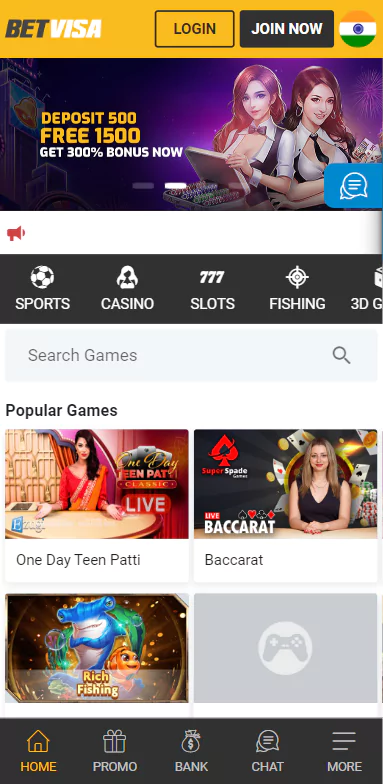
The interface favors clarity and minimal steps. A dashboard provides a snapshot of current balances, recent wins and pending withdrawals. Tap into any summary card to reveal transaction details, including timestamps, odds, stake sizes and payout amounts. Navigation is gesture-friendly and designed to be responsive on both phones and large-screen devices, with readable typefaces and high-contrast elements for late-night use.
Performance and compatibility
BetVisa performs smoothly on modern Android devices and is optimized to reduce battery drain during background synchronization. Sync schedules are adaptive: the app increases frequency during active usage and reduces polling when idle. Compatibility stretches across a wide Android version range, and the development roadmap prioritizes support for new platform features and banking APIs to keep integrations current.
Customization and personalization
Personalization options let you tailor the app to fit routine habits. Choose which notification types matter most, select a default currency, and customize the dashboard layout with modular cards. You can also configure automatic rules that classify incoming transactions or trigger alerts based on profit and loss thresholds. These small adjustments help BetVisa feel like a tool built around your habits rather than forcing a one-size-fits-all approach.
Tips for efficient use
- Connect only the accounts you actively manage to reduce sync time and focus the activity feed.
- Enable biometric unlock to balance security with quick access when you need to check a balance mid-game.
- Use CSV exports monthly to reconcile records in a spreadsheet and identify patterns in stakes and returns.
- Set low-balance alerts to avoid unexpected shortfalls during peak betting windows.
Getting started
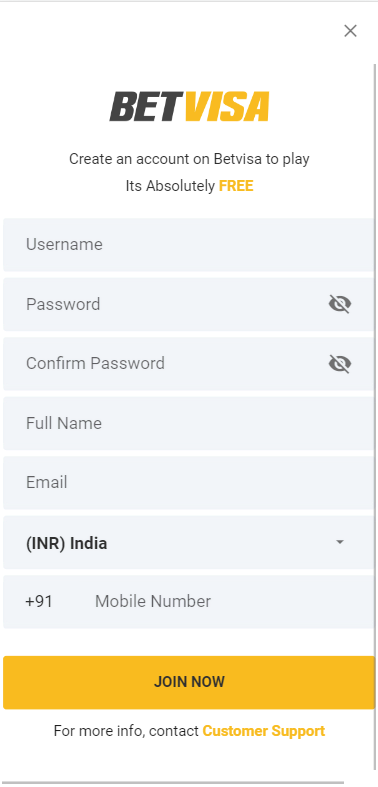
Installation is straightforward: download the APK, grant the necessary permissions for account sync, and complete the guided setup. The first sync may take a few minutes depending on the number of linked profiles. After setup you can immediately view consolidated balances, create watchlists, and configure notification preferences. For users who want rapid access to payment tools and transaction history, BetVisa provides a focused, efficient environment that reduces time spent switching between apps.
With a mix of tracking, security and workflow-driven features, BetVisa helps users keep financial activity visible and actionable. Regular updates and attention to performance ensure the app remains responsive as new integration needs arise, making it a practical companion for managing wagering-related finances on Android devices.
Show More