

Melvine
Version:1.0.1
Published:2026-05-18
Introduction
Melvine is an automatic weather station companion and mobile software suite built for precision digital agriculture. Melvine gathers and visualizes local meteorological and soil data from a field sensor array, applies disease-forecast models and issues timely guidance so growers can make informed choices about protection, irrigation and field operations. The app translates continuous readings—precipitation, temperature, wind, solar radiation, relative humidity and soil moisture—into accessible microclimate profiles and alert messages, helping users reduce wasted inputs and avoid late interventions that can harm yields.
Key features and data outputs
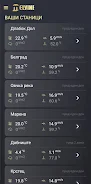
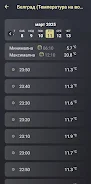
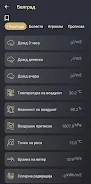
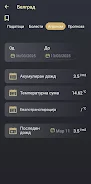
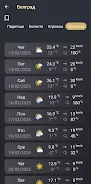
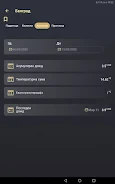
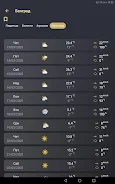
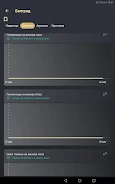
The app presents live telemetry from each station channel alongside short- and medium-term forecasts derived from established disease-risk models. Users can view current parameter values and trends, compare predicted risk windows with recent weather, and open detailed charts that show hourly and daily progressions. Melvine flags likely onset, intensity and duration of pest or disease pressure and suggests timing windows for protective measures rather than one-off recommendations.
Historical logging and exportable data let agronomists review previous seasons, evaluate the effectiveness of interventions and refine farm-level strategies over time. The combination of raw sensor logs, derived risk indices and localized forecasts supports a practical progression system: as records grow, models can be validated against field outcomes and planning moves from reactive to proactive.
How it works: controls, setup and interaction
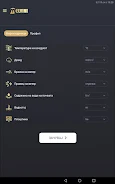
Setup is guided: the app walks users through pairing a station, verifying sensor placements and calibrating basic thresholds. Controls are simple and touch-focused—select a sensor, pinch-zoom charts, swipe between fields and tap to acknowledge alerts. Settings let you choose units, time zone and the sampling frequency you prefer, while a dedicated calibration view helps confirm that temperature, humidity and soil moisture sensors are reading in expected ranges.
Daily workflows are designed for efficiency. A dashboard summarizes priority alerts and recent changes, while field pages show per-sensor detail and notes for on-site technicians. Push notifications and in-app banners deliver risk windows so decisions can be scheduled into existing farm routines rather than interrupting work at random times.
Visual style, maps and level structure
Melvine uses a clear, data-first visual style with high-contrast charts and map overlays that place each station in the context of field boundaries. Station tiles act like levels in a workflow: each tile represents a monitored area with its own history, thresholds and local microclimate profile. Zooming the map reveals station clusters and microclimate gradients, while time-lapse charting helps users see how risk factors evolved through a storm or heat event.
Customization, controls and accessibility
Customize alerts by crop, growth stage and protection strategy so messages are relevant to specific operations. Thresholds for warnings can be adjusted by users or set to recommended defaults; alert channels include push notifications and in-app banners. Melvine includes accessibility options such as scalable text sizes and color palettes suitable for users with color-vision differences, and units can be switched between metric and imperial to match regional preferences.
Offline use, reliability and maintenance
The mobile app caches recent sensor data and forecast outputs so basic monitoring remains available when connectivity is limited; when a network connection is restored, logs sync automatically with the station. Reliable output depends on proper installation and upkeep of the physical station: the app provides a maintenance checklist, battery and signal strength indicators, and simple troubleshooting steps to help maintain data quality over the season.
Progression, replay value and decision support
Replay value comes from seasonal review and iterative improvement: growers and agronomists can replay past weather sequences, overlay protection actions and compare outcomes to refine timing and materials. As historical records accumulate the app becomes a more useful planning tool, supporting longer-term decisions such as crop and variety selection or changes to cultivation technology based on documented microclimate behavior.
Limitations and recommended practices
Melvine enhances situational awareness and reduces uncertainty but does not eliminate all crop risk; forecast outputs are risk indicators that require human judgment and timely follow-through. The accuracy of disease forecasts depends on correct sensor placement and ongoing maintenance. Install the station according to the included guidelines, verify sensors periodically and treat the app as a decision-support tool that complements in-field scouting and expert advice.
Show More
Information
Screenshots

Latest Update




Hot Tags
Latest News
-
![Revealing the Launch Playlists and Cross-Progression for COD Warzone Mobile News]()
-
![March 2024 Free Redemption Codes for Honkai: Star Rail News]()
-
PUBG Mobile Teams Up with Bentley Motors: Luxury Cars, Exclusive Collectibles, and Beyond 2024-04-18
![PUBG Mobile Teams Up with Bentley Motors: Luxury Cars, Exclusive Collectibles, and Beyond News]()
-
![Monster Never Cry is now accessible on both Android and iOS mobile devices. News]()
-
V2.2 of the Farlight 84 update introduces an overhauled Season structure, fresh in-game currency, an 2024-04-16
![V2.2 of the Farlight 84 update introduces an overhauled Season structure, fresh in-game currency, an News]()
-
![Arrival of Genshin Impact 4.6 Update: 'Embers of Two Realms, Twilight of Crimson' News]()
-
April 2024 Clash of Clans Update: Unveiling a Fresh Companion, Enhanced Levels, Chat Tagging, and Be 2024-04-16
![April 2024 Clash of Clans Update: Unveiling a Fresh Companion, Enhanced Levels, Chat Tagging, and Be News]()






