
KM Car Camcorder
Version:1.29.1
Published:2026-10-12
Introduction
KM Car Camcorder is a practical dashcam-style utility built for everyday drivers and road-trippers who want reliable, unobtrusive video recording while behind the wheel. The app runs quietly in the background so navigation and entertainment apps can remain active, and it combines continuous loop recording with collision protection and voice-driven location tags (city and state) when an internet connection is available. KM Car Camcorder focuses on capturing clear evidence or memorable drives without distracting you from driving, while offering settings to manage storage, recording quality, and automatic behavior when the vehicle starts or stops.
Key features and what they do
The recording core of KM Car Camcorder supports continuous background video capture that saves footage in manageable loop files and limits individual file sizes to prevent device storage from filling unexpectedly. A built-in G-Sensor detects strong vibrations and locks important clips to avoid accidental overwrites, and the app can run with either an inward-facing or outward-facing camera configuration depending on whether you need cabin footage or road-facing evidence. Voice-based location tagging lets you speak a city and state to stamp a recording with a searchable location when online, while speed alerts and configurable auto-start/auto-exit behaviors help the app match your driving routine. Video settings such as resolution and frame rate are adjustable so you can balance detail against storage use and battery impact.
Controls and user interface
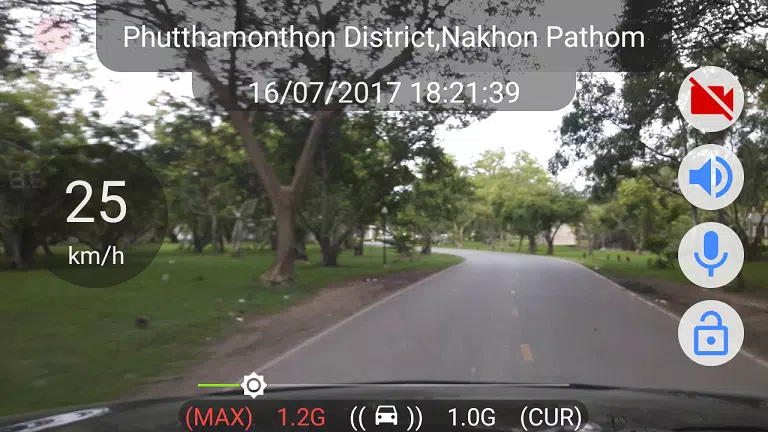
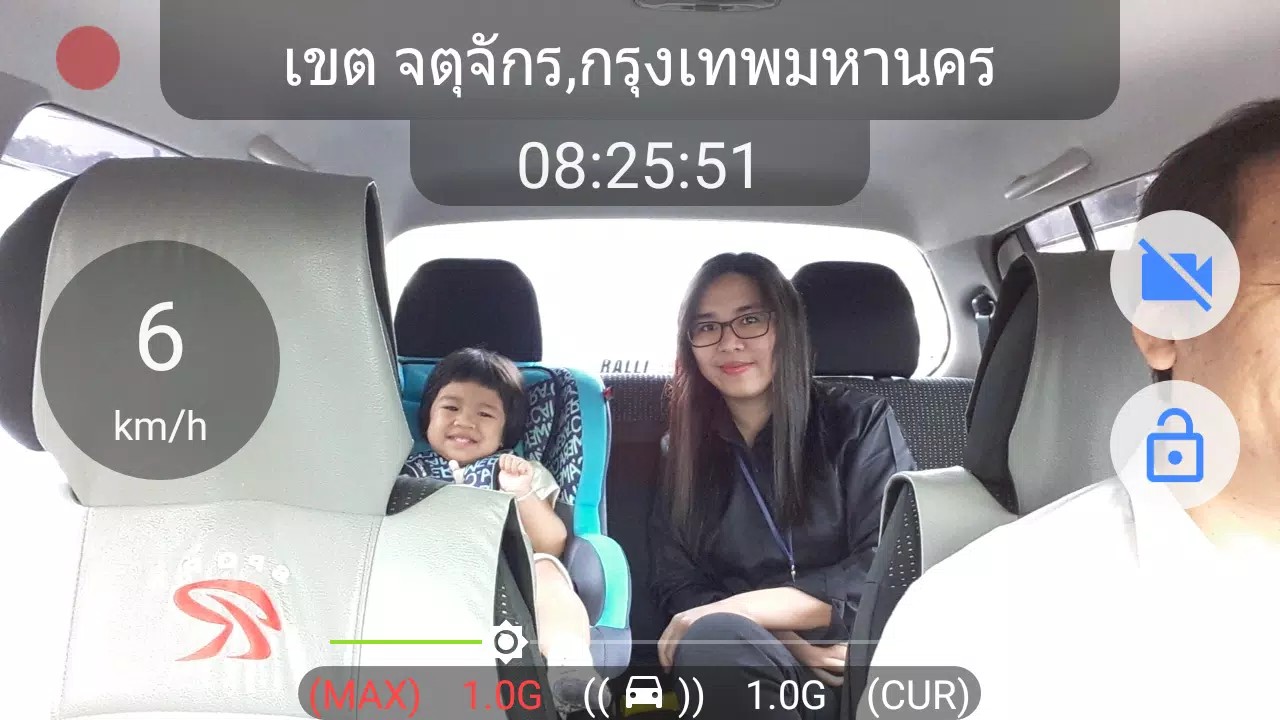
The user interface is designed for quick, safe interactions: large, clearly labeled controls let you start or stop manual recording, lock the current clip, or mark an incident without navigating deep menus. Notification controls let you manage recording from the Android notification shade, and the app keeps a visible status indicator while running in the background so you can confirm recording is active at a glance. Settings provide flexible control over auto-start triggers (for example, on power connection or movement) and auto-exit timing, and KM Car Camcorder provides straightforward options for adjusting loop length, file-size caps, and the number of protected files to suit different storage and retention policies.
Recording modes, progression and clip management
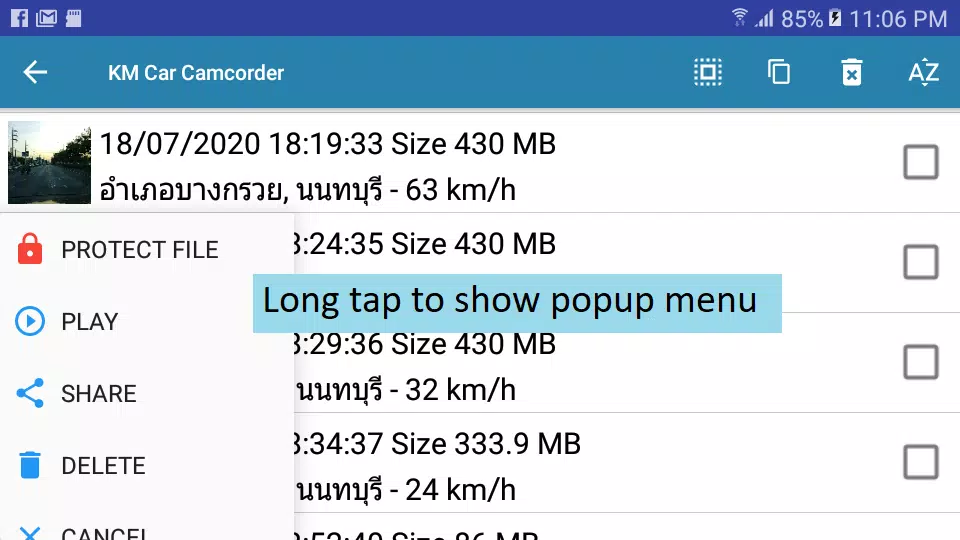
Recording modes include continuous loop and event-based locking, which together create a progression system for footage from newest to oldest: the app continuously records to a rotating set of files and preserves significant events detected by the G-Sensor or manually protected by the user. This creates an implicit progression of retained clips where the most recent or most important footage is kept first. Clip management features let you review recordings in chronological order, add voice or text tags for later search, and export selected clips to device storage. Regular archiving of important clips to external storage or your preferred backup solution is recommended to prevent loss when loop buffers fill.
Playback, export and replay value
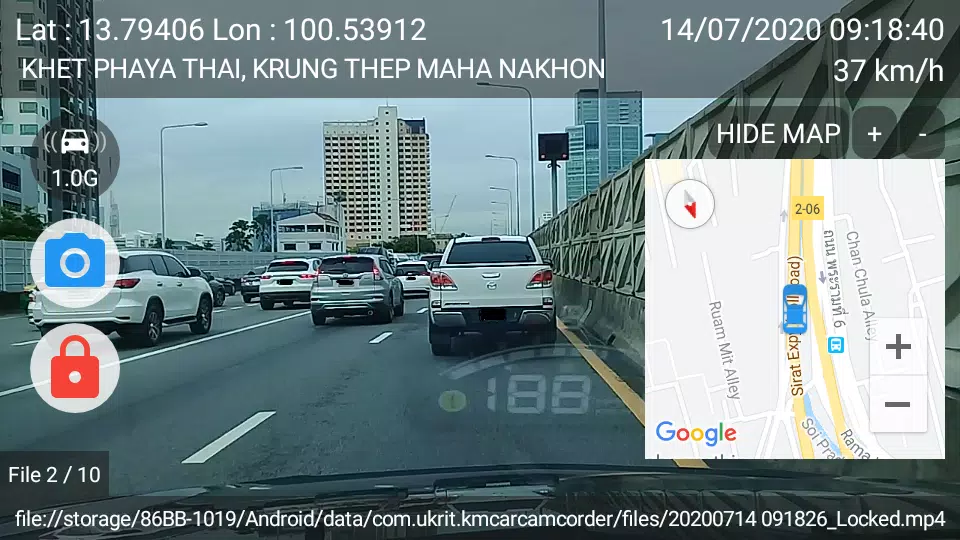
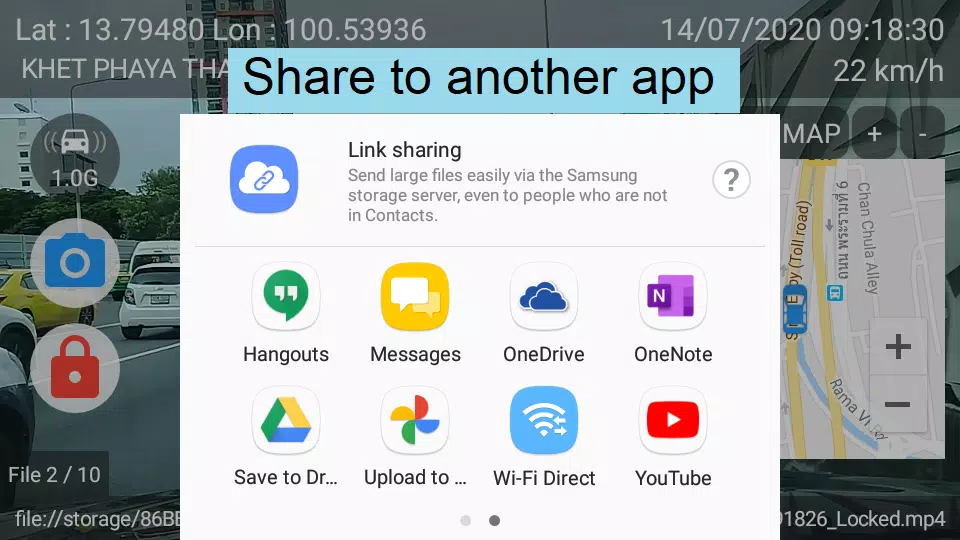
KM Car Camcorder includes an integrated playback view with timestamp overlays so you can quickly evaluate footage without leaving the app. Playback controls allow you to scrub through clips, play at different speeds for closer review, and trim segments before saving. Export uses the Android share menu so you can move important recordings to other apps, upload to cloud services you already use, or copy clips to a computer for long-term storage. The combination of reliable capture, easy playback, and straightforward export makes revisiting trips or compiling evidence a simple process.
Compatibility, accessibility and offline behavior
The app aims to be usable on a wide range of Android devices, including older versions like Nougat where supported features may be scaled back for stability. Core functions—continuous recording, loop management and G-Sensor event locking—work offline without data, while voice location tagging requires an internet connection to resolve spoken city/state input. KM Car Camcorder offers accessibility-friendly controls such as large touch targets, clear visual indicators, and minimal required interaction to reduce distraction. Power and storage management options help limit battery drain and avoid conflicts with other apps that may suspend background processes.
Limitations, privacy and best practices
There are practical limitations to be aware of: voice-based tagging will not function without internet access, loop recording is subject to file-size and retention limits so older footage can be overwritten, and automatic locking preserves only a configured number of protected files. For best results, adjust recording quality and loop length to match your device capacity, periodically back up important clips, mount your device securely to avoid false G-Sensor triggers, and follow local laws regarding audio and video recording in vehicles. These practices help KM Car Camcorder deliver dependable day-to-day recording while respecting privacy and device constraints.
Show More
Information
Screenshots
Latest Update












Hot Tags
Latest News
-
![Revealing the Launch Playlists and Cross-Progression for COD Warzone Mobile News]()
-
![March 2024 Free Redemption Codes for Honkai: Star Rail News]()
-
PUBG Mobile Teams Up with Bentley Motors: Luxury Cars, Exclusive Collectibles, and Beyond 2024-04-18
![PUBG Mobile Teams Up with Bentley Motors: Luxury Cars, Exclusive Collectibles, and Beyond News]()
-
![Monster Never Cry is now accessible on both Android and iOS mobile devices. News]()
-
V2.2 of the Farlight 84 update introduces an overhauled Season structure, fresh in-game currency, an 2024-04-16
![V2.2 of the Farlight 84 update introduces an overhauled Season structure, fresh in-game currency, an News]()
-
![Arrival of Genshin Impact 4.6 Update: 'Embers of Two Realms, Twilight of Crimson' News]()
-
April 2024 Clash of Clans Update: Unveiling a Fresh Companion, Enhanced Levels, Chat Tagging, and Be 2024-04-16
![April 2024 Clash of Clans Update: Unveiling a Fresh Companion, Enhanced Levels, Chat Tagging, and Be News]()






