Samsung Good Lock
Version:2.2.04.81
Published:2026-11-24
Introduction
Samsung Good Lock is a modular customization suite that lets Galaxy users reshape notifications, lock screens, and system behaviors without rooting. It bundles multiple plugins to fine-tune interface elements, gestures, and recent-app layouts, giving control over subtle visual and functional details for a personalized Android experience.
What the app does
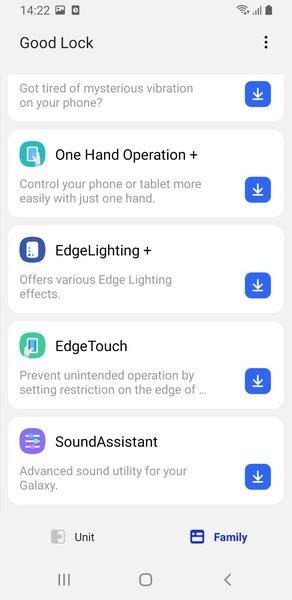
At its core, Samsung Good Lock provides modular tools designed to modify the look and behavior of One UI. Rather than a single monolithic app, it's a collection of add-ons — each focused on a specific area such as the status bar, multi-window behavior, or lock screen widgets. Users can mix and match modules to create a configuration that suits their daily workflow.
Key modules and capabilities
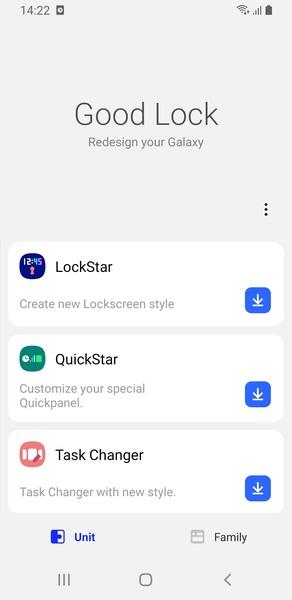
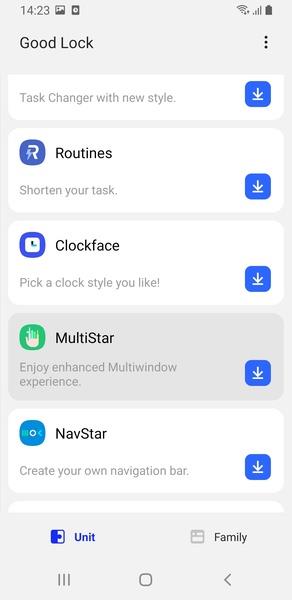
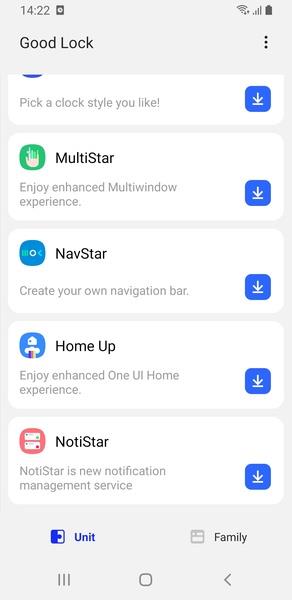
- LockStar – Customize lock screen layout, clock styles, and shortcuts for quick access.
- QuickStar – Rework the notification panel, change icon visibility, and tweak quick toggles.
- Task Changer – Change the recent apps view, animation types, and card sizes for multitasking.
- MultiStar – Improve multi-window controls, app pairings, and resize behavior for split-screen.
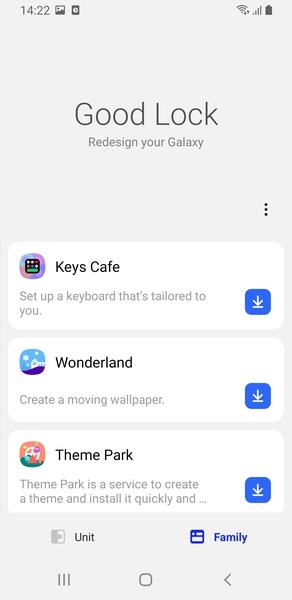
- Theme Park – Create color themes, adjust accent hues, and export/import theme packs.
User interface and performance
Performance remains a priority: modules are lightweight and focused to avoid bloating system resources. Changes typically apply instantly or after a brief system cache refresh. The settings are presented in clear lists and toggles, with preview panes in several modules so you can test adjustments before committing them. Because Good Lock interacts with system UI components, occasional reboots or package updates may be required when Samsung issues OS updates.
How the customization workflow works
Install the main Good Lock app and then pick individual plug-ins from the in-app store. Each module features its own settings screen where adjustments are made. For example, to tweak the notification tray you’d open QuickStar, toggle visibility options, and preview the result. Changes are granular: you can enable small tweaks like text color adjustments or undertake broader overhauls like changing the recent apps animation.
Practical examples of customization
Users can solve everyday frustrations with straightforward tweaks. Turn off unnecessary quick toggles to declutter the panel. Resize split-screen windows to better suit tablet layouts. Place frequently used controls on the lock screen for one-tap access. Theme Park enables consistent coloring across apps to reduce visual noise and boost readability.
Compatibility and setup tips
- Confirm compatibility with your Galaxy device and One UI version before installing modules.
- Keep Good Lock and plug-ins updated via the Galaxy Store to avoid conflicts after OS updates.
- Create a restore point or note your settings before making large-scale changes so you can revert easily.
What power users appreciate
Power users like the degree of control Good Lock provides without needing root access. It exposes hidden options and refines gestures and animations that otherwise remain fixed. Developers and enthusiasts value Theme Park for rapid theme creation and Task Changer for optimizing multitasking workflows on large-screen devices.
Tips for beginners
- Start small: enable one or two modules and learn their settings before adding more.
- Use preview features where available to confirm changes look and behave as expected.
- Restart your device if a module behaves unexpectedly after an update; many issues resolve with a reboot.
Where it fits in your toolkit
Samsung Good Lock is a useful addition for anyone who wants to tailor their phone’s behavior beyond stock settings without flashing custom ROMs. It sits between casual personalization apps and deep system modifications, offering accessible tweaks that deliver measurable improvements to daily usability.
Final takeaways
The modular approach of Samsung Good Lock makes it approachable for newcomers while still offering advanced control for experienced users. Whether your goal is to streamline notifications, refine multitasking, or create cohesive themes, the suite gives meaningful levers to shape the One UI experience to match individual preferences.
Show More
Information
Screenshots
Latest Update







Hot Tags
Latest News
-
![Revealing the Launch Playlists and Cross-Progression for COD Warzone Mobile News]()
-
![March 2024 Free Redemption Codes for Honkai: Star Rail News]()
-
PUBG Mobile Teams Up with Bentley Motors: Luxury Cars, Exclusive Collectibles, and Beyond 2024-04-18
![PUBG Mobile Teams Up with Bentley Motors: Luxury Cars, Exclusive Collectibles, and Beyond News]()
-
![Monster Never Cry is now accessible on both Android and iOS mobile devices. News]()
-
V2.2 of the Farlight 84 update introduces an overhauled Season structure, fresh in-game currency, an 2024-04-16
![V2.2 of the Farlight 84 update introduces an overhauled Season structure, fresh in-game currency, an News]()
-
![Arrival of Genshin Impact 4.6 Update: 'Embers of Two Realms, Twilight of Crimson' News]()
-
April 2024 Clash of Clans Update: Unveiling a Fresh Companion, Enhanced Levels, Chat Tagging, and Be 2024-04-16
![April 2024 Clash of Clans Update: Unveiling a Fresh Companion, Enhanced Levels, Chat Tagging, and Be News]()