
Focus Flip: Study & Work Timer
Version:1.3.4
Published:2026-10-13
Introduction
Focus Flip: Study & Work Timer is a minimalist productivity app that blends interval timing with task management to help users concentrate and avoid burnout. Designed for students and professionals, it tracks sessions, enforces breaks, and provides quick controls so you can move fluently between focused work and rest periods.
What it does
At its core, Focus Flip: Study & Work Timer helps you structure time into manageable blocks. The app uses a simple cycle of focus periods and short or long breaks to reinforce sustained attention. Unlike bulky project tools, it's lightweight, stays out of the way, and focuses on one goal: making distraction-free work easier to maintain.
Key features you’ll use daily
- Session presets — Create reusable focus lengths and break intervals for study, deep work, or quick bursts.
- Task list integration — Attach a short task label to each timer so every session has a clear objective.
- Notifications and gentle alerts — Choose subtle sounds or vibrations to signal phase changes without jolting concentration.
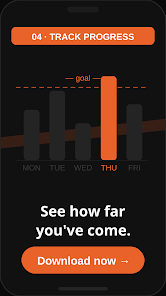
- Progress overview — Get a glanceable summary of completed sessions and streaks to track momentum.
- Quick controls — Start, pause, and skip with one tap from the main screen or via notification actions.
How the workflow works
Open the app, choose a preset or set a custom duration, assign a task label, and start. The interface highlights remaining time and current phase. When a focus block ends, the app begins a break countdown automatically or waits for your input depending on your preference. That simple loop — work, break, repeat — forms the backbone of the productivity routine.
Customization and flexibility
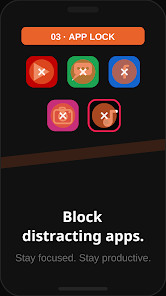
Customization is where Focus Flip shines. You can define the lengths for focus blocks, short breaks, and longer rest periods. Labels and color tags help separate activities like reading, coding, or revision. There are options to auto-start the next phase, lock the screen to discourage interruptions, or allow manual control when you need flexible timing.
Design and performance
Design choices emphasize clarity: large countdown numbers, high-contrast controls, and minimal clutter. The app stays responsive on older hardware and minimizes battery drain by avoiding unnecessary background processes. On modern devices, animations are subtle and help convey transitions without becoming a distraction.
Tips for new users
- Start small — Try 25-minute sessions with 5-minute breaks to build a rhythm without pressure.
- Label every session — Short task names focus intent and improve post-session reflection.
- Use streaks wisely — Treat streaks as motivation, not punishment; miss days don’t erase progress.
- Customize alerts — Soft chimes work better during study; louder tones might be useful for noisy environments.
Why people recommend it
Users appreciate the minimal learning curve and practical focus on sustained attention. Focus Flip: Study & Work Timer is often praised for being unobtrusive: it supports disciplined work without adding a complex feature set. Portable and quick to set up, it fits into many workflows, from exam preparation to concentrated writing sessions.
Who benefits most
Students, freelancers, and knowledge workers who need a low-friction way to segment time see the biggest gains. If you switch contexts frequently or struggle to start tasks, the app’s structure helps reduce start-up friction by giving each session a clear beginning and end.
Getting started
Install the app, grant the minimal permissions it requests, and create a couple of presets for your most common routines. Spend a week experimenting with durations and notification styles. After a short adjustment period, many users find that brief, consistent sessions become the backbone of a more productive day.
Focus Flip: Study & Work Timer delivers a straightforward approach to time management that values consistency and simplicity. Whether you need tools to beat procrastination or a reliable way to maintain flow, it provides a compact, customizable solution that integrates cleanly into daily study and work habits.
Show More
Information
Screenshots
Latest Update












Latest News
-
![Revealing the Launch Playlists and Cross-Progression for COD Warzone Mobile News]()
-
![March 2024 Free Redemption Codes for Honkai: Star Rail News]()
-
PUBG Mobile Teams Up with Bentley Motors: Luxury Cars, Exclusive Collectibles, and Beyond 2024-04-18
![PUBG Mobile Teams Up with Bentley Motors: Luxury Cars, Exclusive Collectibles, and Beyond News]()
-
![Monster Never Cry is now accessible on both Android and iOS mobile devices. News]()
-
V2.2 of the Farlight 84 update introduces an overhauled Season structure, fresh in-game currency, an 2024-04-16
![V2.2 of the Farlight 84 update introduces an overhauled Season structure, fresh in-game currency, an News]()
-
![Arrival of Genshin Impact 4.6 Update: 'Embers of Two Realms, Twilight of Crimson' News]()
-
April 2024 Clash of Clans Update: Unveiling a Fresh Companion, Enhanced Levels, Chat Tagging, and Be 2024-04-16
![April 2024 Clash of Clans Update: Unveiling a Fresh Companion, Enhanced Levels, Chat Tagging, and Be News]()






