

INDURO Instructors App
Version:1.0.5
Published:2026-10-13
Introduction
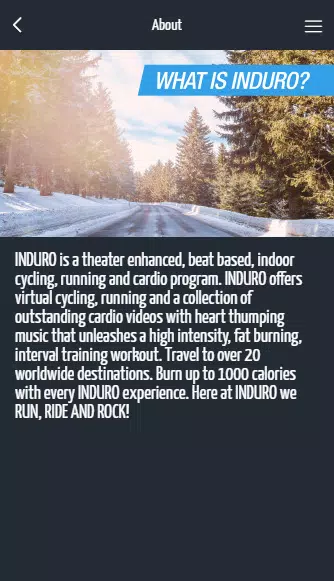
INDURO Instructors App is a professional mobile platform designed to simplify instructor workflows, training delivery, and student management. It centralizes scheduling, progress tracking, and communication tools so instructors can manage classes, certifications, and field reports efficiently from a single Android device.
Key Features
- Schedule and roster management: Create, modify, and publish class schedules with drag-and-drop ease. Automated reminders reduce no-shows and keep learners informed.
- Progress tracking: Log skill checks, certifications, and assessment outcomes on-the-go. Visual progress timelines make it simple to see where each learner stands.
- Digital forms and reports: Complete inspection checklists, incident reports, and attendance records directly in the app. Export PDFs or CSV files for administrative review.
- Secure communication: Send broadcast announcements or targeted messages to individuals or groups, preserving activity history and attachments.
- Offline capability: Continue capturing training data in the field without an internet connection; sync automatically when a connection is available.
How it fits into daily workflow
The design of INDURO Instructors App reflects common instructor routines: plan, deliver, document, and review. Start the day by confirming your roster, use the check-in feature to record attendance, and follow up with assessment entries during or after practical sessions. Notifications keep all stakeholders aligned, and integration with calendar apps helps avoid scheduling conflicts.
Reporting and analytics
Built-in reporting tools transform raw data into meaningful insights. Generate class summaries, individual performance sheets, and compliance reports with a few taps. Administrators can filter by date, course type, or instructor to identify trends such as certification bottlenecks or recurring training gaps. Export options support external audits and long-term record keeping.
Interface and usability
The interface emphasizes clarity and speed. Menus are organized around common tasks, and form fields are optimized for touch input to reduce entry time. Color-coded statuses and progress bars provide at-a-glance understanding of class readiness. New users will appreciate contextual tooltips while experienced instructors can rely on keyboard shortcuts and quick-action buttons.
Customization and control
INDURO Instructors App supports role-based access, allowing organizations to tailor permissions for instructors, supervisors, and administrative staff. Custom assessment templates and grading scales can be created to match internal standards. Branding options permit adding logos and institution-specific headers to exported documents, giving reports a professional look.
Performance and compatibility
The app is optimized for modern Android devices and performs well on both phones and tablets. Background syncing is designed to minimize battery drain and data usage. For large organizations, server-side components handle data storage and backups, ensuring reliability and quick recovery. Regular updates keep performance tuned and introduce new features based on user feedback.
Getting started
Install the app, sign in with your organization credentials, and run through an onboarding checklist to configure courses and user roles. Training materials, video walkthroughs, and an FAQ section help shorten the learning curve. For teams with existing records, bulk import tools streamline migration so historical data remains accessible.
Practical tips for instructors
- Set up recurring classes to save time on scheduling.
- Use the offline mode for remote locations and sync at day’s end.
- Create reusable assessment templates for consistent evaluations.
- Enable push notifications to keep learners informed about changes.
For instructors seeking a single app to manage scheduling, assessments, and communication, INDURO Instructors App provides a focused, reliable solution. Frequent updates and configurable options make it adaptable to diverse training environments and administrative requirements.
Show More
Information
Screenshots





Latest Update












Hot Tags
Latest News
-
![Revealing the Launch Playlists and Cross-Progression for COD Warzone Mobile News]()
-
![March 2024 Free Redemption Codes for Honkai: Star Rail News]()
-
PUBG Mobile Teams Up with Bentley Motors: Luxury Cars, Exclusive Collectibles, and Beyond 2024-04-18
![PUBG Mobile Teams Up with Bentley Motors: Luxury Cars, Exclusive Collectibles, and Beyond News]()
-
![Monster Never Cry is now accessible on both Android and iOS mobile devices. News]()
-
V2.2 of the Farlight 84 update introduces an overhauled Season structure, fresh in-game currency, an 2024-04-16
![V2.2 of the Farlight 84 update introduces an overhauled Season structure, fresh in-game currency, an News]()
-
![Arrival of Genshin Impact 4.6 Update: 'Embers of Two Realms, Twilight of Crimson' News]()
-
April 2024 Clash of Clans Update: Unveiling a Fresh Companion, Enhanced Levels, Chat Tagging, and Be 2024-04-16
![April 2024 Clash of Clans Update: Unveiling a Fresh Companion, Enhanced Levels, Chat Tagging, and Be News]()






