

写真で整理!おたよりクリップ
Version:1.0.8
Published:2026-10-13
Introduction
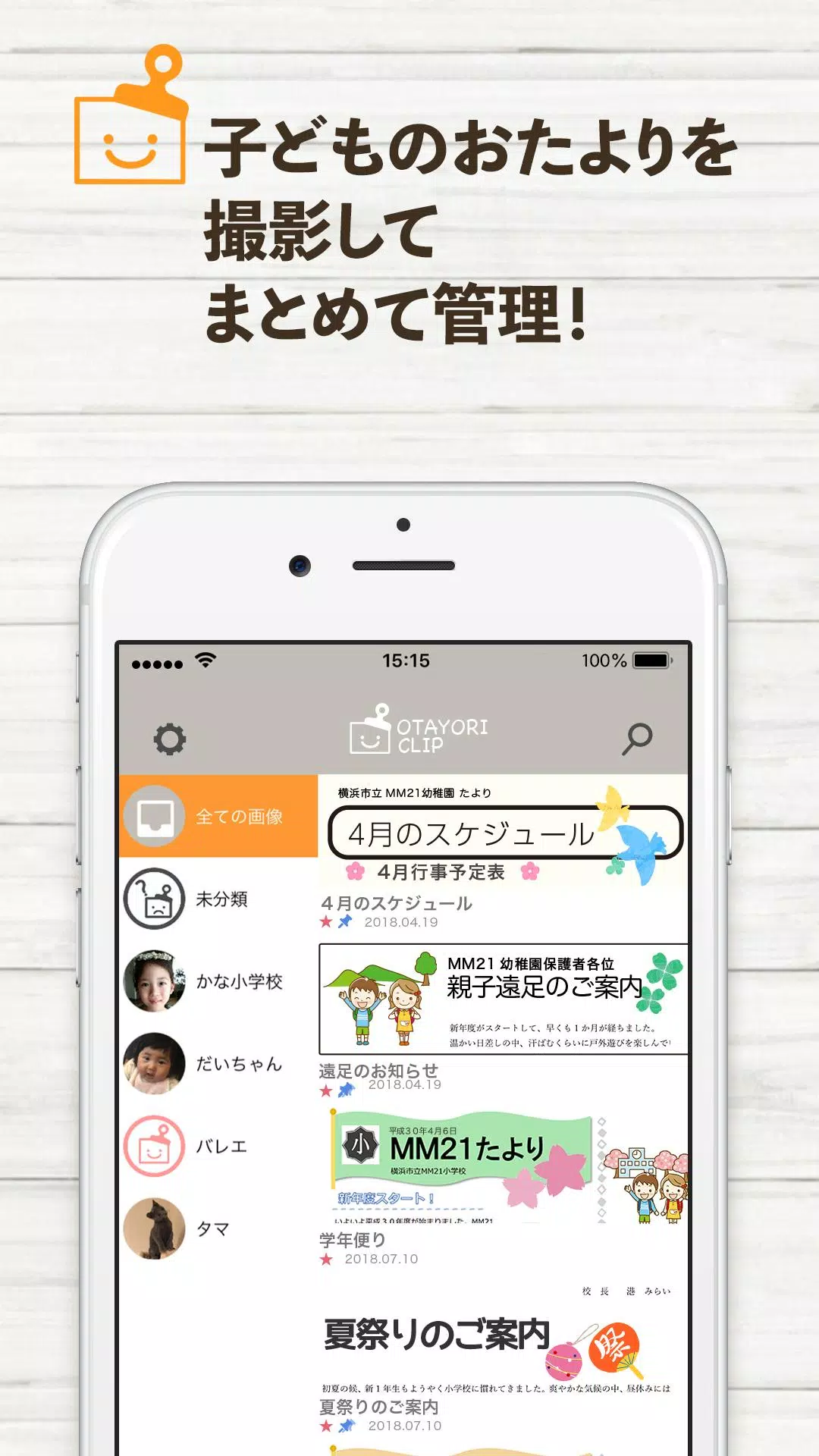
写真で整理!おたよりクリップ is a mobile utility that turns paper notices and children's handouts into searchable digital records by snapping photos. Designed for busy parents and teachers, it tags, groups, and archives school communications so important documents are easy to locate, share, and manage on the go.
What this app does
At its core, 写真で整理!おたよりクリップ helps users capture printed materials and convert them into organized digital items. Rather than keeping stacks of flyers, permission slips, and memos, you photograph each item and assign labels, dates, or categories. The app focuses on speed and low friction so you can process batches of papers between errands or after class.
Key capabilities
- Quick capture: The camera interface is optimized to take clear images of different paper sizes without extra manual cropping.
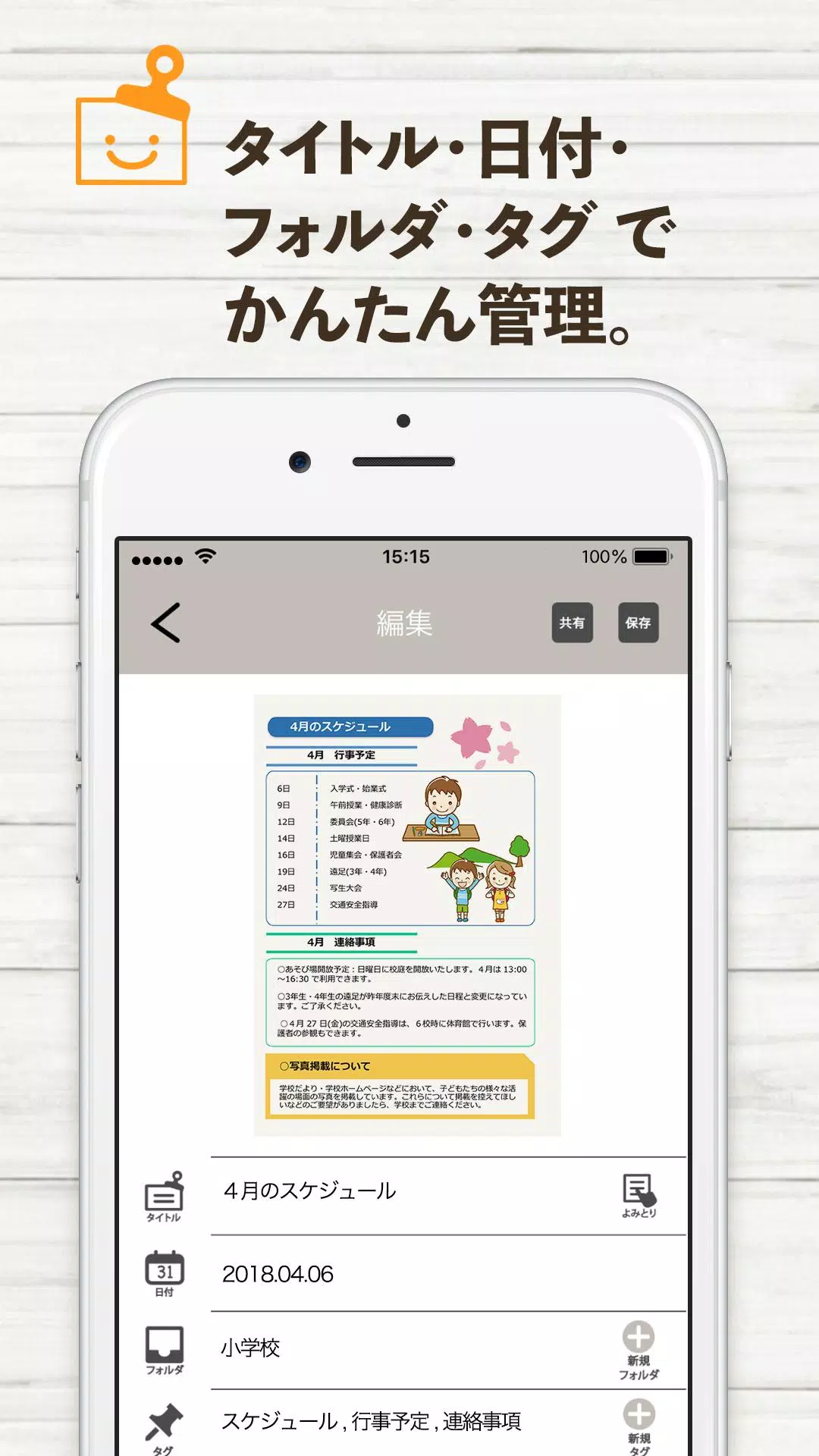
- Tagging and grouping: Apply multiple tags or place items into folders like "School", "Club", "Meal Plan", or custom groups.
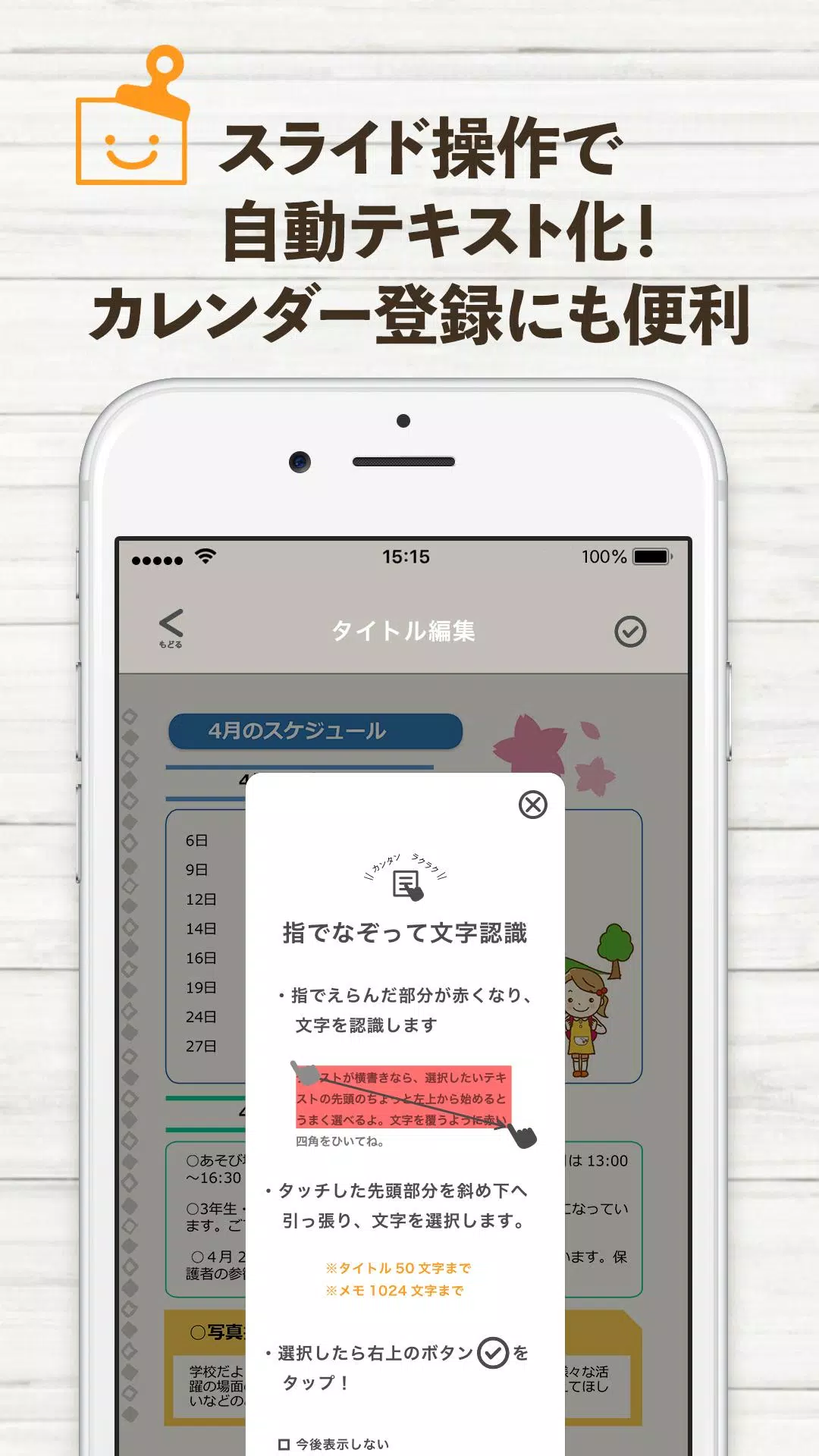
- Searchable archive: The app indexes text so you can search by keywords, dates, or tags to retrieve a notice instantly.
- Share and export: Send a single page or an entire folder via messaging, email, or cloud link.
User workflow
The typical workflow in 写真で整理!おたよりクリップ is straightforward. Open the camera, take photos of your papers, then add a few quick descriptors. You can do minimal tagging and rely on the automatic date or use rich folders for long-term storage. Batch processing keeps the workflow efficient—capture multiple pages, then clean up metadata afterwards.
Interface and performance
The interface prioritizes readability and speed. Buttons are large enough for quick taps, and the preview screen shows thumbnails for immediate verification. On modern Android devices the app loads rapidly and processes images with minimal lag. Compression balances file size and legibility so archives don’t consume excessive storage while remaining clear for later reference.
Organization features explained
写真で整理!おたよりクリップ provides layered organization tools. Use tags for cross-cutting categories like "urgent" or "permission", folders for broader grouping such as "Class A" or "Kid 2", and date filters to view materials from a specific month. The combination of tags and folders makes it simple to build a routine: daily capture, weekly review, monthly archive.
Practical tools for everyday use
- Auto-crop and straighten: Improves readability by detecting page edges and correcting perspective.
- OCR search: Extracts text so you can find items by content rather than relying only on titles.
- Favorites: Pin frequently referenced notices for instant access.
- Backup options: Link to cloud storage to keep copies safe and accessible across devices.
Tips for new users
To get the most from 写真で整理!おたよりクリップ, establish a quick naming convention and a small set of tags you’ll use consistently. Capture items against a contrasting background and allow the app to crop automatically to reduce editing time. Schedule a weekly tidy-up session to move items into long-term folders and delete duplicates.
Why families and schools adopt it
Parents appreciate the reduction in household paper clutter and the ability to forward notices to family members without photocopying. Teachers benefit from streamlined permission slip tracking and the capability to archive class-wide communications. The app’s focused feature set keeps it simple enough for non-technical users while offering enough depth for power users.
Getting started
Installation is quick from the app store and onboarding walks through capture, tagging, and search features. A short tutorial guides first-time users through scanning techniques and folder creation. If you regularly handle paper communications, the initial setup time pays off through faster retrieval and reduced physical clutter.
写真で整理!おたよりクリップ targets a clear problem with practical solutions: fast scanning, flexible organization, and reliable search. Whether you manage school handouts, club notices, or household documents, the app simplifies keeping important information at your fingertips and reduces the need to rescue lost paper at the last minute.
Show More
Information
Screenshots

Latest Update












Hot Tags
Latest News
-
![Revealing the Launch Playlists and Cross-Progression for COD Warzone Mobile News]()
-
![March 2024 Free Redemption Codes for Honkai: Star Rail News]()
-
PUBG Mobile Teams Up with Bentley Motors: Luxury Cars, Exclusive Collectibles, and Beyond 2024-04-18
![PUBG Mobile Teams Up with Bentley Motors: Luxury Cars, Exclusive Collectibles, and Beyond News]()
-
![Monster Never Cry is now accessible on both Android and iOS mobile devices. News]()
-
V2.2 of the Farlight 84 update introduces an overhauled Season structure, fresh in-game currency, an 2024-04-16
![V2.2 of the Farlight 84 update introduces an overhauled Season structure, fresh in-game currency, an News]()
-
![Arrival of Genshin Impact 4.6 Update: 'Embers of Two Realms, Twilight of Crimson' News]()
-
April 2024 Clash of Clans Update: Unveiling a Fresh Companion, Enhanced Levels, Chat Tagging, and Be 2024-04-16
![April 2024 Clash of Clans Update: Unveiling a Fresh Companion, Enhanced Levels, Chat Tagging, and Be News]()






