

MyPSMMC
Version:1.0.0
Published:2026-10-13
Introduction
MyPSMMC is an employee directory and organizational toolkit built to centralize contact details, job roles and reporting lines so teams can communicate and collaborate more efficiently. The app places colleague profiles, department structures and essential contact methods within a single interface to reduce time spent searching for the right person. MyPSMMC emphasizes accurate, up-to-date records through synchronized updates and configurable access controls, making it well suited for HR teams, managers and new hires who need a dependable internal directory. The first interactions are focused on fast lookups and clear profile summaries so users can find phone numbers, email addresses and role descriptions without extra clicks.
Key features
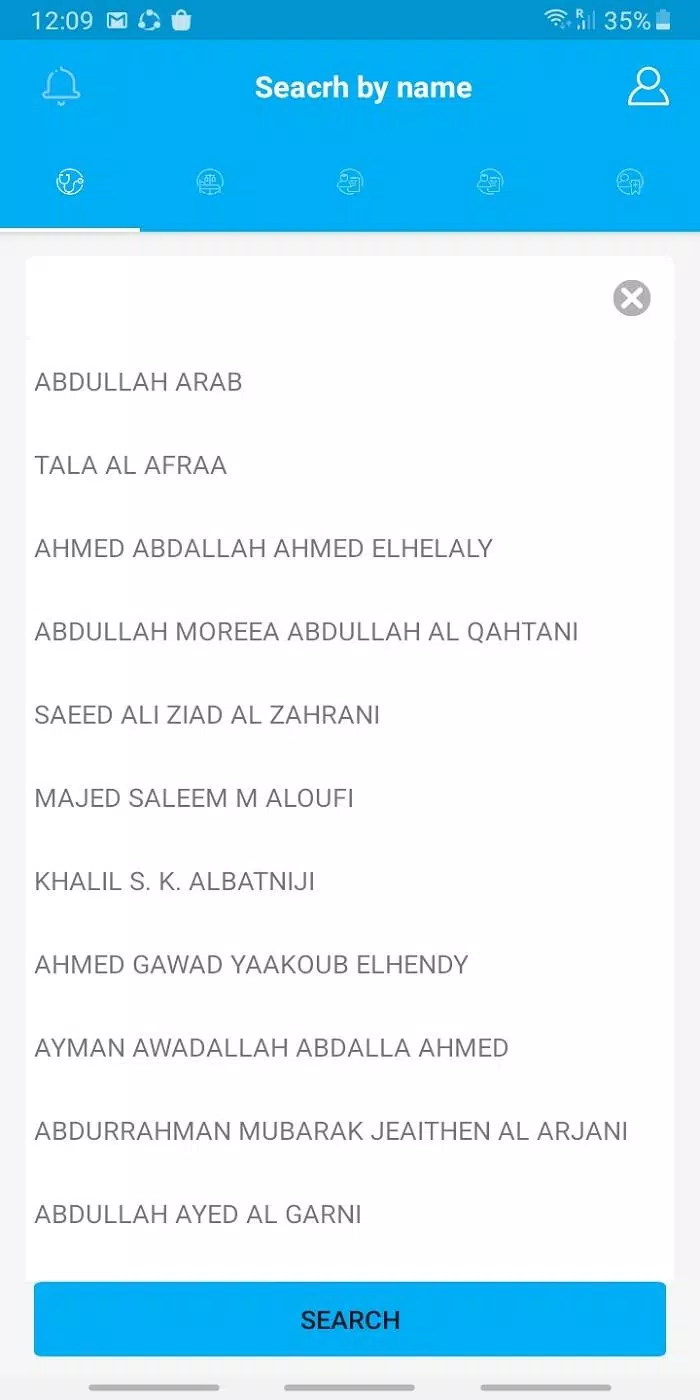
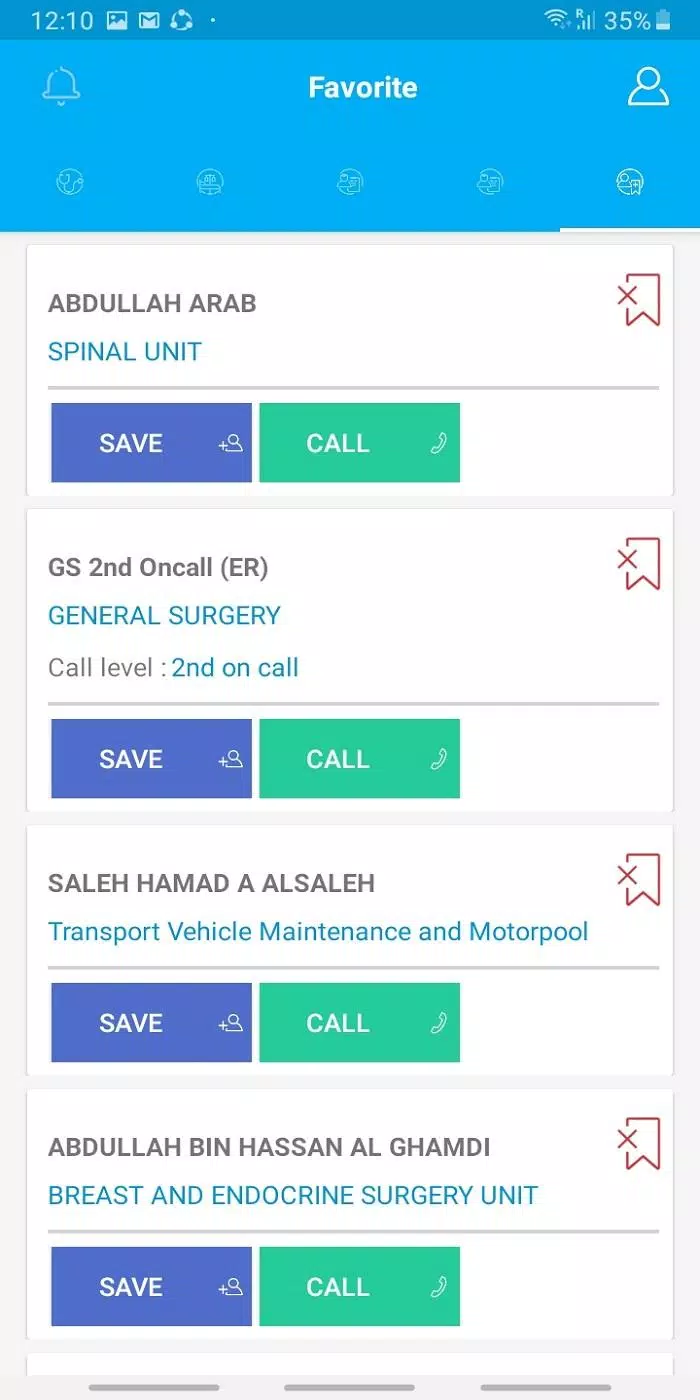
The directory in MyPSMMC groups people by department, location and team, and supports multi-criteria searches so you can filter results by role, skill tag or custom fields used in your organization. Search controls include a persistent search bar, filter toggles and saved queries for frequent lookups. Each profile displays role, reporting line and contact options with quick actions for calling, emailing or opening calendar invites. Administrators can define which fields are visible to different roles, keeping sensitive information shielded while retaining transparency where it matters.
Real-time synchronization ensures changes made in HR systems or by authorized managers propagate quickly to mobile and desktop clients. The app is designed to reconcile concurrent edits and provide simple conflict-resolution prompts so administrators can approve or merge updates. Integration points with existing human resources platforms and single sign-on mean user provisioning and deprovisioning are automated where supported, reducing manual upkeep and improving onboarding consistency.
Navigation, controls and progression
Navigation centers on an adaptable tabbed layout and contextual grids that scale to different screen sizes. Controls are intentionally lightweight: tap-to-call, one-tap message composition and a consistent backstack for returning to previous searches. For teams that prefer visual reporting lines, an expandable hierarchy view presents managers and direct reports as collapsible nodes, letting users explore organizational layers without losing orientation. MyPSMMC also includes profile completion indicators to guide new hires and managers through required fields during onboarding, so directory quality improves as employees complete each step.
Progression in the app comes from profile enrichment and administrative configuration. New users see a guided setup that highlights key sections to fill out, while power users and HR staff can create custom fields, tags and department definitions to align the directory with company terminology. These progressive layers let organizations start with core contact data and add more advanced attributes over time without disrupting daily use.
Design, accessibility and offline behavior
The visual style favors clear typography, high-contrast elements and compact profile cards to present information quickly on small screens. Responsive layouts adapt between phone, tablet and web views so the same directory is useful across devices. Accessibility features include readable font scaling, descriptive labels for screen readers and keyboard-friendly navigation for users who rely on assistive technologies. For environments with intermittent connectivity, MyPSMMC can present recently viewed entries from a local cache and queues outbound updates until synchronization is available, ensuring lookup and basic actions remain reliable when network access is limited.
Security, deployment and synchronization
Security is handled through role-based access controls and integration with enterprise identity systems; administrators assign visibility rules so personal or HR-only fields remain protected. Data transmission uses encrypted channels and the app supports audit logging to track changes to sensitive records. Deployment options are flexible to accommodate cloud-hosted HR platforms or on-premises directories; synchronization settings let IT teams control update frequency, payload size and conflict policies to match operational constraints.
Use cases, customization and long-term value
Teams use MyPSMMC to speed internal communication, streamline new-hire orientation and reduce time wasted locating decision-makers across distributed organizations. Customizable search fields and tagging let departments tailor the directory to hiring criteria, certification tracking or project assignments without changing the underlying user experience. Regular use is encouraged through integrations with calendar and messaging apps so contact actions feel natural and immediate. Over time, improved profile completeness and accurate reporting lines reduce friction in cross-team projects and improve operational transparency.
Overall, MyPSMMC is intended as a practical, secure directory solution for organizations that need a central, searchable view of staff, roles and reporting structure. Its combination of advanced search, synchronized updates and configurable permissions supports both everyday lookups and the administrative workflows that keep employee data current and useful.
Show More
Information
Screenshots
Latest Update












Hot Tags
Latest News
-
![Revealing the Launch Playlists and Cross-Progression for COD Warzone Mobile News]()
-
![March 2024 Free Redemption Codes for Honkai: Star Rail News]()
-
PUBG Mobile Teams Up with Bentley Motors: Luxury Cars, Exclusive Collectibles, and Beyond 2024-04-18
![PUBG Mobile Teams Up with Bentley Motors: Luxury Cars, Exclusive Collectibles, and Beyond News]()
-
![Monster Never Cry is now accessible on both Android and iOS mobile devices. News]()
-
V2.2 of the Farlight 84 update introduces an overhauled Season structure, fresh in-game currency, an 2024-04-16
![V2.2 of the Farlight 84 update introduces an overhauled Season structure, fresh in-game currency, an News]()
-
![Arrival of Genshin Impact 4.6 Update: 'Embers of Two Realms, Twilight of Crimson' News]()
-
April 2024 Clash of Clans Update: Unveiling a Fresh Companion, Enhanced Levels, Chat Tagging, and Be 2024-04-16
![April 2024 Clash of Clans Update: Unveiling a Fresh Companion, Enhanced Levels, Chat Tagging, and Be News]()






