

CrashScan | Accident Detector
Version:1.26.0
Published:2026-10-14
Introduction
CrashScan | Accident Detector is a lightweight emergency response app. CrashScan | Accident Detector continuously monitors motion and impact signals to detect collisions and notify selected contacts. CrashScan | Accident Detector runs quietly in the background and offers automatic incident detection, one-tap SOS alerts, and essential contextual data to help responders and loved ones reach you faster.
Core features and purpose
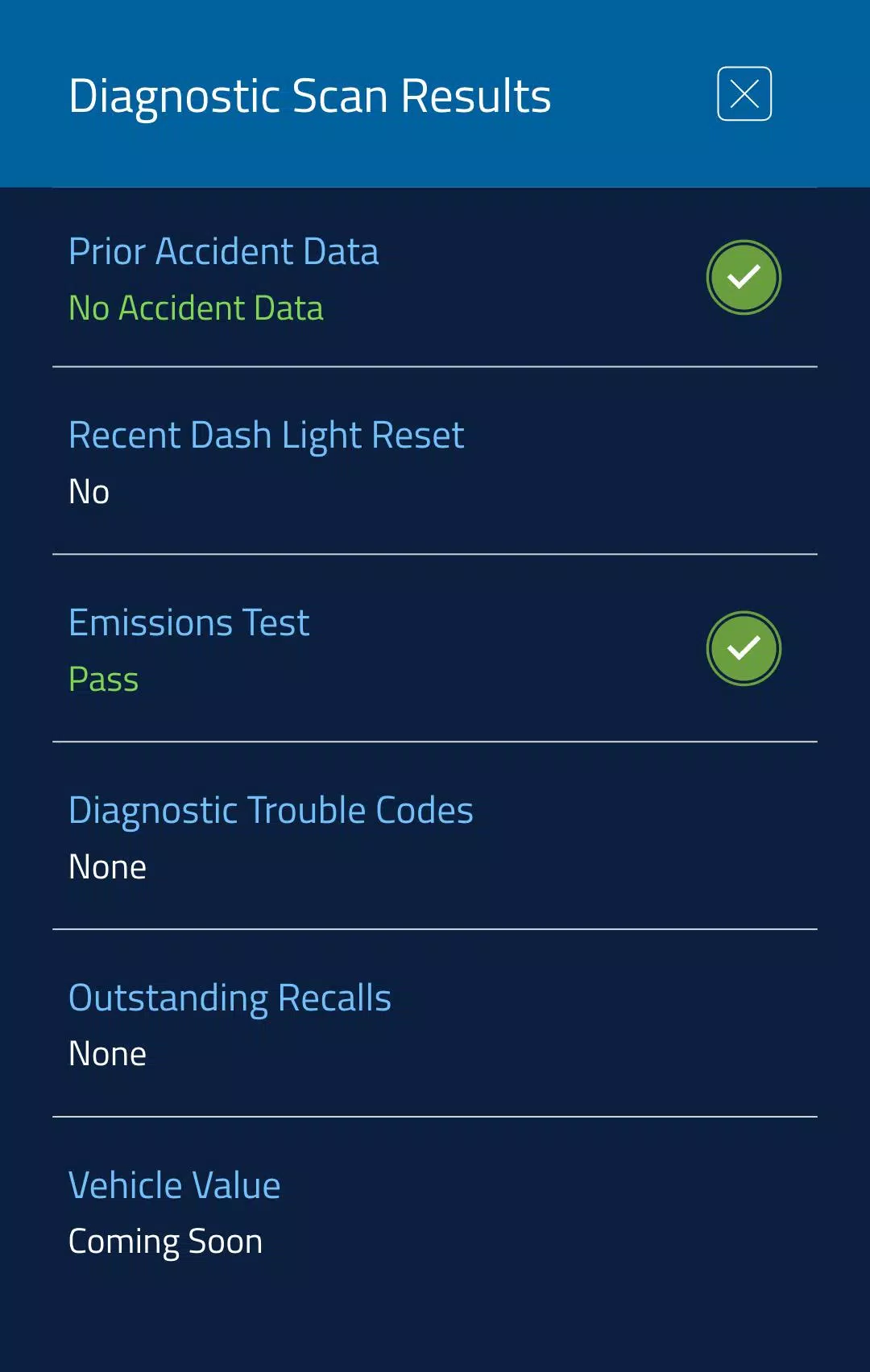
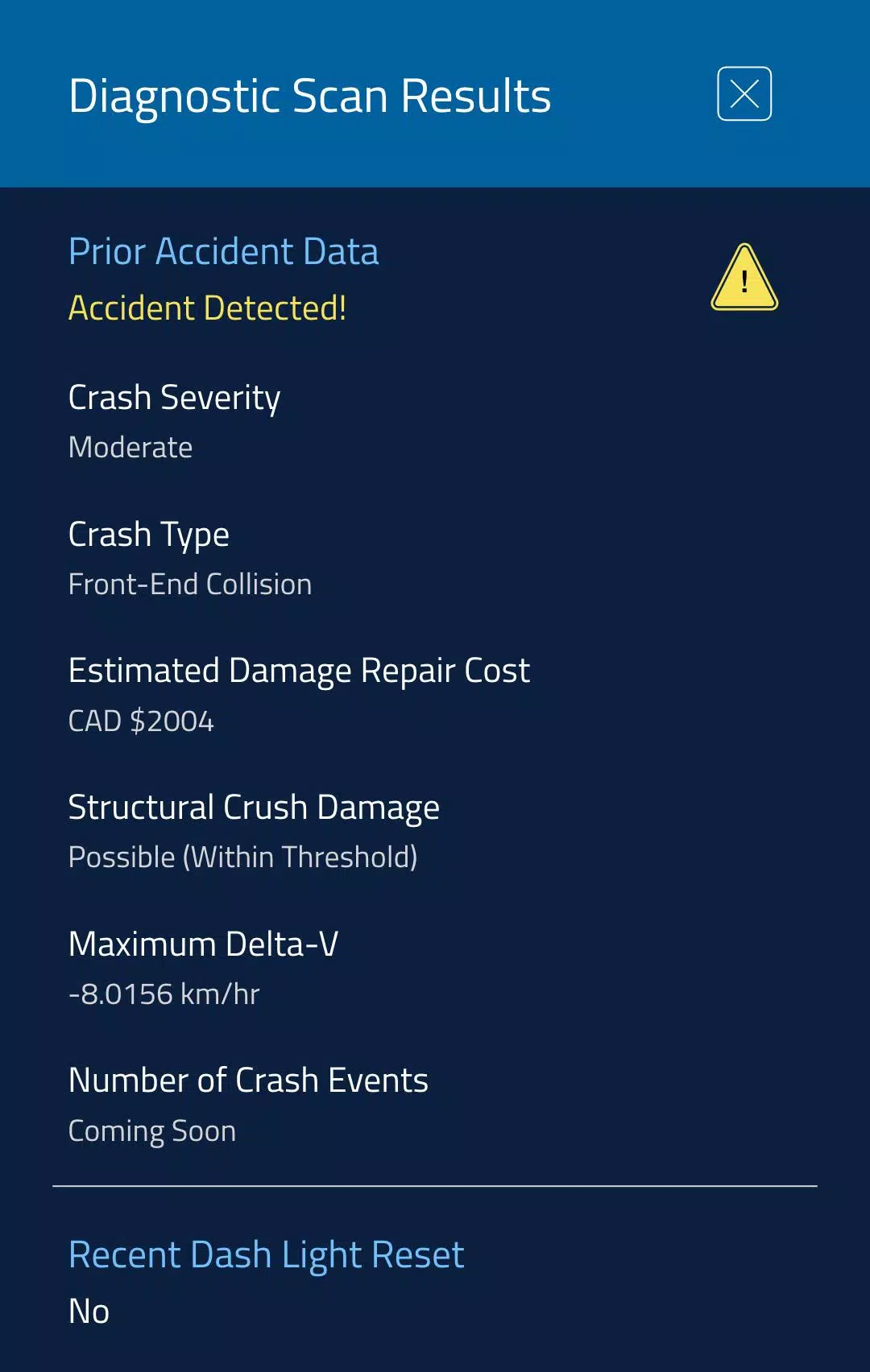
Designed for drivers, cyclists and passengers, the app focuses on passive safety and straightforward incident reporting. Impact detection uses device motion sensors to trigger a configurable countdown when forces or abrupt orientation changes suggest a crash. Users can add emergency contacts, review a short event log kept on the device, and initiate a manual SOS with one tap. Optional attachments such as a short recorded audio clip or a typed note give extra context when needed without transmitting unnecessary data by default.
How detection works
The detection engine evaluates accelerometer and gyroscope patterns across brief time windows rather than reacting to a single spike, which reduces false alarms from potholes or sudden braking. Sensitivity thresholds are adjustable so you can tune the system for urban cycling, commuting by car, or highway travel. When a potential incident is recognized, the app starts a cancelable countdown that uses vibration and on-screen prompts; if the countdown completes, an alert containing your location and a concise summary is sent to the contacts you chose.
Controls and user interface
The interface is intentionally uncluttered for quick operation while on the move. Large, clearly labeled buttons allow immediate manual SOS activation and fast access to the contact list. Sensitivity sliders and simple toggles for hands-free monitoring are placed on the main screen so adjustments are available without deep menu navigation. A preview of the emergency message and visible monitoring status help users confirm settings at a glance; the countdown screen offers an obvious cancel control to stop accidental alerts.
Onboarding, customization and progression
Getting started is guided and brief: grant location and motion permissions, add emergency contacts, and run a short demo to validate alert delivery without bothering your network. Over time you can fine-tune behavior—reduce sensitivity for rough roads, increase it for high-speed travel, or edit the automatic message template to include helpful details like medical conditions or vehicle type. The app encourages gradual customization so users move from a default safe setup to a configuration that matches their routine trips and long-distance journeys.
Performance, battery and compatibility
The app is optimized to limit power use by adapting sensor polling rates: it samples less frequently when the device is stationary and increases responsiveness while moving. Background monitoring is designed to limit CPU wake-ups and keep battery impact minimal on modern Android devices. Advanced detection and faster GPS fixes work best on phones with reliable sensors, but core detection and local logging support a wide range of Android versions and hardware configurations.
Privacy and data handling
Privacy is a primary consideration. Only the minimal information required for emergency response is shared: the location at the time of an alert, a short event summary, and any optional user-provided audio or notes. Event histories are stored locally by default; sharing happens only when an alert is sent or when you explicitly enable cloud backup. Permission requests are presented clearly and toggles let you control cloud sync and data sharing so you keep control over what leaves your device.
Real-world use and replay value
CrashScan | Accident Detector is useful across a variety of real-world scenarios—from solo long-distance driving to dense-city cycling—because it emphasizes reliability and repeatable testing. The demo mode and guided test simulations allow repeated verification of behavior without notifying contacts, helping users build confidence. Stored event logs, complete with timestamps and coordinates, can support insurance reporting or post-incident review, and the option to attach notes or audio increases the usefulness of each record when reconstructing an event.
Accessibility and offline considerations
Accessibility features include haptic alerts, high-contrast visual prompts and support for larger text. A hands-free monitoring mode minimizes interaction while traveling. Core detection and local logging work fully offline; message delivery depends on network availability but outgoing alerts are queued and sent when connectivity returns. These design choices aim to make the app practical and dependable even in areas with intermittent coverage.
Show More
Information
Screenshots
Latest Update












Hot Tags
Latest News
-
![Revealing the Launch Playlists and Cross-Progression for COD Warzone Mobile News]()
-
![March 2024 Free Redemption Codes for Honkai: Star Rail News]()
-
PUBG Mobile Teams Up with Bentley Motors: Luxury Cars, Exclusive Collectibles, and Beyond 2024-04-18
![PUBG Mobile Teams Up with Bentley Motors: Luxury Cars, Exclusive Collectibles, and Beyond News]()
-
![Monster Never Cry is now accessible on both Android and iOS mobile devices. News]()
-
V2.2 of the Farlight 84 update introduces an overhauled Season structure, fresh in-game currency, an 2024-04-16
![V2.2 of the Farlight 84 update introduces an overhauled Season structure, fresh in-game currency, an News]()
-
![Arrival of Genshin Impact 4.6 Update: 'Embers of Two Realms, Twilight of Crimson' News]()
-
April 2024 Clash of Clans Update: Unveiling a Fresh Companion, Enhanced Levels, Chat Tagging, and Be 2024-04-16
![April 2024 Clash of Clans Update: Unveiling a Fresh Companion, Enhanced Levels, Chat Tagging, and Be News]()






