

Zoylee
Version:3.0.8
Published:2026-10-14
Introduction
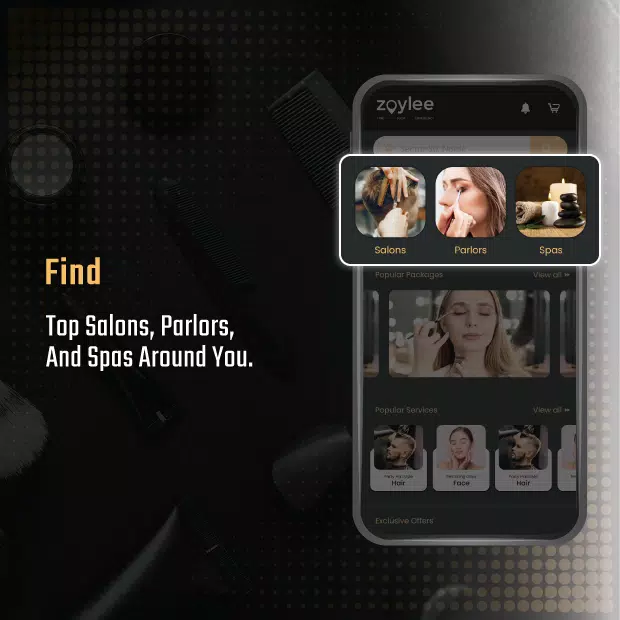
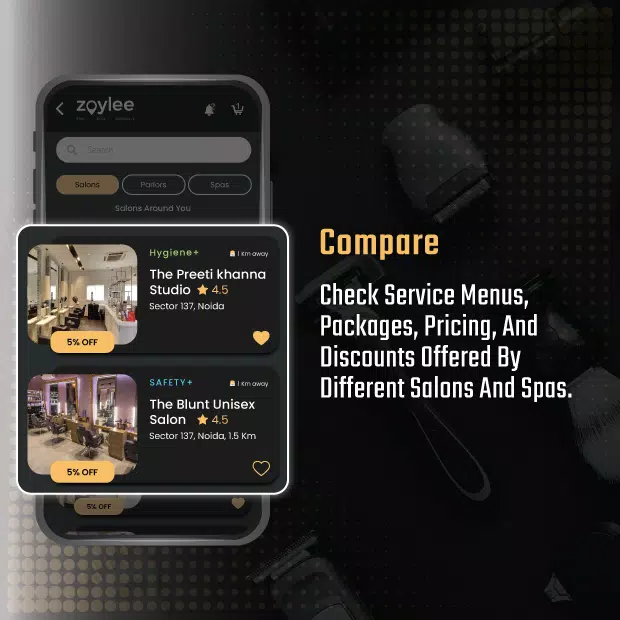
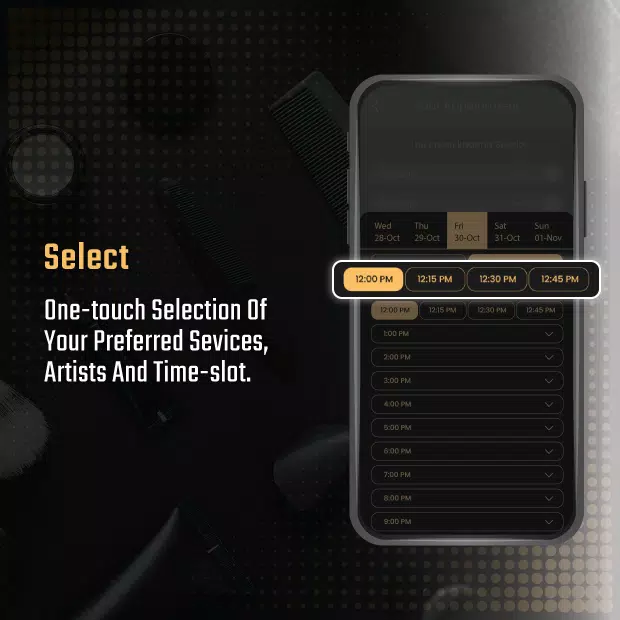
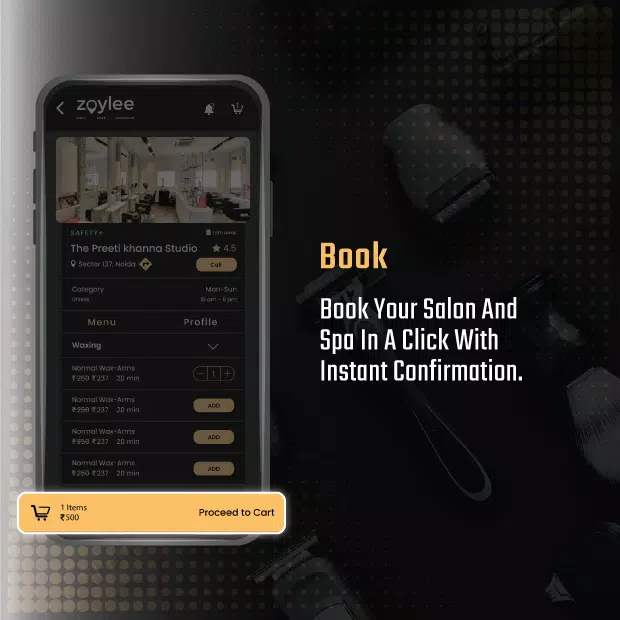
Zoylee is a streamlined mobile utility that organizes tasks, documents, and quick workflows into a single clean interface, helping users manage day-to-day productivity with minimal friction. Designed for mobile-first use, Zoylee blends file handling, reminders and lightweight automation into an app that fits both personal and small-team needs.
Quick overview
Zoylee targets users who need a compact productivity hub on Android. It merges essentials — note capture, file organization, reminders, and simple automation — into one accessible app. The interface prioritizes clarity over complexity, so learning the core functions takes minutes rather than hours.
Core features that matter
The feature set focuses on practical tasks with consistent behavior across modules. Key elements include:
- Smart folders: Group documents and notes automatically based on tags, date ranges or content type.
- Task timeline: A chronological view that combines reminders, completed items and upcoming events.
- Quick capture: Fast note and voice memo creation with single-tap shortcuts.
- Simple automation: Conditional triggers for common workflows like file backups or recurring reminders.
- Offline access: Work with core content without an active network and sync changes when online.
How Zoylee helps daily work
Rather than layering dozens of advanced tools, Zoylee concentrates on the flows people use every day. You can capture a receipt photo, tag it to a project, set a follow-up reminder, and let the app archive the file in the right place. That type of end-to-end flow is repeated across notes, tasks and file handling.
Interface and performance
The design leans toward minimalism: a muted color palette, readable typography and compact controls. Transitions are swift on mid-range hardware, and the app keeps background syncs light to conserve battery. Notification settings are granular, which prevents alert fatigue while still keeping you informed about important items.
Customization and integration
Zoylee provides several ways to tailor the experience. You can define folder rules, create custom quick-capture buttons, and choose which modules appear on the home screen. Integrations are practical rather than exhaustive: common cloud storage providers and a share-extension let you move content between apps without complex configuration.
User experience and reliability
Feedback from long-term users highlights consistency. The app rarely crashes and retains data integrity across updates. Sync conflicts are surfaced clearly, and conflict resolution tools guide users to merge or choose versions without technical jargon. New users appreciate the guided setup that walks through core features without forcing tutorials.
Tips for new users
- Start with a single workflow: Pick one repetitive task—like expense receipts—and map it into Zoylee to see immediate value.
- Use tags liberally: Tags make searching faster than deep folder nesting.
- Limit notifications: Set reminders only for time-sensitive items to reduce noise.
- Enable offline mode: If you travel, keep syncing off and let Zoylee upload changes when you reconnect.
Why people adopt it
Adopters cite clarity and efficiency as primary reasons to stick with Zoylee. The app avoids feature bloat and focuses on predictable, repeatable workflows. Small teams find the sharing and tagging features effective for lightweight collaboration without needing a full-scale project management tool.
Getting started
Download and initial setup are straightforward. Grant storage and notification permissions, complete the optional sign-in for cloud sync, and choose which modules to enable. The onboarding checklist offers small tasks that familiarize you with capturing, tagging and scheduling in under ten minutes.
Zoylee is a compact productivity option for Android users who want control without complexity. It balances essential tools with a clean interface and reliable performance, making it a practical choice for solo users and small teams looking to organize everyday work efficiently.
Show More
Information
Screenshots



Latest Update












Hot Tags
Latest News
-
![Revealing the Launch Playlists and Cross-Progression for COD Warzone Mobile News]()
-
![March 2024 Free Redemption Codes for Honkai: Star Rail News]()
-
PUBG Mobile Teams Up with Bentley Motors: Luxury Cars, Exclusive Collectibles, and Beyond 2024-04-18
![PUBG Mobile Teams Up with Bentley Motors: Luxury Cars, Exclusive Collectibles, and Beyond News]()
-
![Monster Never Cry is now accessible on both Android and iOS mobile devices. News]()
-
V2.2 of the Farlight 84 update introduces an overhauled Season structure, fresh in-game currency, an 2024-04-16
![V2.2 of the Farlight 84 update introduces an overhauled Season structure, fresh in-game currency, an News]()
-
![Arrival of Genshin Impact 4.6 Update: 'Embers of Two Realms, Twilight of Crimson' News]()
-
April 2024 Clash of Clans Update: Unveiling a Fresh Companion, Enhanced Levels, Chat Tagging, and Be 2024-04-16
![April 2024 Clash of Clans Update: Unveiling a Fresh Companion, Enhanced Levels, Chat Tagging, and Be News]()






