
Calc EN
Version:1.1.0
Published:2026-10-14
Introduction
Calc EN is a versatile calculator app that combines a clean interface with advanced mathematical tools for daily use, study, and work. It supports basic arithmetic, scientific functions, unit conversions, and equation solving, delivering quick results with a clear layout that suits students, professionals, and casual users alike.
Core features at a glance
Calc EN brings together a set of practical tools you will use every day. The app includes a standard calculator for quick sums, a scientific mode for trigonometry and logarithms, a built-in history tape for reviewing past calculations, and a unit converter that covers length, mass, volume, temperature, and currency. Each feature is accessible with a single tap, reducing friction when switching contexts.
Interface and user flow
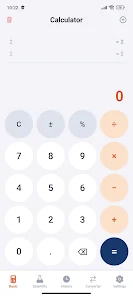
The user interface focuses on readability and speed. Large buttons, responsive feedback, and an adjustable font size make input and output easy to scan. Calc EN offers a multi-pane layout on tablets and landscape phones so you can view the expression, result, and history simultaneously. Contextual menus provide copy, paste, and share options so results can move directly into notes, email, or chat.
Advanced calculator capabilities
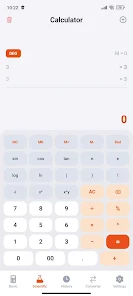
Beyond simple calculations, Calc EN supports algebraic expressions, parentheses, and variable handling. You can enter formulas and see step-by-step simplification for common algebra problems. Scientific features include sin, cos, tan, inverse trig functions, exponentials, roots, and statistical functions like mean, median, and standard deviation. For technical users, there is a constants library and the ability to switch between radians and degrees.
Customization options
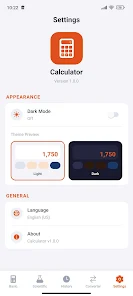
Personalization helps Calc EN adapt to your workflow. Choose from light and dark themes to conserve battery or improve visibility. Configure the number of decimal places, set default angle units, and pin frequently used functions to the main keypad. The layout editor allows rearranging buttons so you can prioritize operations you rely on most.
Practical workflows and integration
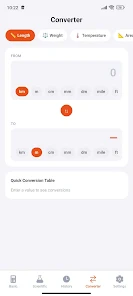
Calc EN is built to fit into everyday tasks. Use the unit converter to compare metric and imperial measurements, or the currency tool to get quick exchange-rate estimates when checking prices. The history tape makes it simple to revisit a chain of calculations and export them as text. Results can be copied with one tap or shared through other apps so the calculator becomes part of your document creation and communication routine.
Performance and device compatibility
The app is lightweight and optimized for smooth performance on a wide range of Android devices. It launches quickly and handles long expressions without lag. Memory usage is modest, making Calc EN suitable for older phones as well as newer models. Battery consumption is minimized through efficient rendering and an optional dark theme.
Getting started quickly
Open Calc EN and begin typing numbers — the result updates in real time. Toggle between basic and scientific views when you need more functions. Use the clear and backspace buttons to correct input, and explore the settings menu to adjust precision and appearance. The help section provides short examples to illustrate expression syntax and function usage.
Tips for more effective use
- Save common formulas: Pin formulas you use often to the quick access bar for instant recall.
- Use the history tape: Reuse previous results without retyping by tapping entries in the history list.
- Switch themes: Dark mode reduces eye strain in low light and can extend battery life on OLED screens.
- Leverage unit conversion: Convert between units while entering values to avoid manual recalculation.
Calc EN strikes a balance between simplicity and depth, offering tools that scale from casual arithmetic to more advanced technical calculations. Its combination of a clear interface, customizability, and performance makes it a practical choice for students, professionals, and anyone who needs reliable calculations on the go.
Show More
Information
Screenshots
Latest Update












Latest News
-
![Revealing the Launch Playlists and Cross-Progression for COD Warzone Mobile News]()
-
![March 2024 Free Redemption Codes for Honkai: Star Rail News]()
-
PUBG Mobile Teams Up with Bentley Motors: Luxury Cars, Exclusive Collectibles, and Beyond 2024-04-18
![PUBG Mobile Teams Up with Bentley Motors: Luxury Cars, Exclusive Collectibles, and Beyond News]()
-
![Monster Never Cry is now accessible on both Android and iOS mobile devices. News]()
-
V2.2 of the Farlight 84 update introduces an overhauled Season structure, fresh in-game currency, an 2024-04-16
![V2.2 of the Farlight 84 update introduces an overhauled Season structure, fresh in-game currency, an News]()
-
![Arrival of Genshin Impact 4.6 Update: 'Embers of Two Realms, Twilight of Crimson' News]()
-
April 2024 Clash of Clans Update: Unveiling a Fresh Companion, Enhanced Levels, Chat Tagging, and Be 2024-04-16
![April 2024 Clash of Clans Update: Unveiling a Fresh Companion, Enhanced Levels, Chat Tagging, and Be News]()






