

Huey
Version:1.0.0
Published:2026-10-14
Introduction
Huey is a compact color toolkit for Android that helps designers, photographers, and hobbyists capture, organize, and export color palettes from the world around them. It combines live camera sampling, palette generation, and accessibility tools into a single streamlined interface for quick color decisions and professional workflow integration.
Core features
Huey provides a set of practical tools built around color management. At its core are an accurate eyedropper, an intelligent palette generator, and conversion utilities for HEX, RGB, and HSL formats. A contrast checker helps verify accessibility standards, while a built-in picker supports sampling from photos, screenshots, and live camera feeds.
How the interface supports fast workflows
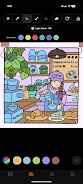
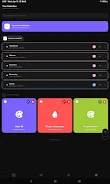
The app emphasizes speed and clarity. A minimalist layout keeps frequently used tools within thumb reach, and contextual menus display format conversions and export options only when you need them. Huey’s multi-tab canvas lets you store and compare several palettes simultaneously so you can iterate on ideas without losing previous versions.
Palette creation and organization
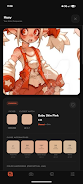
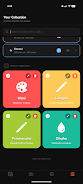
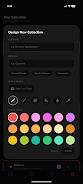
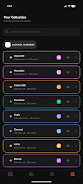
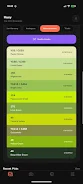
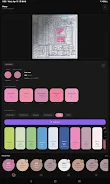
Generating cohesive palettes is straightforward. Use the automatic harmony engine to propose complementary, analogous, or triadic colors based on a single sample. Manually adjust tones with simple sliders, lock key colors to maintain contrast, and rearrange swatches by drag-and-drop. Saved palettes are organized into collections with custom names and tags for quick retrieval.
Export and integration options
To fit into a professional pipeline, Huey offers multiple export targets. Export palettes as PNG swatches, ASE for Adobe tools, SCSS variables for web projects, or plain text lists for documentation. Direct sharing to Slack, email, or cloud services is supported, so teams can sync color decisions without extra steps.
Advanced color tools
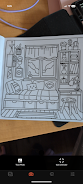
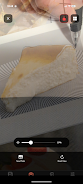
- Live sampling: Capture shades from the camera, with adjustable focus and exposure to reduce noise.
- Image import: Drop photos to analyze dominant colors and remove unwanted background tones.
- Color blindness simulator: Preview palettes through common deficiency filters to ensure accessibility.
- Contrast analyzer: Check WCAG compliance and get suggested adjustments to improve legibility.
Performance and compatibility
Huey is optimized to run smoothly on a wide range of Android devices. Lightweight memory usage and GPU-accelerated rendering keep interactions responsive even when handling multiple large images. The app supports offline usage for fieldwork, while optional cloud sync keeps desktop tools up to date when you reconnect.
User customization and presets
Customization is simple but powerful. Create presets for typical projects—branding, mobile UI, or print—and apply them as starting points for new palettes. Toggle between compact and expanded views depending on whether you need quick picks or detailed adjustments. Huey also supports custom export templates so saved colors match your team’s naming conventions and formats.
Practical use cases
Several real-world workflows benefit from Huey. Photographers can sample color tones on location to guide post-processing. UI designers can extract brand-appropriate palettes from client materials. Hobbyists working on crafts or home decor can match paints or textiles by sampling in situ. Each workflow benefits from the app’s portable sampling and immediate export features.
Getting started tips
- Use the live sampling mode in natural light for the most accurate colors.
- Lock your base color before adjusting harmonies to see coherent variations.
- Save frequently used palettes to a collection named by project to avoid confusion.
- Run the contrast checker early in the design phase to prevent later accessibility rework.
Huey balances approachable design with professional capability, making it a handy companion for anyone who works with color on the go. With thoughtful export options and performance-focused design, it fits neatly into both solo and collaborative projects while keeping essential tools available in a few taps.
Show More
Information
Screenshots
Latest Update












Hot Tags
Latest News
-
![Revealing the Launch Playlists and Cross-Progression for COD Warzone Mobile News]()
-
![March 2024 Free Redemption Codes for Honkai: Star Rail News]()
-
PUBG Mobile Teams Up with Bentley Motors: Luxury Cars, Exclusive Collectibles, and Beyond 2024-04-18
![PUBG Mobile Teams Up with Bentley Motors: Luxury Cars, Exclusive Collectibles, and Beyond News]()
-
![Monster Never Cry is now accessible on both Android and iOS mobile devices. News]()
-
V2.2 of the Farlight 84 update introduces an overhauled Season structure, fresh in-game currency, an 2024-04-16
![V2.2 of the Farlight 84 update introduces an overhauled Season structure, fresh in-game currency, an News]()
-
![Arrival of Genshin Impact 4.6 Update: 'Embers of Two Realms, Twilight of Crimson' News]()
-
April 2024 Clash of Clans Update: Unveiling a Fresh Companion, Enhanced Levels, Chat Tagging, and Be 2024-04-16
![April 2024 Clash of Clans Update: Unveiling a Fresh Companion, Enhanced Levels, Chat Tagging, and Be News]()






