

Quran Kareem Hifd : Coran
Version:1.2.1
Published:2026-10-14
Introduction
Quran Kareem Hifd : Coran is a focused memorization and recitation tool designed for learners of all levels. It combines clear Arabic text, audio playback, and progress tracking to support structured hifdh practice, while offering flexible review routines and repeated listening for efficient memorization.
Overview of the app
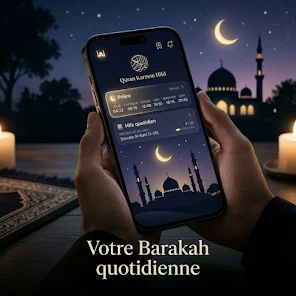
The Quran Kareem Hifd : Coran app aims to make consistent Quran study manageable. It balances audio-guided recitation with visual cues and repetition patterns that mirror traditional hifdh methods. The design emphasizes short daily sessions, clear navigation between surahs, and measurable milestones so users can monitor improvement and stay motivated.
Core functionality at a glance
- Script and audio synchronization: Read along with highlighted verses while listening to clear recitations at adjustable speeds.
- Segmented memorization: Break surahs into manageable portions and mark completed segments for targeted review.
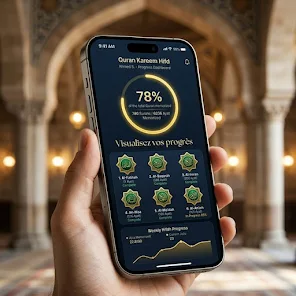
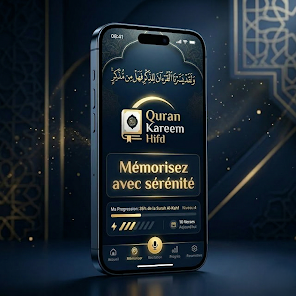
- Progress tracking: Track daily goals, completed verses, and long-term retention with simple visual indicators.
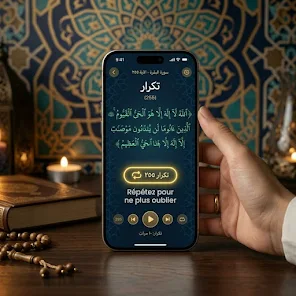
- Repeat and loop controls: Loop specific ayahs or ranges to reinforce difficult passages.
- Bookmarking and notes: Save places, add short notes for tajweed issues, or flag verses that need extra attention.
How the memorization workflow works
The app structures practice into repeatable steps that fit most study habits. Start by selecting a surah and choosing a segment length. Play the recitation and follow the highlighted text. Use the repeat feature to listen multiple times, then recite aloud and mark the segment as learned. Built-in review schedules prompt you to revisit learned segments at spaced intervals to strengthen recall.
Adaptive practice and review
Adaptive review queues prioritize segments that were marked difficult or not recalled correctly. This creates a lean learning loop: newly learned material gets frequent repetition, and stable material appears less often. This pattern conserves time while focusing effort where it’s needed most.
Interface, performance and usability
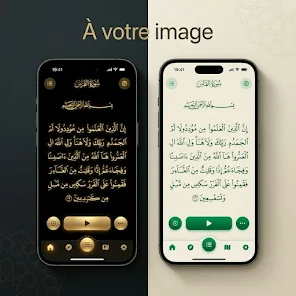
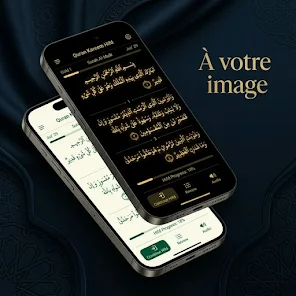
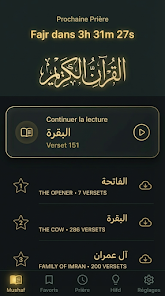
The interface is intentionally uncluttered. Large Arabic script with optional transliteration makes reading comfortable on small screens. Audio controls include play, pause, rewind, and variable speed, all accessible from the main reading view. Load times are modest, and offline mode allows listening without a persistent internet connection once files are downloaded.
Design choices that matter
- Dark and light themes: Read comfortably at any hour.
- Font scaling: Adjust text size to suit your eyesight.
- Low resource usage: Background playback and minimal battery draw help during longer sessions.
Practical tips for new users
For effective memorization with Quran Kareem Hifd : Coran, begin with short, consistent sessions—ten to twenty minutes daily is often sufficient. Use the loop for tough ayahs, record your own recitation to compare with the reference, and rely on the bookmarking system to create a personalized study path. Regularly export progress snapshots if you want to share milestones with a teacher.
Common pitfalls and how to avoid them
- Trying to memorize too much at once — prefer small, frequent repetitions.
- Ignoring tajweed — use notes to remind yourself of rules tied to specific verses.
- Skipping reviews — set reminders and enable spaced repetition to retain earlier memorized portions.
Getting started and setup
Installation is straightforward: download, grant audio permissions, and optionally download the offline recitations. Create a simple schedule inside the app or connect it to your calendar for daily reminders. For anyone training for longer-term memorization, the app’s export and backup tools help preserve progress across devices.
Quran Kareem Hifd : Coran delivers a practical toolkit for focused Quran study. Its combination of audio, visual guidance, and adaptive review makes it useful for beginners and experienced memorizers alike, helping users build confidence and steady progress.
Show More
Information
Screenshots


Latest Update












Latest News
-
![Revealing the Launch Playlists and Cross-Progression for COD Warzone Mobile News]()
-
![March 2024 Free Redemption Codes for Honkai: Star Rail News]()
-
PUBG Mobile Teams Up with Bentley Motors: Luxury Cars, Exclusive Collectibles, and Beyond 2024-04-18
![PUBG Mobile Teams Up with Bentley Motors: Luxury Cars, Exclusive Collectibles, and Beyond News]()
-
![Monster Never Cry is now accessible on both Android and iOS mobile devices. News]()
-
V2.2 of the Farlight 84 update introduces an overhauled Season structure, fresh in-game currency, an 2024-04-16
![V2.2 of the Farlight 84 update introduces an overhauled Season structure, fresh in-game currency, an News]()
-
![Arrival of Genshin Impact 4.6 Update: 'Embers of Two Realms, Twilight of Crimson' News]()
-
April 2024 Clash of Clans Update: Unveiling a Fresh Companion, Enhanced Levels, Chat Tagging, and Be 2024-04-16
![April 2024 Clash of Clans Update: Unveiling a Fresh Companion, Enhanced Levels, Chat Tagging, and Be News]()






