
DrawAI
Version:1.0.29
Published:2026-10-15
Introduction
DrawAI is a mobile drawing studio that blends traditional sketch tools with on-device artificial intelligence to speed creative workflows. It provides guided suggestions, auto-coloring, and vector export options for illustrators and hobbyists, packaged in a lightweight Android app focused on fast iteration and polished results.
What DrawAI does well
At its core, DrawAI accelerates concept-to-final artwork by combining manual controls with algorithmic helpers. The app serves both quick doodles and detailed compositions: smart brushes react to pressure and tilt, while context-aware fills and line smoothing reduce tedious cleanup. For users who want simple outputs without a steep learning curve, the app streamlines routine tasks without hiding advanced controls.
Primary tools and capabilities
- Adaptive brushes: Brush engines that learn stroke behavior to keep lines smooth and responsive.
- Auto-colour and palettes: Instant color suggestions and palette extraction from photos to speed coloration.
- Vector export: Convert sketches to scalable vectors for printing or further editing in desktop software.
- Layer management: Blend modes, masks, and nondestructive edits for flexible composition workflows.
- Reference integration: Import images and view them side-by-side with adjustable opacity.
How the app works
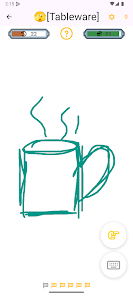
DrawAI processes strokes locally so responsiveness stays high even on mid-range phones. When you sketch, optional AI features such as stroke correction and object suggestion run in the background to offer improvements that you can accept or discard. The interface groups tools into a radial menu and a dock, which keeps commonly used items within thumb reach while leaving the workspace uncluttered.
Interface and performance
The user interface prioritises clarity. Icons and typography are large enough for touch use, and workspace presets let you switch from portrait sketching to landscape layout for more screen real-estate. Performance is solid across devices: canvas panning and zooming remain fluid, and export tasks queue up without blocking the UI. Settings let you control memory use and image resolution to balance quality and battery life.
Practical workflow scenarios
Illustrators can rough multiple thumbnail concepts quickly using the app’s sketch pad mode. Designers preparing assets for mobile games benefit from DrawAI’s sprite sheet export and transparent background saves. Even hobbyists find the guided coloring useful: tap-fill tools intelligently respect linework and maintain consistent shading. The app supports undo history and version snapshots, which makes iterative design painless.
Customization and advanced options
For users who want more control, DrawAI exposes brush dynamics like jitter, flow, and scatter. You can create custom palettes and lock layers to prevent accidental edits. Integration with cloud services allows you to sync projects across devices and share editable files with collaborators who use vector-based desktop editors.
Tips for new users
- Start with the tutorial workspace to learn gesture shortcuts and the radial tool menu.
- Use the low-latency brush preset for inking and the textured brushes for shading experiments.
- Enable simplified AI suggestions when trying new styles; toggle them off as you gain confidence.
- Export low-resolution drafts for quick sharing, then export high-resolution vectors for final output.
DrawAI balances powerful features with an approachable interface, making it a practical choice for creators on Android devices. Whether you need a fast sketching companion or a compact studio for producing production-ready art, the app provides tools that reduce friction and let ideas move from mind to screen swiftly.
Getting started
Installation is straightforward: download the APK, grant standard permissions for storage and optional camera access for reference photos, and choose your default canvas size. Spend a few minutes configuring brush sensitivity and gesture shortcuts to match your drawing style. Regular updates add new brushes and performance tweaks, so check the app’s update notes to stay informed.
Show More
Information
Screenshots

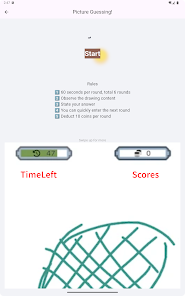
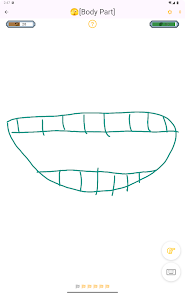
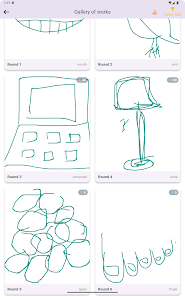
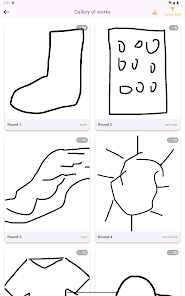
Latest Update
-
![Lines Gold Pro - Icon Pack APK]()
Lines Gold Pro - Icon Pack
-
![Remote Fire TV APK]()
Remote Fire TV
-
![Flight Dark Pro - Icon Pack APK]()
Flight Dark Pro - Icon Pack
-
![Ares Light: Pastel Icon Pack APK]()
Ares Light: Pastel Icon Pack
-
![getConf - Hidden Settings APK]()
getConf - Hidden Settings
-
![Dots Live Wallpaper - Battery APK]()
Dots Live Wallpaper - Battery
-
![Chroma - Icon Pack APK]()
Chroma - Icon Pack
-
![One UI Fluffy Icon Pack APK]()
One UI Fluffy Icon Pack
-
![Pixly Limitless Fluo Icon Pack APK]()
Pixly Limitless Fluo Icon Pack
-
![Compress Video - Resize Video APK]()
Compress Video - Resize Video
-
![Pixly Professional Dark APK]()
Pixly Professional Dark
-
![Tracker Detect Pro APK]()
Tracker Detect Pro












Latest News
-
![Revealing the Launch Playlists and Cross-Progression for COD Warzone Mobile News]()
-
![March 2024 Free Redemption Codes for Honkai: Star Rail News]()
-
PUBG Mobile Teams Up with Bentley Motors: Luxury Cars, Exclusive Collectibles, and Beyond 2024-04-18
![PUBG Mobile Teams Up with Bentley Motors: Luxury Cars, Exclusive Collectibles, and Beyond News]()
-
![Monster Never Cry is now accessible on both Android and iOS mobile devices. News]()
-
V2.2 of the Farlight 84 update introduces an overhauled Season structure, fresh in-game currency, an 2024-04-16
![V2.2 of the Farlight 84 update introduces an overhauled Season structure, fresh in-game currency, an News]()
-
![Arrival of Genshin Impact 4.6 Update: 'Embers of Two Realms, Twilight of Crimson' News]()
-
April 2024 Clash of Clans Update: Unveiling a Fresh Companion, Enhanced Levels, Chat Tagging, and Be 2024-04-16
![April 2024 Clash of Clans Update: Unveiling a Fresh Companion, Enhanced Levels, Chat Tagging, and Be News]()






