

Pure Tuber: Video & MP3 Player
Version:5.1.3.101
Published:2026-10-15
Introduction
Pure Tuber: Video & MP3 Player transforms how you watch and extract audio on Android, combining background playback, playlist control, and an efficient MP3 extractor into a compact, ad-light interface. It focuses on smooth streaming, easy downloads, and uninterrupted listening without forcing account sign-ins or complex permissions.
What this app does
Pure Tuber: Video & MP3 Player is a utility for users who want quick access to online videos and the ability to save or convert content to audio files. The app merges a video player, background playback, and a built-in MP3 extraction tool so you can create music files from videos while keeping device storage and bandwidth concerns in mind.
Core features at a glance
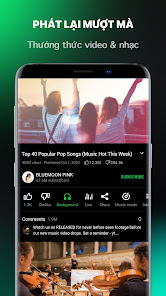
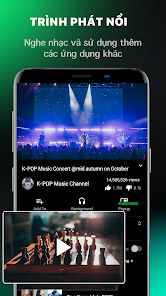
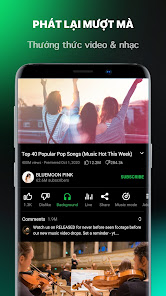
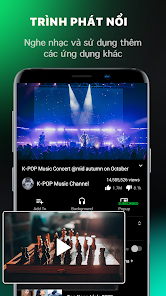
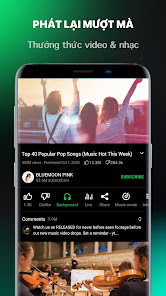
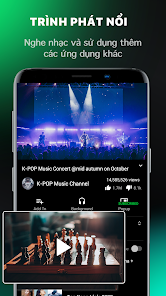
- Background playback so audio keeps playing while you use other apps or lock the screen.
- MP3 extraction from supported videos for offline listening and managing a local audio library.
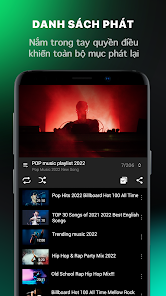
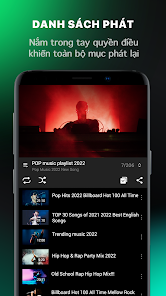
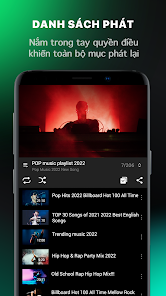
- Playlist management with queuing, shuffle, and repeat options to customize listening sessions.
- Lightweight interface that avoids clutter and focuses on fast navigation.
- Download manager for queued downloads, pause/resume, and basic file organization.
How it works in everyday use
The workflow is straightforward: search or paste a video link, preview playback, then choose whether to stream, download the video, or convert it to an MP3. Conversion settings are simple, typically letting you pick bitrates and storage location. The app also keeps a history of recent items for quick access, which helps when you want to convert multiple videos into a single playlist.
Interface and performance
Design emphasizes clarity. Controls are large enough for one-handed use and menus are short, which reduces taps to perform common actions. Playback is generally smooth on modern devices, and the app uses moderate memory so it can run alongside social media or messaging apps without heavy slowdowns. Visual themes include a dark mode for low-light listening.
Customization and settings
Users can tune several options: default download folder, preferred audio bitrate, whether downloads occur on mobile data or Wi-Fi only, and notification preferences for completed conversions. Equalizer presets are a plus on supported devices, letting you adjust sound to suit genres. For people who prioritize battery life, the app offers reduced processing during conversions to limit overheating and excessive power draw.
Tips for new users
- Start by testing background playback with a short clip to confirm system permissions are set correctly.
- Use Wi-Fi for batch conversions to avoid high mobile data usage.
- Create a dedicated download folder so your audio files are easy to find with a file manager or music app.
- Adjust bitrate settings when storage is limited; 128 kbps is a good balance between size and quality.
Common troubleshooting
If downloads stall, check storage permissions and available space. Playback hiccups are often resolved by clearing the app cache or restarting the device. For conversion failures, retry the file or use a lower bitrate. The app provides basic error messages so you can identify whether the issue is network- or storage-related.
Security and privacy considerations
Pure Tuber: Video & MP3 Player limits permissions to those required for its core functions: file storage, network access, and media playback. It does not force account creation. Always review permission prompts and store downloaded files in user-controlled folders to reduce exposure to unwanted data sharing.
Why users pick it
People choose Pure Tuber: Video & MP3 Player for a no-nonsense approach to converting and playing media. The fast conversion times, compact design, and reliable background playback make it suitable for commuters, students, and anyone who prefers to build a personal offline music collection from streaming content.
Getting started
Installation is typical for Android apps: download, accept required permissions, and run a short setup to configure preferred folders and data settings. Spend a few minutes verifying playback and a single conversion to ensure the app behaves as expected on your device. After that, daily use is mostly search, play, convert, and organize.
With practical controls, selective settings, and a focused feature set, Pure Tuber: Video & MP3 Player aims to make video-to-audio workflows both fast and accessible without unnecessary complexity.
Show More
Information
Screenshots





Latest Update












Latest News
-
![Revealing the Launch Playlists and Cross-Progression for COD Warzone Mobile News]()
-
![March 2024 Free Redemption Codes for Honkai: Star Rail News]()
-
PUBG Mobile Teams Up with Bentley Motors: Luxury Cars, Exclusive Collectibles, and Beyond 2024-04-18
![PUBG Mobile Teams Up with Bentley Motors: Luxury Cars, Exclusive Collectibles, and Beyond News]()
-
![Monster Never Cry is now accessible on both Android and iOS mobile devices. News]()
-
V2.2 of the Farlight 84 update introduces an overhauled Season structure, fresh in-game currency, an 2024-04-16
![V2.2 of the Farlight 84 update introduces an overhauled Season structure, fresh in-game currency, an News]()
-
![Arrival of Genshin Impact 4.6 Update: 'Embers of Two Realms, Twilight of Crimson' News]()
-
April 2024 Clash of Clans Update: Unveiling a Fresh Companion, Enhanced Levels, Chat Tagging, and Be 2024-04-16
![April 2024 Clash of Clans Update: Unveiling a Fresh Companion, Enhanced Levels, Chat Tagging, and Be News]()






