

AI Anime Filter - Anime AI
Version:3.2.32
Published:2026-10-15
Introduction
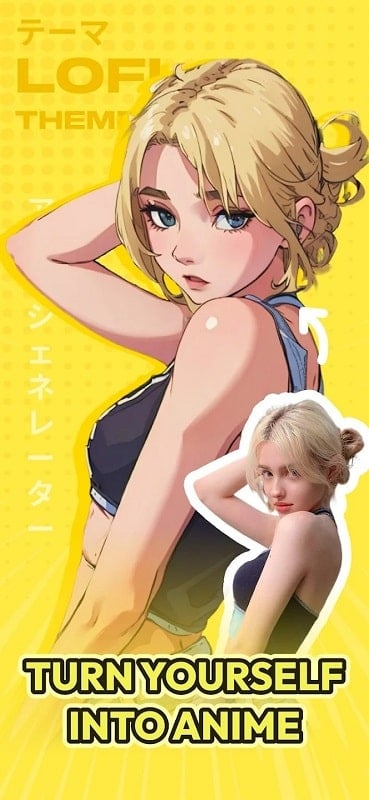
AI Anime Filter - Anime AI is a mobile app that transforms photos into stylized anime portraits using on-device and cloud-powered neural models. It combines quick one-tap filters with detailed control panels so you can convert selfies, pets, or scenes into vibrant, polished anime-style images in seconds.
What the App Offers
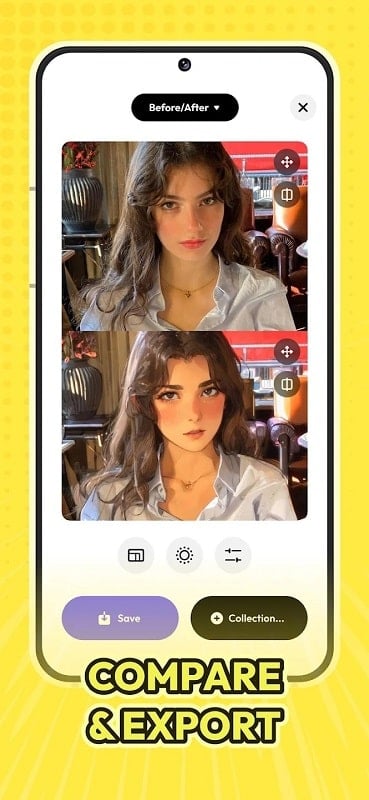
AI Anime Filter - Anime AI focuses on delivering fast, high-quality image stylization geared toward fans of anime aesthetics and creators who want an expressive look without manual illustration. The app includes a variety of preset styles, color grading options, and aspect ratio settings for social sharing. It supports batch processing, basic photo editing tools, and a preview system that helps you iterate on looks before saving.
Key Features
- Multiple Anime Styles — Choose from classic, modern, chibi, and painterly variants that interpret facial features, shading, and linework differently.
- One-Tap Transformation — Quickly convert a photo into an anime portrait with a single tap while preserving facial structure and expression.
- Manual Controls — Adjust line detail, color saturation, background blur, and skin tone smoothing for customized results.
- Batch Conversion — Apply filters to several images at once to speed up workflow for content creators.
- Export Options — Save in multiple resolutions, formats, and aspect ratios optimized for Instagram, TikTok, or large prints.
How the System Works
The app uses a combination of neural style transfer and specialized portrait models to achieve anime-like outputs. Initially, a face-detection module analyzes key points and proportions. A style engine then maps textures, lines, and color palettes onto that structure while retaining important photo details. Some processing takes place locally for privacy and speed, while optional cloud rendering provides higher-resolution results and more advanced style variants.
Interface and Workflow
The interface is organized to help both newcomers and frequent users move from photo selection to final export in a few steps. A central preview panel shows the current style applied to your image, with an editable timeline of recent adjustments. Quick toggles allow switching styles without losing custom slider values. Tooltips guide first-time users, and an undo history makes experimentation risk-free.
Customization Options
Beyond presets, AI Anime Filter - Anime AI offers nuanced controls to tailor the outcome. Key sliders include:
- Detail vs. Smoothness — Balance crisp linework with softer shading.
- Color Palette — Select warm, cool, or high-contrast palettes and fine-tune hue and saturation.
- Background Treatment — Replace or blur backgrounds while keeping foreground subjects intact.
- Facial Emphasis — Increase prominence of eyes, hair highlights, and expression lines for a more traditional anime look.
Performance and Compatibility
The app is optimized for a wide range of Android devices. Lower-end phones use streamlined models to maintain responsiveness, while newer devices and tablets can leverage multi-core acceleration and optional cloud rendering for higher fidelity. Battery and data usage settings let you prioritize speed or quality. Export sizes are configurable so you can choose small, share-friendly files or large, print-ready images.
Privacy, Storage, and Sharing
Privacy controls let you decide whether images are processed exclusively on-device or uploaded to secure servers for advanced processing. The app provides clear storage options and automatic cleanup for temporary files. One-tap sharing connects to popular social platforms and messaging apps, and you can save images to local galleries or cloud drives in preferred formats.
Practical Uses and Creative Tips
AI Anime Filter - Anime AI is useful for content creators, avatar creation, fan art experiments, and personal keepsakes. For best results, use high-contrast, well-lit photos and avoid heavy compression. Try multiple presets, then fine-tune sliders to achieve a unique style. Use batch mode to produce themed sets for social campaigns or profile picture variations.
Getting Started
Begin by importing a photo or taking one with the in-app camera. Apply a preset, tweak sliders to taste, and preview the result. Use the save dialog to select resolution and format, then share or export. Regular updates add new styles and processing improvements, so check the settings or update notes for fresh filters and features.
Show More
Information
Screenshots
Latest Update












Latest News
-
![Revealing the Launch Playlists and Cross-Progression for COD Warzone Mobile News]()
-
![March 2024 Free Redemption Codes for Honkai: Star Rail News]()
-
PUBG Mobile Teams Up with Bentley Motors: Luxury Cars, Exclusive Collectibles, and Beyond 2024-04-18
![PUBG Mobile Teams Up with Bentley Motors: Luxury Cars, Exclusive Collectibles, and Beyond News]()
-
![Monster Never Cry is now accessible on both Android and iOS mobile devices. News]()
-
V2.2 of the Farlight 84 update introduces an overhauled Season structure, fresh in-game currency, an 2024-04-16
![V2.2 of the Farlight 84 update introduces an overhauled Season structure, fresh in-game currency, an News]()
-
![Arrival of Genshin Impact 4.6 Update: 'Embers of Two Realms, Twilight of Crimson' News]()
-
April 2024 Clash of Clans Update: Unveiling a Fresh Companion, Enhanced Levels, Chat Tagging, and Be 2024-04-16
![April 2024 Clash of Clans Update: Unveiling a Fresh Companion, Enhanced Levels, Chat Tagging, and Be News]()






