

Google One
Version:1.235.670697502
Published:2026-10-15
Introduction
Google One centralizes your cloud storage, backup tools, and family sharing into a single Android app, making it simple to manage files, device backups, and subscription plans. It streamlines storage across Google Drive, Gmail, and Google Photos while offering extra benefits like member support and occasional rewards.
What Google One Does
Google One is designed to give Android users a single hub for storage and account management. Beyond adding more cloud space, the app organizes backups, helps you identify large or duplicate files, and provides an easy way to share storage with family members. The app also exposes perks such as expert support and limited-time offers tied to your plan.
Key Features and Tools
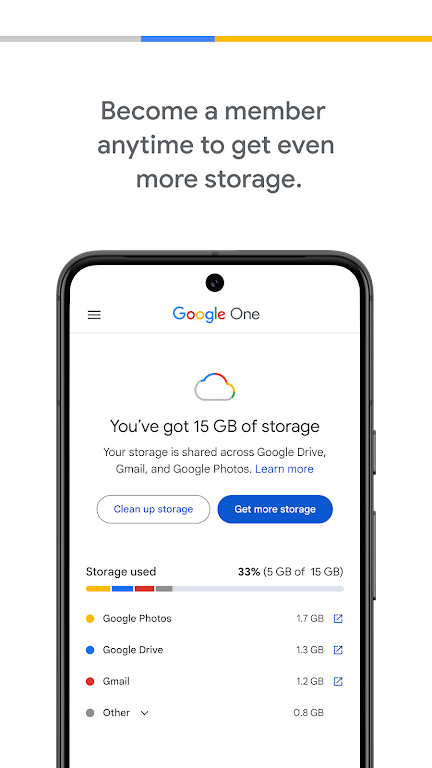
- Unified storage view: See how much space is used across Drive, Gmail, and Photos and which files are consuming the most.
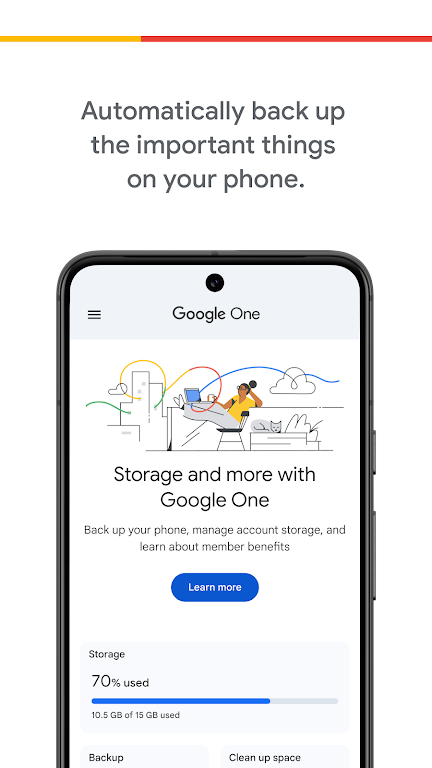
- Automatic device backup: Protect photos, contacts, and device settings with scheduled backups that run in the background.
- Family sharing: Share a single plan with up to five family members while keeping private files separate.
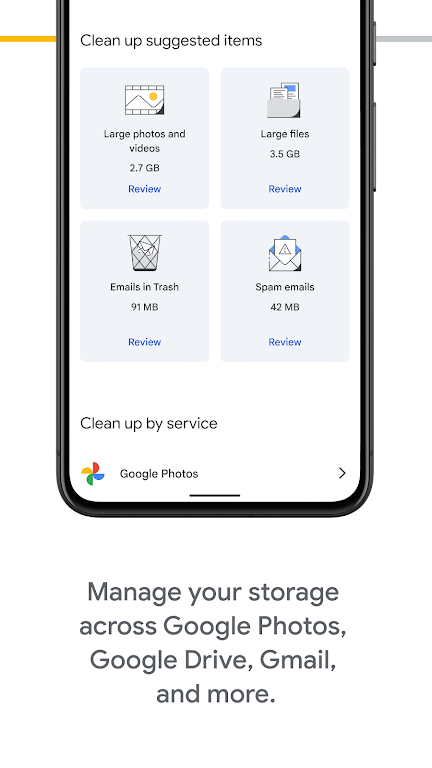
- Storage management tools: Clean up unnecessary files, remove duplicates, and recover space with guided suggestions.
- Expert support: Access Google specialists for help with account or device questions directly from the app.
User Interface and Workflow
The Google One app uses a clean, card-based design that surfaces the most important actions up front. A summary card displays available storage, while tabs separate backups, files, and benefits. Workflow flows from diagnostics—identifying large files or old emails—to action, letting you delete, archive, or move items with a few taps. Push notifications gently remind you when backups fail or when storage is nearly full.
Security and Privacy
Security is central to the app’s design: backups are tied to your Google account and benefit from Google’s existing encryption and account protections. Two-step verification and device-level protections help prevent unauthorized access. The Google One privacy dashboard clarifies what data is stored and how it’s used, and family sharing lets members keep private accounts separate while benefiting from shared storage.
Plans, Pricing, and Benefits
Google One offers multiple tiers to suit different needs, from modest upgrades for email and photos to large plans for power users. Plans may include extras such as Google Play credits, hotel discounts, or extended trial offers for other services. The app displays current plan details and billing options and allows quick upgrades or downgrades without complex navigation.
Performance and Compatibility
On modern Android devices the app runs smoothly, with low battery impact thanks to optimized background tasks. It syncs efficiently over Wi-Fi and mobile data, and settings allow backups only on Wi-Fi to conserve cellular data. Google One supports current Android releases and is backward compatible with recent versions, though some advanced features may require up-to-date system components.
Tips for Getting the Most Out of Google One
- Use the storage manager regularly to prune old files and keep your account within the included quota.
- Enable automatic backups for photos and device settings immediately after installing the app to prevent data loss.
- Set up family sharing to distribute storage without needing to exchange account credentials.
- Check the offers section periodically—promotions and credits can offset subscription costs.
How to Get Started
Download the app from the Play Store, sign in with your Google account, and follow the onboarding prompts to enable backups and choose a plan if you need more space. The app walks you through granting permissions and will perform an initial analysis of what’s using your storage so you can take action right away.
Final Notes
Google One simplifies storage management for Android users by combining backup services, shared plans, and member benefits into one place. For anyone who relies on Google services for photos, email, and files, the app provides a straightforward path to better organization, stronger protections, and flexible storage options.
Show More
Information
Screenshots
Latest Update












Hot Tags
Latest News
-
![Revealing the Launch Playlists and Cross-Progression for COD Warzone Mobile News]()
-
![March 2024 Free Redemption Codes for Honkai: Star Rail News]()
-
PUBG Mobile Teams Up with Bentley Motors: Luxury Cars, Exclusive Collectibles, and Beyond 2024-04-18
![PUBG Mobile Teams Up with Bentley Motors: Luxury Cars, Exclusive Collectibles, and Beyond News]()
-
![Monster Never Cry is now accessible on both Android and iOS mobile devices. News]()
-
V2.2 of the Farlight 84 update introduces an overhauled Season structure, fresh in-game currency, an 2024-04-16
![V2.2 of the Farlight 84 update introduces an overhauled Season structure, fresh in-game currency, an News]()
-
![Arrival of Genshin Impact 4.6 Update: 'Embers of Two Realms, Twilight of Crimson' News]()
-
April 2024 Clash of Clans Update: Unveiling a Fresh Companion, Enhanced Levels, Chat Tagging, and Be 2024-04-16
![April 2024 Clash of Clans Update: Unveiling a Fresh Companion, Enhanced Levels, Chat Tagging, and Be News]()






