

Your Texas Benefits
Version:6.5.1
Published:2026-10-15
Introduction
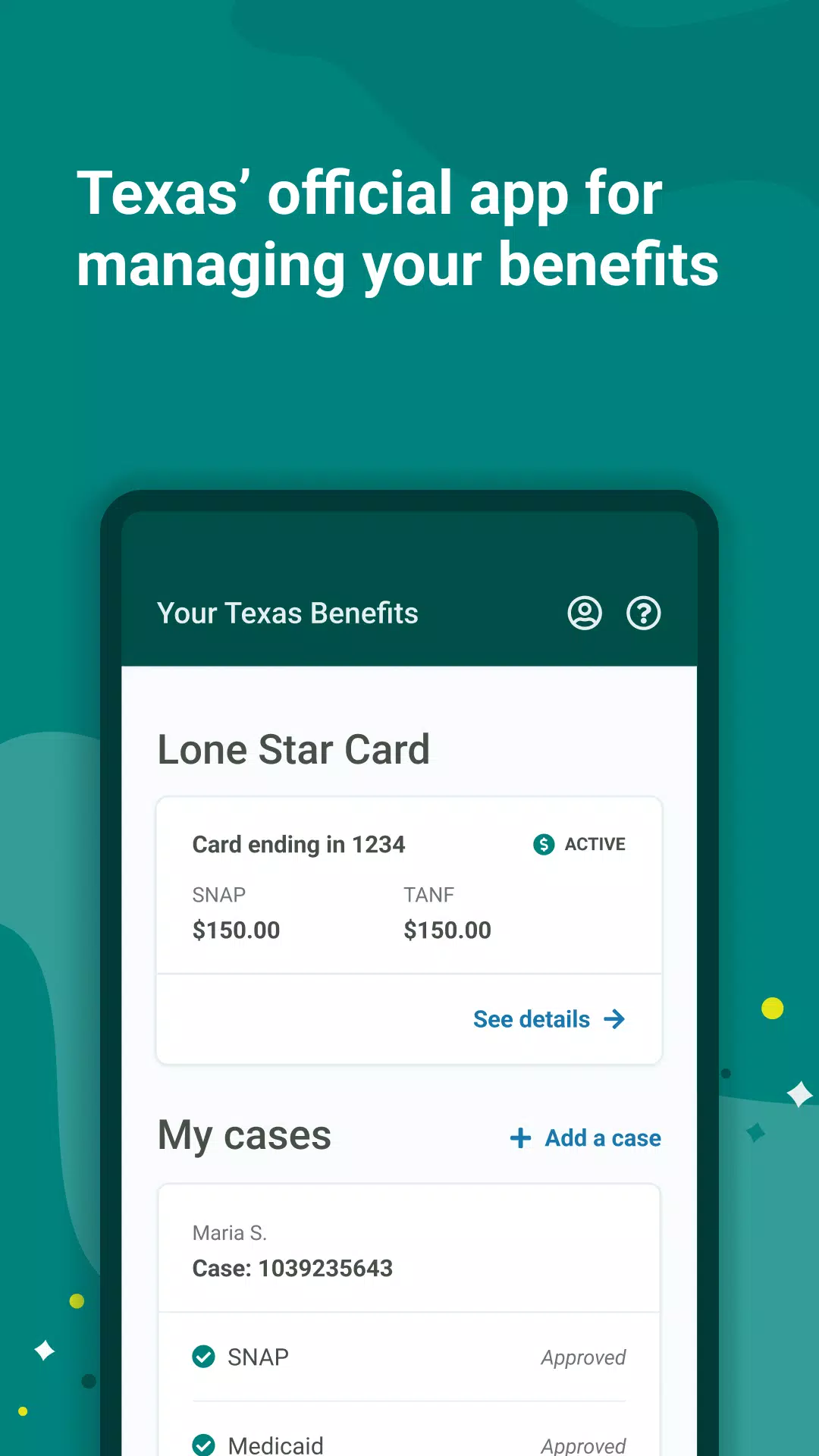
Your Texas Benefits helps Texas residents manage public assistance programs from a mobile device, offering quick access to case information, benefit balances, and document uploads. The app simplifies benefit tracking, appointment reminders, and notifications while supporting secure sign-in and clear status updates for claims and eligibility.
Overview of the app
Your Texas Benefits is a purpose-built mobile companion for people enrolled in state assistance programs. It brings essential case details and program information into a single, searchable interface so users can check benefit amounts, review transaction history, and confirm recertification deadlines without visiting an office or waiting on hold.
Core tools and functionality
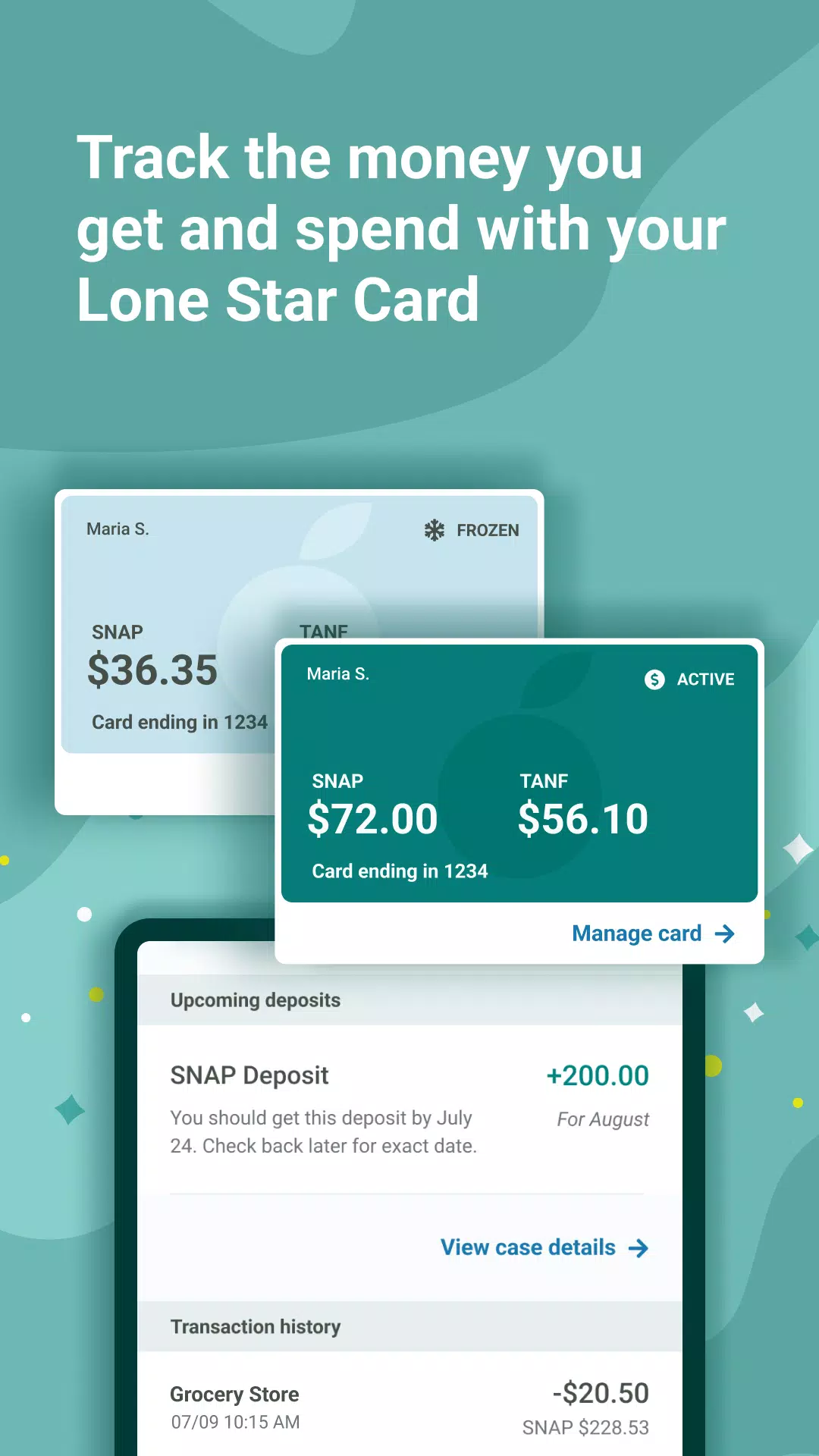
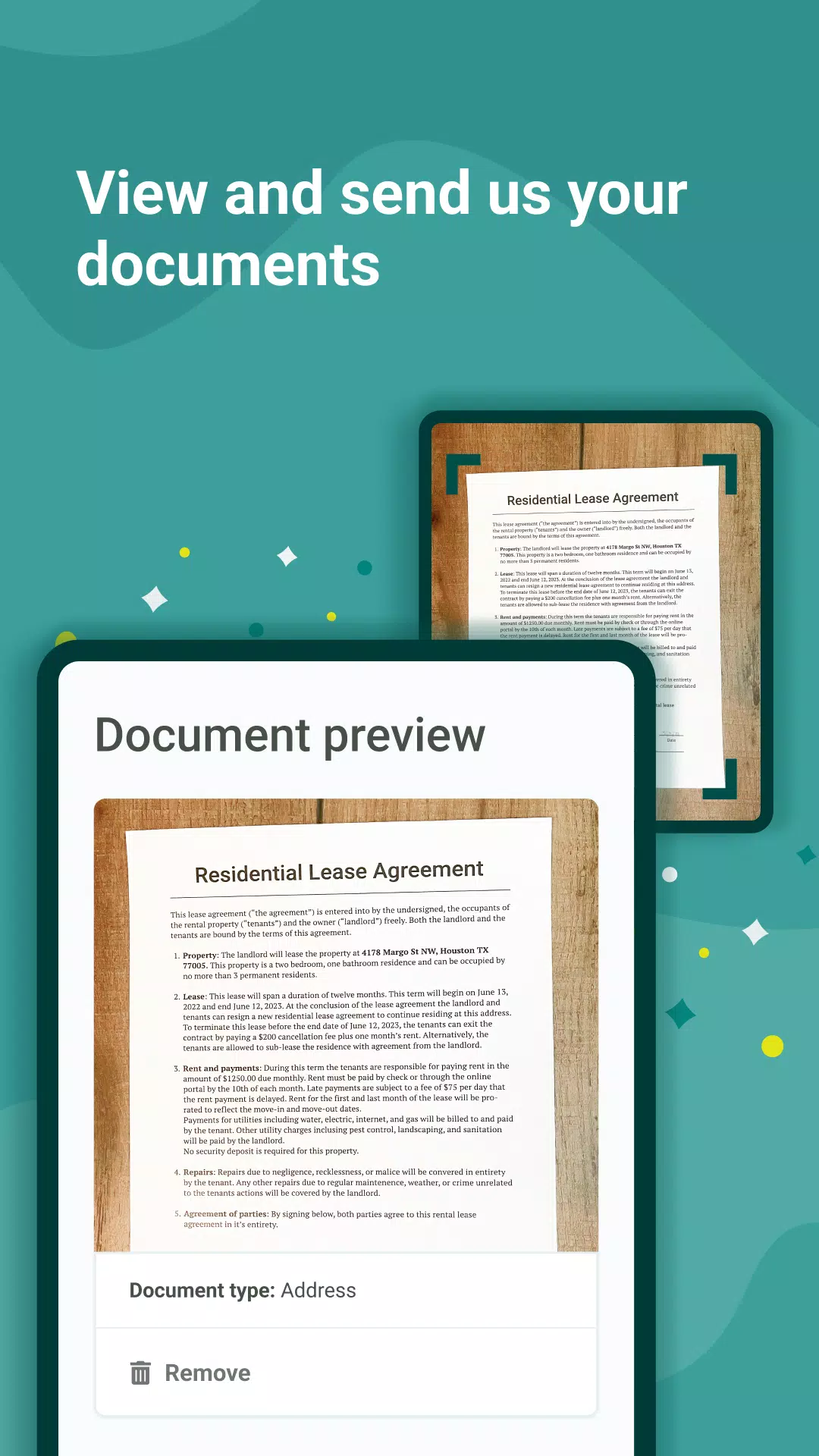
The app focuses on practical features that reduce administrative friction. Core capabilities include viewing up-to-date balance and payment history, receiving automated notifications about upcoming interviews or appointments, and scanning or uploading required documentation directly from a phone camera. A built-in help section guides users through common processes such as reporting household changes and renewing benefits.
How it works
After signing in with secure credentials, users link their case number to the app. The dashboard displays the most relevant items at a glance: current benefits, recent actions, and outstanding tasks. When a document is uploaded, it is queued and sent to the appropriate caseworker; status updates let users know when the file is processed. Push notifications and email alerts are configurable so members can choose their preferred communication method.
Practical features that matter
- Case summary: Instant access to case details and eligibility periods.
- Document upload: Capture and submit ID, proof of address, and other forms quickly.
- Notifications: Reminders for interviews, recertifications, and benefit changes.
- Payment history: Transaction lists and benefit issuance dates for budgeting.
- Support links: Direct connections to local office locations and contact options.
User experience and design
The interface is designed for clarity rather than flash. Large text, clear action buttons, and a straightforward navigation structure reduce confusion for first-time users. Language support and accessibility features are included to serve a broad range of users, and the app prioritizes low-bandwidth performance so it remains responsive on older devices or slow networks.
Security and privacy
Security is central to Your Texas Benefits. Authentication processes protect personal data while encrypted connections safeguard documents and case details transmitted through the app. Users are encouraged to set strong passcodes and to use device-level protections such as fingerprint or face unlock where available.
Tips for new users
Start by linking your case information and enabling notifications to stay informed about time-sensitive tasks. Use the document upload feature for quick verification instead of mailing paperwork. If you rely on the app for reminders, double-check your contact preferences and test email or SMS delivery during the setup process.
Common troubleshooting steps
- Ensure the app has permission to access the camera and storage for uploads.
- Update to the latest version to receive bug fixes and security updates.
- Clear the app cache if pages fail to load or data appears outdated.
- Contact local case support through the in-app help section if you see discrepancies in balances or eligibility dates.
Getting started and installation
Installing and configuring the app takes only a few minutes. Download it from an official app store, create or sign in with your account, and follow the onboarding prompts to link your case. Keep your login credentials secure and update contact details whenever they change to ensure you receive timely alerts about your benefits.
Your Texas Benefits streamlines routine interactions with public assistance systems and reduces trips to an office. For users seeking fast access to case data and a reliable way to submit documents, the app delivers focused, easy-to-use tools that simplify the management of benefits and appointments.
Show More
Information
Screenshots
Latest Update
-
![Lines Gold Pro - Icon Pack APK]()
Lines Gold Pro - Icon Pack
-
![Remote Fire TV APK]()
Remote Fire TV
-
![Flight Dark Pro - Icon Pack APK]()
Flight Dark Pro - Icon Pack
-
![Ares Light: Pastel Icon Pack APK]()
Ares Light: Pastel Icon Pack
-
![getConf - Hidden Settings APK]()
getConf - Hidden Settings
-
![Dots Live Wallpaper - Battery APK]()
Dots Live Wallpaper - Battery
-
![Chroma - Icon Pack APK]()
Chroma - Icon Pack
-
![One UI Fluffy Icon Pack APK]()
One UI Fluffy Icon Pack
-
![Pixly Limitless Fluo Icon Pack APK]()
Pixly Limitless Fluo Icon Pack
-
![Compress Video - Resize Video APK]()
Compress Video - Resize Video
-
![Pixly Professional Dark APK]()
Pixly Professional Dark
-
![Tracker Detect Pro APK]()
Tracker Detect Pro












Latest News
-
![Revealing the Launch Playlists and Cross-Progression for COD Warzone Mobile News]()
-
![March 2024 Free Redemption Codes for Honkai: Star Rail News]()
-
PUBG Mobile Teams Up with Bentley Motors: Luxury Cars, Exclusive Collectibles, and Beyond 2024-04-18
![PUBG Mobile Teams Up with Bentley Motors: Luxury Cars, Exclusive Collectibles, and Beyond News]()
-
![Monster Never Cry is now accessible on both Android and iOS mobile devices. News]()
-
V2.2 of the Farlight 84 update introduces an overhauled Season structure, fresh in-game currency, an 2024-04-16
![V2.2 of the Farlight 84 update introduces an overhauled Season structure, fresh in-game currency, an News]()
-
![Arrival of Genshin Impact 4.6 Update: 'Embers of Two Realms, Twilight of Crimson' News]()
-
April 2024 Clash of Clans Update: Unveiling a Fresh Companion, Enhanced Levels, Chat Tagging, and Be 2024-04-16
![April 2024 Clash of Clans Update: Unveiling a Fresh Companion, Enhanced Levels, Chat Tagging, and Be News]()






