

Complete Table
Version:3.9
Published:2026-10-15
Introduction
Complete Table is a versatile Android utility designed to help you build, edit, and share structured tables quickly. It combines spreadsheet-like functions with an intuitive touch interface for creating schedules, data lists, and calculation-ready tables on the go.
What Complete Table Does
Complete Table brings essential table creation tools to a mobile environment without clutter. Users can add rows and columns, apply cell formatting, and use a selection of formulas for sums, averages, and basic conditional calculations. The app focuses on speed and clarity so you can capture data during meetings, classes, or fieldwork.
Key Features and Tools
- Quick Templates: Start from templates for budgets, attendance sheets, inventory lists, and multiplication tables.
- Inline Editing: Tap any cell to type, choose from predefined input types (number, text, date), or insert formulas.
- Sorting and Filtering: Organize rows with single-tap sorting or apply filters to display relevant entries.
- Formatting Options: Adjust cell background colors, text styles, and column widths to make tables readable at a glance.
- Import/Export: Open CSV and TSV files or export tables for use in other apps and cloud services.
- Offline Mode: Work without an internet connection and sync later when convenient.
User Interface and Workflow
The design prioritizes a clear workspace. Toolbars adapt to the task you’re performing, showing formatting choices when editing and calculation tools when working with numbers. Gesture support allows dragging to select ranges and pinch-to-zoom for dense datasets. Menus are kept minimal so the content remains central.
Customization and Templates
Complete Table includes a template gallery to help you get started quickly. Each template can be tailored: add custom headers, change column data types, and save personalized templates for recurring tasks. This reduces repetitive setup when creating weekly schedules, class rosters, or expense trackers.
Performance and Compatibility
Designed to run smoothly on a wide range of Android devices, Complete Table handles large tables efficiently by loading visible sections dynamically. Memory-friendly rendering keeps scrolling and editing responsive, even with hundreds of rows. The app supports Android file pickers so you can open and save files where you already store documents.
Collaboration and Sharing
Share tables via email or messaging apps, or export them as CSV for colleagues who use desktop tools. When sync is enabled, multiple devices can access the same tables through linked cloud storage, making it practical for team members to view updates. Change logs and basic versioning help you track edits over time.
Practical Uses
- Teachers can create and maintain student gradebooks and attendance lists.
- Small business owners can manage inventories and simple financial records.
- Students gain a lightweight alternative for organizing study notes, lab data, and timetable planning.
- Field workers can capture on-site measurements and export data for analysis later.
Getting Started
Open Complete Table, choose a template or a blank new table, and begin by defining column names and types. Use the formula helper to insert arithmetic operations without memorizing syntax. Save frequently and enable cloud sync for automatic backups. A built-in help section provides quick tutorials for common tasks.
Tips for Better Results
- Set column data types early to prevent inconsistent entries.
- Use filters rather than deleting rows to keep historical data intact.
- Export periodic backups in CSV format if you need long-term archival or integration with desktop software.
Complete Table aims to simplify mobile table work by combining focused features with flexible export options. Its straightforward approach makes building organized, functional tables fast and practical for everyday Android users.
Show More
Information
Screenshots

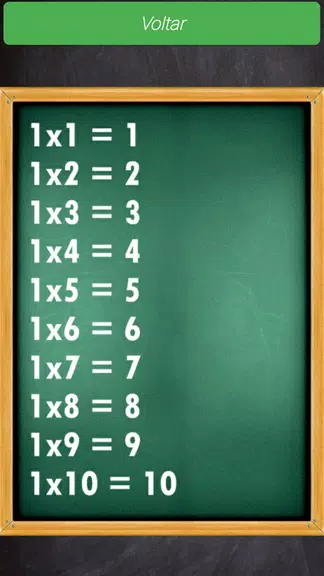
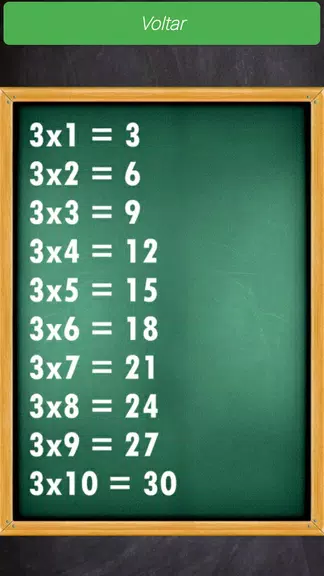

Latest Update
-
![Lines Gold Pro - Icon Pack APK]()
Lines Gold Pro - Icon Pack
-
![Remote Fire TV APK]()
Remote Fire TV
-
![Flight Dark Pro - Icon Pack APK]()
Flight Dark Pro - Icon Pack
-
![Ares Light: Pastel Icon Pack APK]()
Ares Light: Pastel Icon Pack
-
![getConf - Hidden Settings APK]()
getConf - Hidden Settings
-
![Dots Live Wallpaper - Battery APK]()
Dots Live Wallpaper - Battery
-
![Chroma - Icon Pack APK]()
Chroma - Icon Pack
-
![One UI Fluffy Icon Pack APK]()
One UI Fluffy Icon Pack
-
![Pixly Limitless Fluo Icon Pack APK]()
Pixly Limitless Fluo Icon Pack
-
![Compress Video - Resize Video APK]()
Compress Video - Resize Video
-
![Pixly Professional Dark APK]()
Pixly Professional Dark
-
![Tracker Detect Pro APK]()
Tracker Detect Pro












Latest News
-
![Revealing the Launch Playlists and Cross-Progression for COD Warzone Mobile News]()
-
![March 2024 Free Redemption Codes for Honkai: Star Rail News]()
-
PUBG Mobile Teams Up with Bentley Motors: Luxury Cars, Exclusive Collectibles, and Beyond 2024-04-18
![PUBG Mobile Teams Up with Bentley Motors: Luxury Cars, Exclusive Collectibles, and Beyond News]()
-
![Monster Never Cry is now accessible on both Android and iOS mobile devices. News]()
-
V2.2 of the Farlight 84 update introduces an overhauled Season structure, fresh in-game currency, an 2024-04-16
![V2.2 of the Farlight 84 update introduces an overhauled Season structure, fresh in-game currency, an News]()
-
![Arrival of Genshin Impact 4.6 Update: 'Embers of Two Realms, Twilight of Crimson' News]()
-
April 2024 Clash of Clans Update: Unveiling a Fresh Companion, Enhanced Levels, Chat Tagging, and Be 2024-04-16
![April 2024 Clash of Clans Update: Unveiling a Fresh Companion, Enhanced Levels, Chat Tagging, and Be News]()






