

Home Security Camera - SeeCiTV
Version:7.7
Published:2026-10-15
Introduction
Home Security Camera - SeeCiTV is a compact surveillance app that turns Android devices into reliable monitoring cameras, streaming live video and recording events for home or small business security. It combines motion detection, cloud and local storage options, and remote viewing to simplify routine monitoring tasks.
What this app does
Home Security Camera - SeeCiTV provides a set of practical tools for continuous observation and quick incident review. It supports live streaming, push alerts on motion, scheduled recordings, and multi-device management — all designed for non-experts who need dependable monitoring without complex setup.
Key features at a glance
- Live view: Real-time video streaming with adjustable resolution to match network conditions.
- Motion detection: Configurable sensitivity and activity zones reduce false alarms.
- Recording options: Choose between local SD storage or cloud backup with automatic uploads.
- Two-way audio: Listen and speak through the camera using your phone.
- Multi-camera support: Manage several cameras from a single interface, switch between feeds instantly.
How it works
The app connects an Android device to your Wi-Fi network and launches a camera server that streams to authorized viewers. Once paired with an account, remote devices can access the feed via secure authentication. Motion events trigger recordings and notifications, and those clips are timestamped for easy searching.
Practical setup steps
- Install the app on the device you want to use as a camera and on one or more viewer devices.
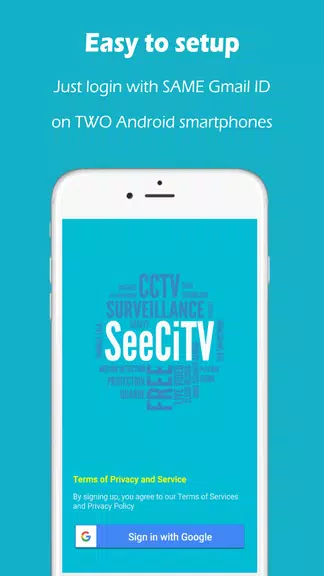
- Create a secure account and register the camera using the on-screen QR code or code entry.
- Configure motion zones and sensitivity to match the monitored area.
- Set storage preferences: local microSD or cloud; define retention periods to manage space.
User interface and performance
The interface focuses on quick access to live feeds and recorded clips. The dashboard presents thumbnails for each camera and shows connection status. Video controls let you pause, rewind, and take snapshots during a live session. Performance is typically smooth on modern devices; the app adjusts bitrate to prevent stuttering on weaker networks.
Customization and controls
Users can fine-tune recording schedules to avoid unnecessary footage, create user roles with limited access, and apply privacy masks to block sensitive areas from view. Notifications can be filtered by time or event type, so you receive alerts that matter.
Security and privacy considerations
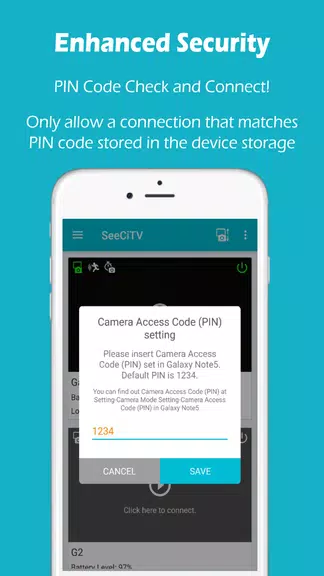
See security features like encrypted data transfer and optional password protection for each camera. If you choose cloud storage, verify retention and encryption policies. For sensitive locations, use the privacy mask and limit shared access to trusted accounts only.
Storage options and management
- Local backup: Saves recordings to a microSD card on the camera device to avoid recurring cloud fees.
- Cloud backup: Automatic upload with remote retrieval; useful when the camera device can be damaged or stolen.
- Retention rules: Automatically delete old clips after a set number of days to free space.
Tips for reliable monitoring
Mount the device to minimize vibrations and optimize a stable Wi-Fi connection. Use wired power when possible to avoid unexpected shutdowns. Adjust motion sensitivity after a few days of observation to reduce false positives from pets or moving foliage. Test push notifications and review recorded clips to ensure the settings match your needs.
Who should install this
Home Security Camera - SeeCiTV is suitable for homeowners, small business owners, and renters who need a low-cost, flexible monitoring solution. It’s especially convenient for users who want quick setup and straightforward controls without investing in professional camera hardware.
Getting started takes only a few minutes: install the app on the chosen camera and viewer devices, complete account setup, and run a quick calibration of motion detection. With a few practical adjustments, the app can serve as an effective watchful eye for everyday security needs.
Show More
Information
Screenshots


Latest Update












Hot Tags
Latest News
-
![Revealing the Launch Playlists and Cross-Progression for COD Warzone Mobile News]()
-
![March 2024 Free Redemption Codes for Honkai: Star Rail News]()
-
PUBG Mobile Teams Up with Bentley Motors: Luxury Cars, Exclusive Collectibles, and Beyond 2024-04-18
![PUBG Mobile Teams Up with Bentley Motors: Luxury Cars, Exclusive Collectibles, and Beyond News]()
-
![Monster Never Cry is now accessible on both Android and iOS mobile devices. News]()
-
V2.2 of the Farlight 84 update introduces an overhauled Season structure, fresh in-game currency, an 2024-04-16
![V2.2 of the Farlight 84 update introduces an overhauled Season structure, fresh in-game currency, an News]()
-
![Arrival of Genshin Impact 4.6 Update: 'Embers of Two Realms, Twilight of Crimson' News]()
-
April 2024 Clash of Clans Update: Unveiling a Fresh Companion, Enhanced Levels, Chat Tagging, and Be 2024-04-16
![April 2024 Clash of Clans Update: Unveiling a Fresh Companion, Enhanced Levels, Chat Tagging, and Be News]()






