

Quran with Urdu Translation
Version:8.14
Published:2026-10-15
Introduction
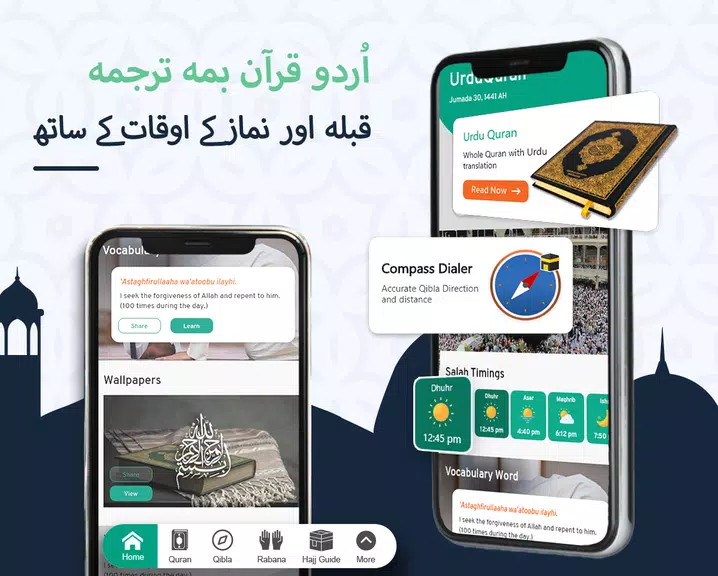
Quran with Urdu Translation brings the Holy Quran to your Android device with clear Urdu meanings, recitations, and study tools for everyday reading. This lightweight app focuses on accessibility, allowing users to read, listen, and learn with offline access, customizable display, and simple navigation for all ages and skill levels.
Overview of the app
Designed as a reading and learning companion, Quran with Urdu Translation makes Quranic text and Urdu interpretation available in one place. The app pairs Arabic script with Urdu translation line-by-line, supports multiple reciters, and adds features that help users memorize, reflect, or follow daily readings without internet access.
Core functionality and tools
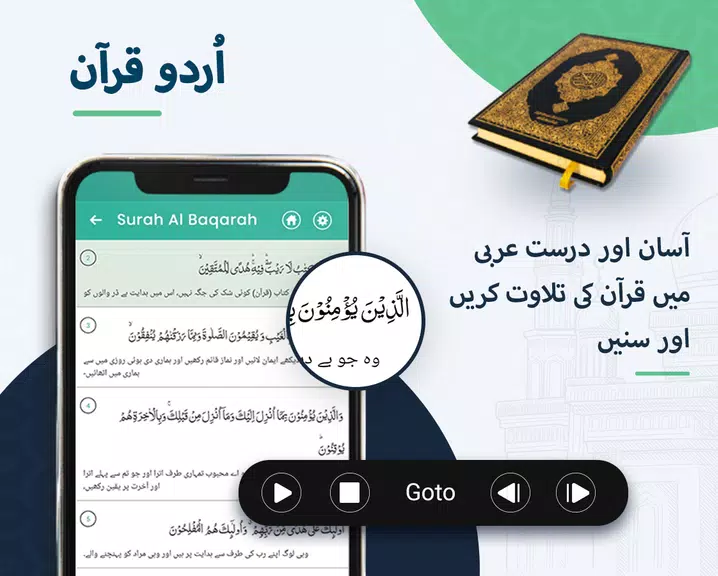
At its heart, the app focuses on three main functions: reading, listening, and searching. The Arabic text is presented clearly with options to show or hide Urdu translation. Audio recitations are selectable by surah and ayah, and a searchable index helps locate verses or topics quickly. Built-in bookmarking and notes assist with study and review.
Key features you will use daily
- Urdu translation: Complete Urdu meanings available next to Arabic script for easy comparison and understanding.
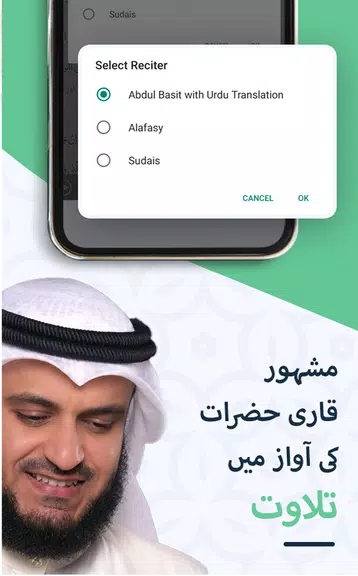
- Audio recitation: Multiple reciters and adjustable playback controls including repeat and resume options.
- Offline mode: Download the Quran and translations for offline reading and listening when network access is limited.
- Bookmarks & notes: Save favorite verses, add personal notes, and return quickly to study points.
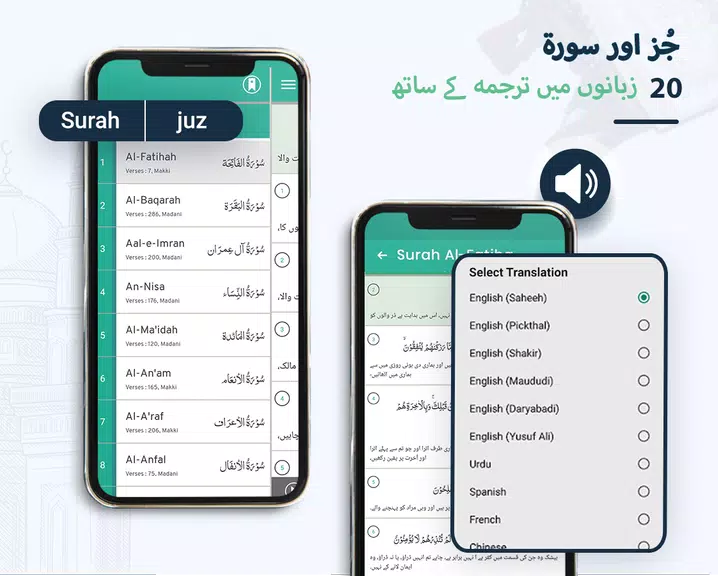
- Search and navigation: Fast search across Arabic and Urdu text, with quick access to surah and juz listings.
- Night mode & font controls: Adjustable font size, spacing, and a dark theme for comfortable reading at any hour.
How it works in practice
After installation, a short setup guides you to download the translation and optional audio packages. Navigation is intuitive: swipe to move between pages, tap a verse to open translation or audio, and use the bottom menu to jump to specific surahs or chapters. The app uses minimal permissions, keeping your data private while offering offline functionality.
Interface and performance
The interface emphasizes readability. Clear typography and contrast settings prioritize long reading sessions without strain. The app remains responsive on a range of devices, from low-end phones to modern tablets. Resource usage is optimized so that audio playback and quick searches don’t cause lag or excessive battery drain.
Personalization and study support
Quran with Urdu Translation includes tools to support memorization and reflection. Users can highlight verses, create study lists, and set up listening loops for selected ayahs. Customizable reading modes let you switch between verse-by-verse reading and full-page layouts depending on study preferences.
Tips for new users
- Start by downloading the offline package to ensure smooth access without relying on mobile data.
- Use bookmarks to compile a daily reading schedule; the app’s resume feature will pick up where you left off.
- Adjust font size and night mode during long sessions to reduce eye fatigue.
- Try different reciters to find one that aids your memorization and reflection.
Why people choose this app
Users appreciate Quran with Urdu Translation for its straightforward approach to study and practice. The combination of accurate Urdu interpretation, reliable audio, and practical tools like bookmarks and offline access makes it suitable for learners, families, and anyone seeking a portable Quran experience.
Getting started and installation
Installation is quick: download from the app store, grant basic storage permission to save audio or translation files, and follow the on-screen prompts to download content. Regular updates add minor improvements and new reciters without changing the familiar layout.
For daily use, explore the search function to find sujud verses, repeat specific ayahs for memorization, and use notes to record reflections. Quran with Urdu Translation aims to make Quranic study more accessible, combining essential features with a simple, reliable interface.
Show More
Information
Screenshots
Latest Update
-
![Lines Gold Pro - Icon Pack APK]()
Lines Gold Pro - Icon Pack
-
![Remote Fire TV APK]()
Remote Fire TV
-
![Flight Dark Pro - Icon Pack APK]()
Flight Dark Pro - Icon Pack
-
![Ares Light: Pastel Icon Pack APK]()
Ares Light: Pastel Icon Pack
-
![getConf - Hidden Settings APK]()
getConf - Hidden Settings
-
![Dots Live Wallpaper - Battery APK]()
Dots Live Wallpaper - Battery
-
![Chroma - Icon Pack APK]()
Chroma - Icon Pack
-
![One UI Fluffy Icon Pack APK]()
One UI Fluffy Icon Pack
-
![Pixly Limitless Fluo Icon Pack APK]()
Pixly Limitless Fluo Icon Pack
-
![Compress Video - Resize Video APK]()
Compress Video - Resize Video
-
![Pixly Professional Dark APK]()
Pixly Professional Dark
-
![Tracker Detect Pro APK]()
Tracker Detect Pro












Hot Tags
Latest News
-
![Revealing the Launch Playlists and Cross-Progression for COD Warzone Mobile News]()
-
![March 2024 Free Redemption Codes for Honkai: Star Rail News]()
-
PUBG Mobile Teams Up with Bentley Motors: Luxury Cars, Exclusive Collectibles, and Beyond 2024-04-18
![PUBG Mobile Teams Up with Bentley Motors: Luxury Cars, Exclusive Collectibles, and Beyond News]()
-
![Monster Never Cry is now accessible on both Android and iOS mobile devices. News]()
-
V2.2 of the Farlight 84 update introduces an overhauled Season structure, fresh in-game currency, an 2024-04-16
![V2.2 of the Farlight 84 update introduces an overhauled Season structure, fresh in-game currency, an News]()
-
![Arrival of Genshin Impact 4.6 Update: 'Embers of Two Realms, Twilight of Crimson' News]()
-
April 2024 Clash of Clans Update: Unveiling a Fresh Companion, Enhanced Levels, Chat Tagging, and Be 2024-04-16
![April 2024 Clash of Clans Update: Unveiling a Fresh Companion, Enhanced Levels, Chat Tagging, and Be News]()






