

Simple Meditation Timer
Version:1.3.7
Published:2026-10-15
Introduction
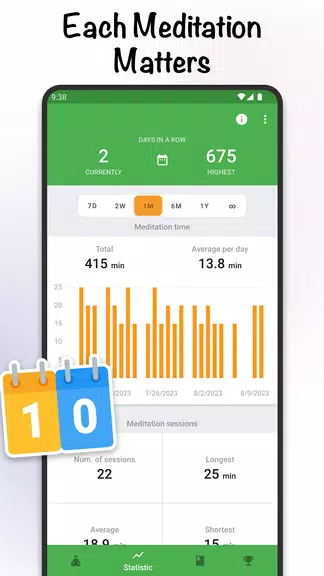
Simple Meditation Timer provides a lightweight, focused timing tool for meditation sessions, breathwork, and quiet focus exercises. Designed for minimal distraction, the app lets you set session length, customize interval bells, and track practice simply, making it a practical companion for daily mindfulness routines.
A concise overview of the app
Simple Meditation Timer is intentionally uncluttered. Rather than packing features users rarely touch, it concentrates on reliable timing, clear sound cues, and flexible session structures. The result is an app that supports both short micro-practices and longer seated sessions without getting in the way of your focus.
Core functions and practical use
The core of Simple Meditation Timer is straightforward: create a session by choosing total time and select when you want to hear bells or chimes. You can build intervals for unguided practices, add a preparatory lead-in, or include a closing tone. These elements turn routine sitting into predictable, repeatable sessions that help cultivate consistency.
Features that matter
- Custom session lengths — set any duration from a quick two-minute practice to extended retreats.
- Interval bells — choose several cue points within a session to mark posture checks, breathing shifts, or technique changes.
- Sound options — a selection of simple tones and bells with adjustable volume for subtle notifications.
- Minimal interface — a focus-first layout that avoids animations, pop-ups, and distracting prompts.
- Background operation — the timer runs while your device is locked or while using other apps.
How it works in day-to-day practice
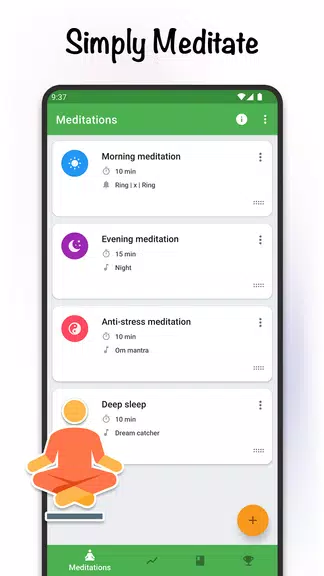
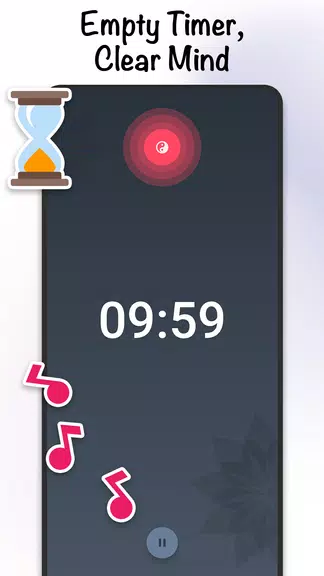
Start by naming a session or selecting a preset. Tap to begin, then place your device face down or lock the screen. During the session, the chosen sound cues help maintain awareness without requiring you to look at the phone. After a session ends you can quickly start another, adjust intervals, or switch to a different preset for variety.
Customization and personalization
Although Simple Meditation Timer keeps things simple, it still offers meaningful ways to personalize practice. You can save favorite presets for morning routines, workplace breaks, or evening wind-downs. Each preset stores total time, interval markers, and the selected sound, allowing instant recall and consistency across sessions.
Interface and performance notes
The interface uses large, readable controls with contrasting labels for easy tapping during low-light conditions. Performance is optimized to conserve battery while running in the background, and the app avoids heavy graphics or continuous network use. This makes it dependable for repeated daily use and suitable for low-end devices.
Tips for new users
- Start with short sessions: begin with five to ten minutes to build a habit without pressure.
- Use one or two interval bells: avoid over-cuing, which can interrupt flow.
- Create presets for different contexts: label one for commuting and another for evening practice.
- Place the device away from your immediate line of sight to reduce temptation to check it during the session.
Why people choose this approach
Many users report that simplicity encourages consistency. When the timing tool is predictable and unobtrusive, it's easier to create a daily routine. Simple Meditation Timer removes decision fatigue about which features to use and supports a clear ritual: set, sit, and return.
Getting started
Installation is quick and setup only takes a few taps. Open the app, create or edit a preset, select sounds, and press start. If you use multiple devices, export or replicate your presets manually to maintain the same structure across platforms.
For anyone searching for an efficient, no-frills way to keep a steady meditation habit, Simple Meditation Timer blends essential customization with a deliberate, distraction-free design. It’s a practical choice for beginners and experienced practitioners who value reliable timing over feature overload.
Show More
Information
Screenshots
Latest Update












Hot Tags
Latest News
-
![Revealing the Launch Playlists and Cross-Progression for COD Warzone Mobile News]()
-
![March 2024 Free Redemption Codes for Honkai: Star Rail News]()
-
PUBG Mobile Teams Up with Bentley Motors: Luxury Cars, Exclusive Collectibles, and Beyond 2024-04-18
![PUBG Mobile Teams Up with Bentley Motors: Luxury Cars, Exclusive Collectibles, and Beyond News]()
-
![Monster Never Cry is now accessible on both Android and iOS mobile devices. News]()
-
V2.2 of the Farlight 84 update introduces an overhauled Season structure, fresh in-game currency, an 2024-04-16
![V2.2 of the Farlight 84 update introduces an overhauled Season structure, fresh in-game currency, an News]()
-
![Arrival of Genshin Impact 4.6 Update: 'Embers of Two Realms, Twilight of Crimson' News]()
-
April 2024 Clash of Clans Update: Unveiling a Fresh Companion, Enhanced Levels, Chat Tagging, and Be 2024-04-16
![April 2024 Clash of Clans Update: Unveiling a Fresh Companion, Enhanced Levels, Chat Tagging, and Be News]()






