

Eventsy
Version:1.0.4
Published:2026-10-16
Introduction
Eventsy is a smart event planning app that helps organizers schedule, invite, and manage attendees with ease. It blends calendar integration, simple guest management, and automated reminders to keep every detail on track, whether you’re running meetups, workshops, or professional conferences.
What Eventsy does
Eventsy centralizes event logistics into a single interface that eliminates spreadsheet chaos. Within minutes you can create an event, set a venue and time, and publish invitations. The app connects to calendars and contact lists, syncs updates in real time, and records RSVPs so hosts can focus on content rather than coordination.
Core features at a glance
- Smart scheduling: Find optimal times for groups with availability checks and time zone handling.
- Guest management: Import contacts, segment attendees, and track individual responses.
- Automated reminders: Configure pre-event emails, SMS prompts, and follow-ups.
- Custom invites and forms: Tailor registration questions and ticket types for better planning data.
- Calendar sync: Two-way integration with major calendar systems to reduce double bookings.
How it works in practice
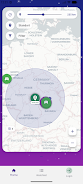
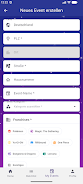
Creating an event in Eventsy is straightforward. Start by naming the event and selecting a date range. Add a location or a video link, then choose whether you want open registration or invite-only access. Use the built-in form builder to collect attendee information and set capacity limits. As people respond, the attendee list updates automatically and you can export reports for guest counts, dietary needs, or access permissions.
Tools that streamline tasks
The app includes several productivity tools designed for busy organizers. A timeline view shows upcoming tasks and deadlines. The checklist feature helps coordinate with vendors and volunteers. There's also a messaging hub to send targeted announcements to subgroups, and analytics that display attendance trends and campaign performance for promotional efforts.
User interface and performance
Eventsy prioritizes speed and clarity. The interface uses clear visual cues and minimal menus, so common actions require fewer taps. Pages load quickly, and offline caching means details remain accessible without a network. Push notifications arrive reliably, and battery-efficient background syncing keeps schedules current without draining the device.
Customization and branding
For professional events, Eventsy supports light branding options. Upload a logo, pick color accents, and customize registration pages so the visitor experience aligns with your identity. Ticket types and access levels can be adjusted per event, and confirmation messages are editable to match your tone and policies.
Practical tips for new users
- Start with a template: Use prebuilt templates for common event types to speed setup.
- Enable calendar integration early: Sync calendars before sending invites to avoid scheduling conflicts.
- Use segmented messaging: Target reminders to no-shows or last-minute registrants to improve turnout.
- Test RSVP settings: Try a trial run with a small group to confirm registration flows and payment links.
Security and privacy considerations
Eventsy includes standard protections such as encrypted data transfer and role-based access for team members. Hosts control who can see attendee lists and what information is collected. For events handling sensitive data, administrators can restrict exports and enable two-factor authentication for elevated accounts.
Why event organizers choose it
Organizers appreciate Eventsy for reducing administrative overhead and improving attendee communication. The combination of automation, analytics, and an uncluttered interface makes it practical for one-off gatherings as well as recurring programs. Response tracking and reminder scheduling help maximize attendance and streamline follow-up.
Getting started
Download Eventsy, register with an email or social account, and follow the onboarding guide to create your first event. Explore templates and connect your calendar to prevent overlap. For teams, add collaborators and assign roles so responsibilities are clear from the start.
Whether you’re coordinating a community meetup or a multi-day conference, Eventsy offers a focused set of features to manage events more efficiently and keep attendees informed throughout the lifecycle of your program.
Show More
Information
Screenshots
Latest Update












Latest News
-
![Revealing the Launch Playlists and Cross-Progression for COD Warzone Mobile News]()
-
![March 2024 Free Redemption Codes for Honkai: Star Rail News]()
-
PUBG Mobile Teams Up with Bentley Motors: Luxury Cars, Exclusive Collectibles, and Beyond 2024-04-18
![PUBG Mobile Teams Up with Bentley Motors: Luxury Cars, Exclusive Collectibles, and Beyond News]()
-
![Monster Never Cry is now accessible on both Android and iOS mobile devices. News]()
-
V2.2 of the Farlight 84 update introduces an overhauled Season structure, fresh in-game currency, an 2024-04-16
![V2.2 of the Farlight 84 update introduces an overhauled Season structure, fresh in-game currency, an News]()
-
![Arrival of Genshin Impact 4.6 Update: 'Embers of Two Realms, Twilight of Crimson' News]()
-
April 2024 Clash of Clans Update: Unveiling a Fresh Companion, Enhanced Levels, Chat Tagging, and Be 2024-04-16
![April 2024 Clash of Clans Update: Unveiling a Fresh Companion, Enhanced Levels, Chat Tagging, and Be News]()






