

Summrize: AI Video Summaries
Version:1.0.19
Published:2026-10-17
Introduction
Summrize: AI Video Summaries transforms long recordings into concise, searchable summaries that save time and surface key points quickly. This Android editor tool uses speech-to-text, visual scene detection, and natural language processing to produce written synopses, timestamped chapters, and short highlight clips so viewers can scan content without watching entire videos. The app is designed for people who need rapid access to core ideas—students, professionals, creators, and researchers—and it balances automated processing with editable outputs so you retain control over final results.
Key features
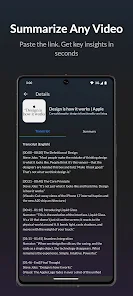
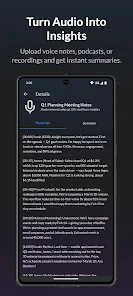
The feature set centers on accuracy and flexibility. Automatic transcription converts dialogue into searchable text while on-screen text detection and scene-change analysis isolate important moments. Summrize: AI Video Summaries generates multi-length summaries (short, medium, extended), produces downloadable transcripts, and creates clipped highlight reels suitable for sharing. Export formats include common video snippets and plain-text notes, and batch processing lets you queue entire folders for overnight work. The app also supports chapter markers that integrate with most players, making it easy to jump to a precise point in the original recording.
How the system works
Processing follows a hybrid pipeline: audio becomes a transcript, imagery is scanned for context, and an NLP layer identifies the main ideas and potential action items. You select a desired summary length and tone—neutral, concise, or detailed—and the system assembles both a readable synopsis and corresponding trimmed video segments. All generated artifacts are stored separately from originals so your source files remain unchanged, while the timeline and summary panel present editable results for a quick review-and-refine cycle.
User interface, controls and customization
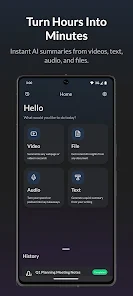
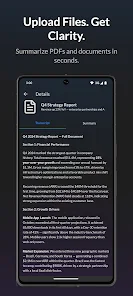
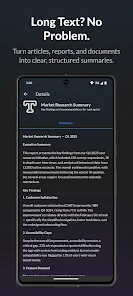
The interface centers on a timeline view and a summary editor designed for swift interaction. Upload or link a file, tap to analyze, and use simple touch controls to accept, trim, or extend detected clips. Customization options let you prioritize speaker labels, include or hide on-screen text, and set language preferences for transcription. Visual themes, adjustable font sizes, and contrast settings improve readability, while keyboard shortcuts and long-press gestures accelerate repeated edits. These controls make it straightforward to shape a final summary without deep video-editing experience.
Workflow, progression and project organization
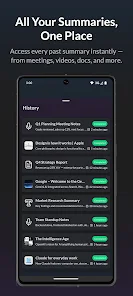
Projects in Summrize follow a clear progression: import, analyze, edit, and export. For heavy users, a queue-based progression system supports batch jobs and background processing so analysis continues while you work on other tasks. Version history and labeled exports let teams track iterations, compare summaries, and rollback if needed. Cloud export is optional for collaboration; otherwise local-only projects keep all artifacts on the device. The organized project view helps you manage multi-episode series, lecture sets, or recurring meeting archives.
Practical uses and replay value
Summrize: AI Video Summaries is useful across many scenarios. Students extract lecture takeaways and searchable quotes for study; business users distill meetings into action-item lists and share concise notes; content creators generate social-ready highlight reels without manual clipping. Because summaries are editable and re-processable, the app offers replay value: you can refine summaries, change length presets, or produce alternate highlight edits for different audiences without starting from scratch.
Performance, compatibility and offline play
The app runs lightweight on-device models for short clips and can offload heavier files to optional cloud services for speed. Supported codecs and container types are broad to accommodate common workflows, and background processing minimizes interruptions during long exports. Offline transcription and local analysis modes are available for sensitive material so you can summarize without network access. Battery and data usage settings let you control when processing occurs, and resumable jobs reduce the risk of lost work on unstable connections.
Privacy, accessibility and tips for better results
Privacy controls let you choose local-only analysis or encrypted cloud processing with temporary storage policies and clear export labeling for team versioning. Accessibility features include adjustable text size, high-contrast display, and subtitle generation for hearing-impaired users. For best results, record with clear audio and minimal background noise, choose the appropriate summary length for the intended audience, and use chapter markers to keep summaries navigable. Together these practices and the app's controls produce accurate, usable summaries while preserving the original context and source integrity.
Show More
Information
Screenshots
Latest Update












Latest News
-
![Revealing the Launch Playlists and Cross-Progression for COD Warzone Mobile News]()
-
![March 2024 Free Redemption Codes for Honkai: Star Rail News]()
-
PUBG Mobile Teams Up with Bentley Motors: Luxury Cars, Exclusive Collectibles, and Beyond 2024-04-18
![PUBG Mobile Teams Up with Bentley Motors: Luxury Cars, Exclusive Collectibles, and Beyond News]()
-
![Monster Never Cry is now accessible on both Android and iOS mobile devices. News]()
-
V2.2 of the Farlight 84 update introduces an overhauled Season structure, fresh in-game currency, an 2024-04-16
![V2.2 of the Farlight 84 update introduces an overhauled Season structure, fresh in-game currency, an News]()
-
![Arrival of Genshin Impact 4.6 Update: 'Embers of Two Realms, Twilight of Crimson' News]()
-
April 2024 Clash of Clans Update: Unveiling a Fresh Companion, Enhanced Levels, Chat Tagging, and Be 2024-04-16
![April 2024 Clash of Clans Update: Unveiling a Fresh Companion, Enhanced Levels, Chat Tagging, and Be News]()






