

ft.onf - Running Tracker
Version:1.2.1
Published:2026-10-17
Introduction
ft.onf - Running Tracker is a compact Android app built to record runs, walks and interval sessions with reliable GPS accuracy and clear on-screen metrics. Designed for everyday use, the app gives runners and walkers a focused toolkit for mapping routes, tracking pace and heart rate, and following customizable training plans so progress can be reviewed and goals set with minimal fuss.
Core tracking and real-time metrics
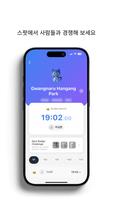
The heart of ft.onf - Running Tracker is straightforward, continuous tracking that shows pace, distance and elapsed time in real time. The dashboard presents large numeric readouts that are easy to scan while moving, and optional voice prompts announce split times, lap completions and interval cues. Lap, split and interval timers support structured workouts such as intervals, pyramids and tempo sessions without requiring complex setup.
Controls and user interface
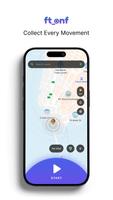
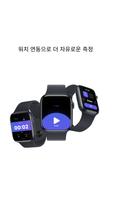
Controls are intentionally simple: start, pause and stop are exposed on the main screen along with a quick access button for planned sessions. Menus are organized around three main actions—Start, Plan and Review—so common tasks are fast to find. Screen layout is customizable so users can prioritize metrics that matter most, for example showing cadence and heart rate prominently during intensity work or expanding the map during long runs.
Tracking accuracy, smoothing and offline use
GPS sampling uses smoothing algorithms to reduce jitter on urban routes while still capturing subtle changes in elevation and route shape. The app supports an offline tracking mode so activities are recorded when a data connection is not available and sync later when connectivity returns. Auto-pause helps maintain clean distance and time records during traffic stops, and step length calibration improves indoor treadmill estimates when GPS signals are unavailable.
Training progression and customization
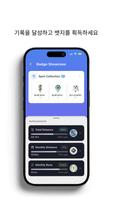
Progression is managed through a built-in planner that lets you build multi-week training plans targeting specific goals such as 5K, 10K or half-marathon distances. Plans can include interval days, recovery sessions and long runs with automated pacing cues to guide effort. Personalization extends to audio coaching intervals, badge milestones for consistency, and weekly summaries that chart mileage, average pace and elevation gain to show trends over time.
Visual style, maps and level structure
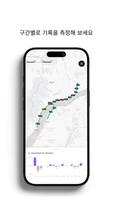
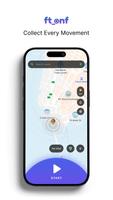
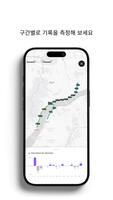
The visual style favors high-contrast elements and large typography so important data is visible at a glance. Built-in maps display routes with kilometer or mile markers and elevation profiles, and saved routes act like reusable levels you can replay or adapt. Route playback and exported GPX/TCX files make it easy to analyze specific segments or compare performance on repeat laps of the same course.
Sensor integration and data export
ft.onf connects to Bluetooth heart-rate monitors and cadence sensors to bring physiological context to pacing data. Activity records can be exported in GPX, TCX or CSV formats for detailed desktop analysis or backup. Small, incremental cloud uploads are optional so syncing activities does not overwhelm data quotas, and users retain control over what is shared versus stored locally.
Battery management and background performance
To preserve battery life during long outings, the app includes a power-saving mode that lowers GPS sampling rate while keeping acceptable accuracy for steady-paced runs. Additional options such as auto-screen dimming and auto-pause when idle reduce power draw, and background operation is optimized so tracking continues reliably while other apps are in use or the screen is locked.
Accessibility and ease of use
Accessibility features include high-contrast themes and clear audible prompts so the app is usable when vision is limited or attention is divided. Unit preferences allow metric or imperial displays and step calibration settings help tailor indoor estimates. The interface avoids clutter, making the experience approachable for new users while offering depth through customization for experienced athletes.
Getting started and practical tips
Install the app, grant location and Bluetooth permissions, create a simple profile with weight and preferred units, and take a short test run to verify GPS lock and sensor pairing. Import an existing favorite route or create a new one, then add a training plan or schedule steady-state sessions to build a consistent history. With regular use, ft.onf - Running Tracker will collect the data needed to reveal trends and help you refine pacing and recovery strategies.
Regular updates focus on improving GPS handling, broadening device compatibility and adding reporting options based on user feedback, so the app remains responsive to the needs of runners and walkers who want dependable tracking without unnecessary complexity.
Show More
Information
Screenshots
Latest Update












Latest News
-
![Revealing the Launch Playlists and Cross-Progression for COD Warzone Mobile News]()
-
![March 2024 Free Redemption Codes for Honkai: Star Rail News]()
-
PUBG Mobile Teams Up with Bentley Motors: Luxury Cars, Exclusive Collectibles, and Beyond 2024-04-18
![PUBG Mobile Teams Up with Bentley Motors: Luxury Cars, Exclusive Collectibles, and Beyond News]()
-
![Monster Never Cry is now accessible on both Android and iOS mobile devices. News]()
-
V2.2 of the Farlight 84 update introduces an overhauled Season structure, fresh in-game currency, an 2024-04-16
![V2.2 of the Farlight 84 update introduces an overhauled Season structure, fresh in-game currency, an News]()
-
![Arrival of Genshin Impact 4.6 Update: 'Embers of Two Realms, Twilight of Crimson' News]()
-
April 2024 Clash of Clans Update: Unveiling a Fresh Companion, Enhanced Levels, Chat Tagging, and Be 2024-04-16
![April 2024 Clash of Clans Update: Unveiling a Fresh Companion, Enhanced Levels, Chat Tagging, and Be News]()






