
SmartGarage: Car Manager
Version:1.0.6
Published:2026-10-18
Introduction
SmartGarage: Car Manager organizes vehicle information, service history, and reminders in a single, easy-to-use Android app. It helps drivers track maintenance, store receipts, and monitor fuel and expenses with customizable schedules and smart notifications. The interface is designed for quick updates and clear summaries of each vehicle's condition.
Feature Highlights
SmartGarage: Car Manager brings together tools that turn car ownership into a manageable routine. Core features include maintenance scheduling, digital service logs, expense tracking, and fuel economy monitoring. The app supports multiple vehicles, offers flexible reminder options, and lets you attach photos and documents to individual service entries for a complete record.
How the Workflow Operates
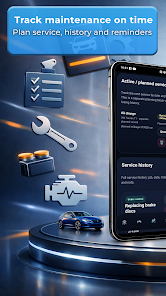
The workflow centers on quick data entry and timely alerts. Add a vehicle profile, set odometer or calendar-based reminders, and log services after every visit. Notifications prompt you before due dates, and recurring jobs such as oil changes or inspections can be configured once and left to run automatically. This keeps maintenance consistent and avoids missed appointments.
Vehicle Profiles and Customization
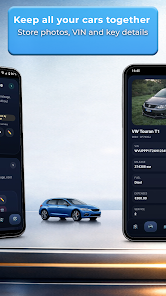
Each vehicle profile stores essential details: make, model, year, VIN, license plate, and purchase information. Beyond the basics, users can tailor profiles with custom fields for special equipment, aftermarket modifications, or fleet tags. Photos and scanned receipts attach directly to service records, making warranty claims and resale preparations easier.
Tracking Expenses and Fuel
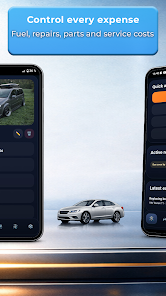
Managing costs is a major strength. SmartGarage records parts, labor, and miscellaneous expenses so you can see total spending per vehicle or across an entire fleet. Fuel entries calculate consumption and average mileage, helping identify trends like declining fuel economy that may indicate maintenance needs.
- Expense summaries: View monthly and yearly spending by category.
- Fuel reports: Track MPG or liters per 100km and compare time periods.
- Receipt storage: Attach photos or PDFs to keep proof of service and purchases.
Reminders and Notifications
Reminders are fully configurable by time, distance, or both. Choose push notifications for upcoming maintenance, service due alerts, or registration renewals. For professionals managing several cars, the app can display consolidated reminders so nothing slips through, and repeat schedules handle routine tasks without repeated setup.
Integration and Data Management
SmartGarage supports smooth data handling with import and export options for CSV files, enabling transfers between devices or integration with spreadsheets. Syncing across devices is available through backup features so records stay safe. Regular backups and an exportable history make auditing and sharing information straightforward.
Performance and Compatibility
Designed for modern Android devices, SmartGarage runs efficiently on phones and tablets with minimal battery impact. The interface uses a responsive layout that adapts to different screen sizes, and offline access allows logging when there’s no network. Compatibility with recent Android releases ensures the app remains stable and fast on current devices.
User Experience and Interface
The interface focuses on clarity: dashboards show upcoming reminders, recent services, and cost breakdowns at a glance. Data entry uses simple forms with logical defaults to speed up common tasks. For users who prefer visual summaries, charts and trend lines present fuel economy and spending patterns in an easy-to-scan format.
Security and Privacy
Data privacy is handled through local storage with optional cloud backup. Users control whether their records are backed up and can delete historical data when needed. App permissions request only what’s necessary for functionality, such as storage access for attachments and optional location services for tagging service locations.
Getting Started
To begin with SmartGarage: Car Manager, install the app, create a vehicle profile, and add your first service record or fuel entry. Set one or two reminders to test notifications, then explore export options to secure your data. Regular use turns scattered receipts and notes into an organized archive you can rely on.
Why Owners Choose This App
Owners and small fleet managers choose SmartGarage for its balance of functionality and simplicity. It streamlines routine maintenance, centralizes records, and produces clear cost insights without overwhelming users with unnecessary features. Whether tracking a single car or several vehicles, the app aims to save time and reduce surprises on the road.
Show More
Information
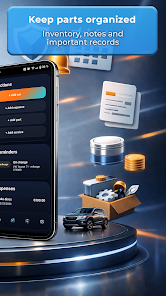
Screenshots
Latest Update












Hot Tags
Latest News
-
![Revealing the Launch Playlists and Cross-Progression for COD Warzone Mobile News]()
-
![March 2024 Free Redemption Codes for Honkai: Star Rail News]()
-
PUBG Mobile Teams Up with Bentley Motors: Luxury Cars, Exclusive Collectibles, and Beyond 2024-04-18
![PUBG Mobile Teams Up with Bentley Motors: Luxury Cars, Exclusive Collectibles, and Beyond News]()
-
![Monster Never Cry is now accessible on both Android and iOS mobile devices. News]()
-
V2.2 of the Farlight 84 update introduces an overhauled Season structure, fresh in-game currency, an 2024-04-16
![V2.2 of the Farlight 84 update introduces an overhauled Season structure, fresh in-game currency, an News]()
-
![Arrival of Genshin Impact 4.6 Update: 'Embers of Two Realms, Twilight of Crimson' News]()
-
April 2024 Clash of Clans Update: Unveiling a Fresh Companion, Enhanced Levels, Chat Tagging, and Be 2024-04-16
![April 2024 Clash of Clans Update: Unveiling a Fresh Companion, Enhanced Levels, Chat Tagging, and Be News]()






