

Anigo
Version:1.0.0
Published:2026-10-19
Introduction
Anigo is a mobile productivity app that streamlines how you collect, tag, and retrieve visual and written notes. Designed for fast organization and secure offline access, Anigo aims to reduce clutter while speeding up everyday workflows for students, creatives, and professionals who rely on quick capture and precise search.
What Anigo does
Anigo acts like a lightweight digital lab for your ideas. It merges simple file management with powerful tagging and batch editing so you can save screenshots, photos, voice memos, and short text entries without losing context. The app emphasizes speed: capture, categorize, and find — all within a few taps.
Key capabilities
- Unified capture: import images, take camera shots, record quick audio clips, or paste snippets from the clipboard.
- Flexible tagging system: create nested tags and color-code them to build a personalized taxonomy for projects and topics.
- Instant search: search across tags, file names, and text snippets with smart filters to narrow results by date, media type, or tag combinations.
- Batch tools: move, rename, apply tags, or export multiple items at once to speed up cleanup sessions.
- Local-first privacy: keep data stored locally with optional encrypted backups to cloud providers for synchronization when you want it.
How the workflow works
Using Anigo follows a simple three-step loop: capture, organize, retrieve. When you save an item it appears in an inbox where you can quickly apply tags or drag it into a collection. Collections act like playlists for content — ideal for research folders, moodboards, or meeting notes. The search bar supports query operators (AND/OR), date ranges, and tag exclusion, so locating a note becomes predictable rather than accidental.
Design and responsiveness
The interface for Anigo prioritizes readability and gesture-driven navigation. Panels are kept minimal to reduce cognitive load, and a compact toolbar exposes the most common actions. Animations are subtle and focus on clarity: transitions indicate where content moves without getting in the way. Performance is tuned for mid-range devices; large libraries are paginated and indexed to prevent slowdowns during searches.
Customization options
- Theme choices: light, dark, and adaptive themes that respect system settings.
- Layout modes: grid or list views depending on whether you prefer thumbnails or condensed metadata.
- Tag templates: save and apply tag bundles to quickly adopt a consistent organization scheme across new projects.
- Export formats: share selected items as ZIP, PDF compilations, or individual media files for collaboration.
Practical scenarios
Anigo fits many routines. Students can collect lecture snaps and create study collections. Designers assemble references and generate moodboards. Field workers capture site photos and attach voice notes for quick reporting. The app’s offline-first model makes it especially useful where connectivity is unreliable; synchronization can be deferred until a stable connection is available.
Tips for new users
- Start with three high-level tags (Work, Personal, Reference) and refine as your library grows.
- Use date-based tags for short-term projects to simplify later pruning.
- Run a weekly batch edit to remove duplicates and consolidate tags while the context is fresh.
- Enable encrypted backups if you keep sensitive material in the app.
Why people pick Anigo
People choose Anigo because it balances robust organization with a gentle learning curve. It doesn’t force rigid folder hierarchies; instead it offers flexible tags and fast search so content remains discoverable. The combination of batch operations and local-first privacy appeals to users who want control without sacrificing speed.
Getting started
Download and open the app, grant camera and storage permissions if prompted, then capture a few items to explore tagging and search. A short walkthrough inside Anigo introduces the inbox, collections, and export options so you can be productive within minutes.
Show More
Information
Screenshots
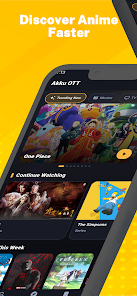

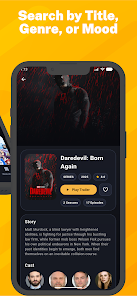
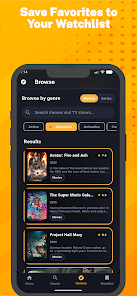
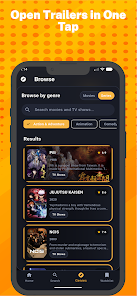
Latest Update












Latest News
-
![Revealing the Launch Playlists and Cross-Progression for COD Warzone Mobile News]()
-
![March 2024 Free Redemption Codes for Honkai: Star Rail News]()
-
PUBG Mobile Teams Up with Bentley Motors: Luxury Cars, Exclusive Collectibles, and Beyond 2024-04-18
![PUBG Mobile Teams Up with Bentley Motors: Luxury Cars, Exclusive Collectibles, and Beyond News]()
-
![Monster Never Cry is now accessible on both Android and iOS mobile devices. News]()
-
V2.2 of the Farlight 84 update introduces an overhauled Season structure, fresh in-game currency, an 2024-04-16
![V2.2 of the Farlight 84 update introduces an overhauled Season structure, fresh in-game currency, an News]()
-
![Arrival of Genshin Impact 4.6 Update: 'Embers of Two Realms, Twilight of Crimson' News]()
-
April 2024 Clash of Clans Update: Unveiling a Fresh Companion, Enhanced Levels, Chat Tagging, and Be 2024-04-16
![April 2024 Clash of Clans Update: Unveiling a Fresh Companion, Enhanced Levels, Chat Tagging, and Be News]()






