
Wallvix - HD Wallpapers
Version:1.3
Published:2026-10-20
Introduction
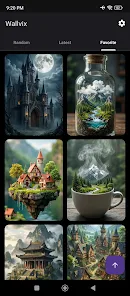
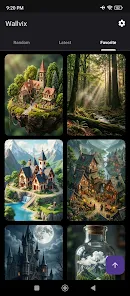
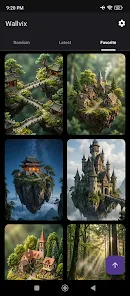
Wallvix - HD Wallpapers offers a carefully curated collection of high-resolution static and live backgrounds for Android phones and tablets, designed for fast browsing and simple application in just a few taps. The app balances visual quality with practical controls: preview full-screen, crop and position with touch gestures, and save presets so you can reuse edits. Whether you prefer minimal gradients, detailed nature photography, or subtle animated scenes, Wallvix - HD Wallpapers makes it straightforward to find an image that fits your style and device.
Rich Wallpaper Collections
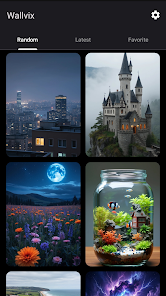
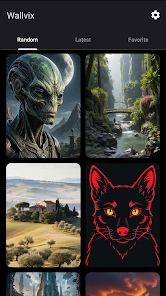
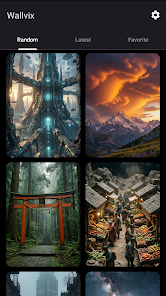
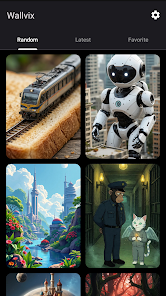
Wallvix organizes thousands of images into clearly labeled categories and rotating featured collections that help you progress from broad browsing to a refined personal gallery. Categories act like levels of discovery: start with wide themes such as landscapes or abstract art, then narrow by color, orientation, or mood. Weekly featured sets spotlight seasonal or thematic packs so the selection evolves over time, and you can build custom collections from individual favorites to reflect your current tastes.
User Interface and Navigation
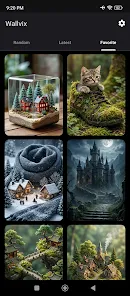
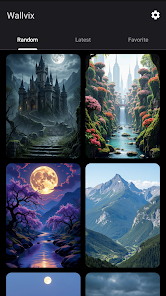
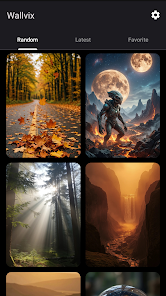
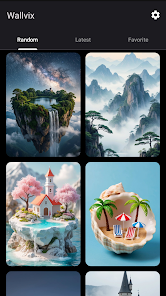
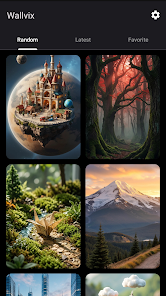
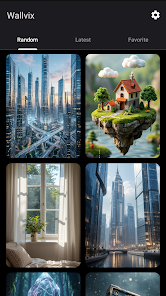
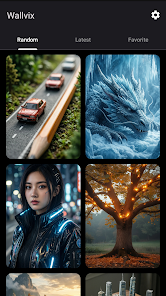
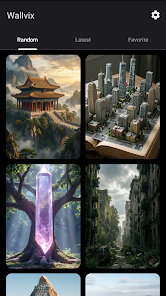
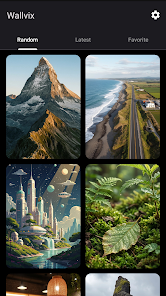
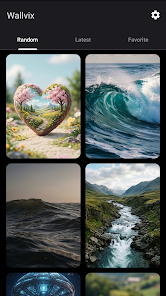
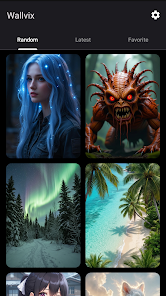
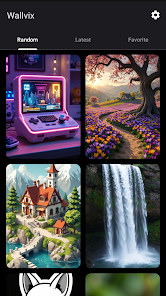
The interface emphasizes readable thumbnails, a responsive grid, and predictable controls that work equally well with touch and keyboard navigation on compatible devices. Thumbnails can be resized and filtered to speed image selection; a single tap opens an interactive preview that simulates home and lock screen placement. Standard gestures include pinch-to-zoom when cropping and drag-to-reposition, while intuitive on-screen sliders adjust blur, dim, and animation intensity without interrupting browsing flow.
Customization Tools
Editing choices are focused and practical: crop to match aspect ratios, lock a focal point so wallpapers remain centered, and toggle an overlay to improve icon contrast. For live or animated backgrounds, Wallvix exposes performance-related controls so you can dial down frame rates or visual effects on older devices. Saved presets remember crop, overlay, and motion settings so you can apply the same treatment across different images and maintain a consistent look over time.
How Wallpaper Application Works
Applying a wallpaper is deliberately simple: choose preview, select home, lock, or both, then confirm. Wallvix creates optimized image variants to reduce memory footprint and loading delay while preserving quality on high-DPI displays. The scheduled changer is a lightweight progression system that rotates through a selected collection at your chosen interval, letting you automate variety without losing control of battery and storage tradeoffs.
Performance and Compatibility
The app is engineered to run smoothly across a wide range of Android versions and hardware profiles. Images and animations are cached intelligently to limit repeated downloads, and live wallpapers include battery-saving modes that reduce motion when battery levels are low. Adaptive icon support and high-resolution assets ensure crisp presentation on modern devices while graceful fallbacks keep older phones responsive.
Personal Library and Cloud Sync
Sign in to sync favorites, presets, and scheduled rotation lists across your devices, or use local-only mode if you prefer to keep everything on-device. Your personal library stores downloaded wallpapers and edit presets so you can progressively build a collection that reflects your changing preferences. Wallvix - HD Wallpapers makes it easy to migrate settings after a device upgrade by backing up presets and lists to the cloud when you opt in.
Privacy and Storage Management
Permissions are limited to those required for setting wallpapers and managing downloads, and a clear storage section shows cache size and downloaded files so you can free space quickly. Privacy settings let you disable personalization data collection, and local-only options prevent any automatic syncing. Storage controls also include one-tap cache clearing and the ability to delete individual downloads without affecting saved presets.
Accessibility and Offline Use
Accessibility features are considered in layout and controls: large thumbnails, adjustable grid density, and simple contrast adjustments help users with visual preferences find suitable images more easily. Downloaded wallpapers remain available offline and can be marked for offline use, so you can change backgrounds without a network connection. Touch-friendly controls and descriptive labels in previews improve usability for a wide range of users.
Tips and Best Practices
For best results, choose images that match your device resolution and use the crop tool to preserve important subject matter. Apply a subtle dim or blur overlay when homescreen icons are hard to read, and experiment with the scheduled changer at longer intervals to balance novelty and battery life. Treat presets as a progression system: create a few reliable presets for different lighting conditions or apps and apply them quickly as your needs change.
Getting Started
Download Wallvix - HD Wallpapers, grant the minimal permissions it requests, and begin by browsing a featured collection to see how previews and presets behave on your device. Use search filters to narrow results by color or resolution, save a few favorites to your library, and try the scheduled rotation to experience automated variation. The onboarding hints explain basic controls like pinch-to-zoom and preset saving so you can start customizing your home and lock screens within minutes.
Show More
Information
Screenshots

Latest Update












Hot Tags
Latest News
-
![Revealing the Launch Playlists and Cross-Progression for COD Warzone Mobile News]()
-
![March 2024 Free Redemption Codes for Honkai: Star Rail News]()
-
PUBG Mobile Teams Up with Bentley Motors: Luxury Cars, Exclusive Collectibles, and Beyond 2024-04-18
![PUBG Mobile Teams Up with Bentley Motors: Luxury Cars, Exclusive Collectibles, and Beyond News]()
-
![Monster Never Cry is now accessible on both Android and iOS mobile devices. News]()
-
V2.2 of the Farlight 84 update introduces an overhauled Season structure, fresh in-game currency, an 2024-04-16
![V2.2 of the Farlight 84 update introduces an overhauled Season structure, fresh in-game currency, an News]()
-
![Arrival of Genshin Impact 4.6 Update: 'Embers of Two Realms, Twilight of Crimson' News]()
-
April 2024 Clash of Clans Update: Unveiling a Fresh Companion, Enhanced Levels, Chat Tagging, and Be 2024-04-16
![April 2024 Clash of Clans Update: Unveiling a Fresh Companion, Enhanced Levels, Chat Tagging, and Be News]()






