

Dubai Burj Khalifa Wallpapers
Version:1.0.1
Published:2026-10-21
Introduction
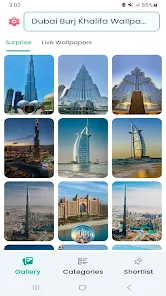
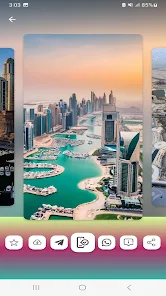
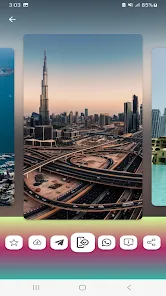
Dubai Burj Khalifa Wallpapers offers a carefully curated library of high-resolution images of the Burj Khalifa and the surrounding Dubai skyline, designed for modern Android phones and tablets. Dubai Burj Khalifa Wallpapers makes it easy to browse themed galleries, preview automatic crops and apply a favorite in one tap, so you can set a clean home or lock screen without extra steps. The collection blends daytime panoramas, twilight silhouettes and night-time lighting scenes with images optimized for different aspect ratios and screen types.
What the app offers
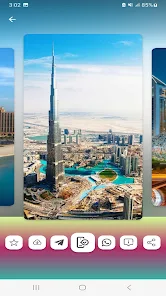
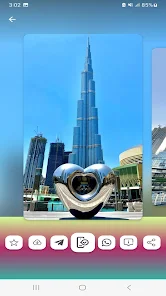
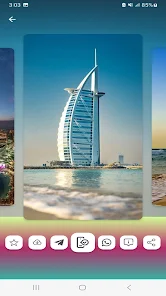
The app organizes photos into clear collections such as sunrise, night lights, aerial views and seasonal illuminations so you can navigate by mood or composition. Each image arrives already sized for common device resolutions and prepared for AMOLED and LCD displays to preserve contrast and detail. Thumbnails load quickly and each full-screen preview supports pinch-to-zoom and position-aware cropping so you can frame a shot precisely before applying it.
Controls and navigation
Navigation relies on familiar gestures and controls: swipe to move through pictures, tap to enter preview mode and pinch or drag to adjust crop. A lightweight search bar accepts keywords like night, aerial or silhouette to filter the gallery, and color-based filtering narrows results when you want wallpapers that match a theme or app icons. The interface keeps the number of taps low so setting a wallpaper is fast even on older hardware.
Customization and personalization
Beyond a static image, Dubai Burj Khalifa Wallpapers includes basic image adjustments such as brightness and contrast sliders, an optional subtle blur to keep home screen icons legible, and a vignette control for depth. A favorites system lets you build personal packs that are accessible offline, and an auto-rotate wallpaper schedule cycles through your selected pack at intervals you choose for a refreshed look without manual changes.
Progression and discoverability
The app supports a simple progression of discovery rather than game-like mechanics: curated and seasonal collections are added regularly and appear in the main feed, while a featured section highlights newly added or standout shots. Over time you can assemble a larger personal library by saving favorites and creating themed packs, making it easier to return to preferred styles or to experiment with new looks without losing earlier choices.
Performance, offline use and storage
Designed to be light on resources, the app loads images on demand and uses device-friendly caching to avoid excessive memory use. Offline mode lets you save favorites to local storage so wallpapers remain available without an internet connection. Background activity is minimized to preserve battery, and image decoding is tuned for common Android versions and screen sizes to keep scrolling smooth on a wide range of devices.
Accessibility and user experience
Accessibility considerations include clear labels on controls, large-tap target sizes for primary actions and high-contrast UI options for users with low vision. Thumbnails and previews support readable captions where photographers credit the image or note the shot type, and tap targets are spaced to reduce accidental selections. The app also respects system font scaling and basic screen reader navigation to improve usability for a broader audience.
How to set and manage wallpapers
Applying a wallpaper is straightforward: open any image, use the preview to position the crop, then choose to set it for home screen, lock screen or both. You can export saved images to your device gallery for manual sharing or backup. The app keeps a history of recently applied wallpapers so you can revert easily, and saved packs help you manage multiple looks without cluttering device storage.
Tips for the best look
For clearer icons use darker images or the blur option when home screen widgets are present. Use the preview tool on devices with notches or punch-hole cameras to avoid placing important elements behind cutouts. Night-themed and deep black images pair well with OLED displays where darker pixels reduce power draw and increase perceived contrast.
Why users choose this app
Users pick Dubai Burj Khalifa Wallpapers because it concentrates on a single landmark with consistent quality and practical tools for everyday use. Regular updates, offline favorites and straightforward controls make it simple to create a signature Dubai skyline look on a device without unnecessary complexity. Whether you want an understated silhouette or a vivid nighttime panorama, Dubai Burj Khalifa Wallpapers helps you find, refine and apply the right image with minimal effort.
Show More
Information
Screenshots
Latest Update












Hot Tags
Latest News
-
![Revealing the Launch Playlists and Cross-Progression for COD Warzone Mobile News]()
-
![March 2024 Free Redemption Codes for Honkai: Star Rail News]()
-
PUBG Mobile Teams Up with Bentley Motors: Luxury Cars, Exclusive Collectibles, and Beyond 2024-04-18
![PUBG Mobile Teams Up with Bentley Motors: Luxury Cars, Exclusive Collectibles, and Beyond News]()
-
![Monster Never Cry is now accessible on both Android and iOS mobile devices. News]()
-
V2.2 of the Farlight 84 update introduces an overhauled Season structure, fresh in-game currency, an 2024-04-16
![V2.2 of the Farlight 84 update introduces an overhauled Season structure, fresh in-game currency, an News]()
-
![Arrival of Genshin Impact 4.6 Update: 'Embers of Two Realms, Twilight of Crimson' News]()
-
April 2024 Clash of Clans Update: Unveiling a Fresh Companion, Enhanced Levels, Chat Tagging, and Be 2024-04-16
![April 2024 Clash of Clans Update: Unveiling a Fresh Companion, Enhanced Levels, Chat Tagging, and Be News]()






