

Wally Auto
Version:1.0.6
Published:2026-10-23
Introduction
Wally Auto is a lightweight Android utility that automates wallpaper management, letting users rotate images, apply styles, and keep the home screen fresh with minimal effort. It streamlines wallpaper selection and scheduling while offering simple controls, customizable transitions, and battery-friendly settings for daily or event-based updates.
What Wally Auto Does
Wally Auto focuses on removing the friction from changing wallpapers. Instead of manually picking images, the app cycles through folders, cloud albums, or curated sets at intervals you choose. It supports static images and can integrate with live wallpaper engines, enabling subtle motion or parallax effects without constant attention. The goal is to provide a reliable background experience that reflects your taste and routine.
Key Features
- Automated Rotation: Set time-based intervals or trigger changes on actions like unlock, boot, or screen-off.
- Source Flexibility: Use local galleries, dedicated folders, or cloud services to feed wallpaper lists.
- Display Controls: Crop, scale, and align images to ensure proper fit across home and lock screens.
- Battery Awareness: Low-power modes minimize background activity and avoid changing wallpapers during battery saver states.
- Transition Options: Choose crossfades, cuts, or timed swaps to match your visual preferences.
- Widget & Shortcuts: Quick access widgets let you skip, pause, or pick favorites from the home screen.
How to Set Up
Getting started with Wally Auto is straightforward. Grant storage and optional cloud permissions, then point the app to the folders or albums you want it to use. Define a rotation schedule—every hour, daily, or on device events—and test one cycle to confirm image alignment. For advanced users, there are options to set rules based on Wi-Fi networks or location, so wallpapers can change automatically when you arrive at work or a favorite spot.
Customization & Scheduling
Customization is where Wally Auto shines. You can create multiple playlists for different moods—work, weekend, travel—and switch between them manually or let the app rotate playlists by day. Image processing features let you apply filters, blur backgrounds, or add overlays to keep icons readable. Scheduling can be granular: mix recurring timers with single-instance changes for holidays or special occasions.
Interface and Workflow
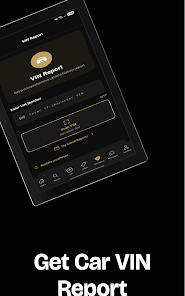
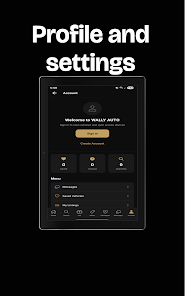
The interface emphasizes clarity and speed. A clean main screen shows active playlists and the next scheduled change, while gestures and long-press menus enable quick edits. Drag-and-drop reordering helps prioritize favorite images and a history view lets you revisit past wallpapers. The app minimizes clutter so typical tasks—adding a folder, pausing rotation, or adjusting a crop—require just a couple of taps.
Performance and Compatibility
Wally Auto is built to run unobtrusively on Android devices. Background tasks are batched to reduce wakelocks and avoid draining the battery. The app respects system memory limits and scales image processing quality based on available resources, offering a balance between image fidelity and performance. Compatibility extends across recent Android versions and most launcher setups; there are explicit instructions for OEM-specific restrictions like aggressive task killers.
Practical Tips
- Organize source folders by theme to keep rotations cohesive and avoid abrupt visual clashes.
- Use low-resolution variants for older devices to preserve responsiveness.
- Enable battery-aware rules if you rely on long standby times between charges.
- Combine cloud albums with local favorites for a mix of fresh and trusted images.
- Test transitions in daylight and low-light modes to ensure icons and widgets remain visible.
Who Benefits Most
People who like a dynamic homescreen without daily maintenance will appreciate Wally Auto. Photographers and visual-curators can highlight portfolios, while casual users enjoy a constantly changing backdrop that keeps the device feeling new. The app is also practical for demonstration devices, retail displays, or anyone who prefers automated routine personalization over manual adjustments.
Getting More From Wally Auto
Explore playlist rules, integrate cloud sources, and experiment with subtle transitions to create a personalized wallpaper cadence. Regular updates refine compatibility and add new options, so checking for improvements periodically helps maintain smooth operation across Android releases. Wally Auto offers a practical, low-friction way to keep your device visually engaging without extra daily effort.
Show More
Information
Screenshots




Latest Update












Hot Tags
Latest News
-
![Revealing the Launch Playlists and Cross-Progression for COD Warzone Mobile News]()
-
![March 2024 Free Redemption Codes for Honkai: Star Rail News]()
-
PUBG Mobile Teams Up with Bentley Motors: Luxury Cars, Exclusive Collectibles, and Beyond 2024-04-18
![PUBG Mobile Teams Up with Bentley Motors: Luxury Cars, Exclusive Collectibles, and Beyond News]()
-
![Monster Never Cry is now accessible on both Android and iOS mobile devices. News]()
-
V2.2 of the Farlight 84 update introduces an overhauled Season structure, fresh in-game currency, an 2024-04-16
![V2.2 of the Farlight 84 update introduces an overhauled Season structure, fresh in-game currency, an News]()
-
![Arrival of Genshin Impact 4.6 Update: 'Embers of Two Realms, Twilight of Crimson' News]()
-
April 2024 Clash of Clans Update: Unveiling a Fresh Companion, Enhanced Levels, Chat Tagging, and Be 2024-04-16
![April 2024 Clash of Clans Update: Unveiling a Fresh Companion, Enhanced Levels, Chat Tagging, and Be News]()






