

My TTS: Text-to-Speech
Version:1.5.0
Published:2026-10-30
Introduction
My TTS: Text-to-Speech turns typed text, notes and documents into clear spoken audio so you can listen instead of read. The app is designed for everyday use, offering adjustable speed and pitch, selectable voices across multiple languages, on-device offline voices for privacy and low latency, and standard export options such as MP3 and WAV. My TTS: Text-to-Speech is built to support accessibility and productivity without imposing complex workflows, making it straightforward to convert short notes or long manuscripts into reliable audio files.
Core features and conversion flow
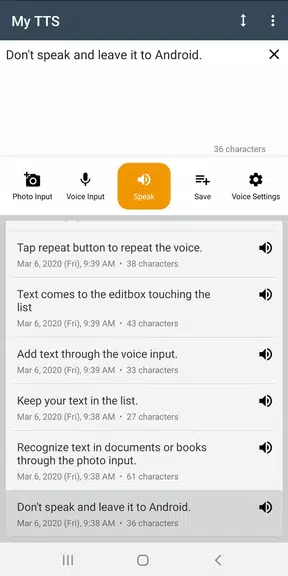
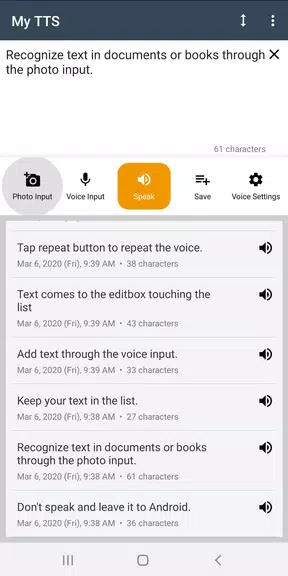
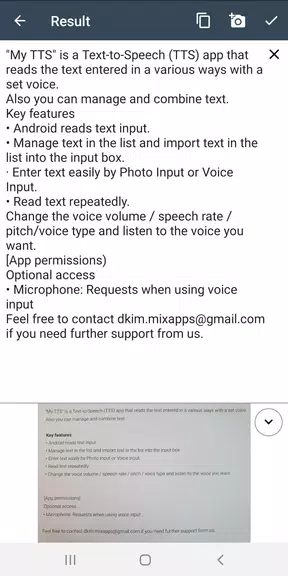
The conversion workflow in this app is compact but flexible: paste text or import common document formats including TXT and PDF, or have the app read directly from the clipboard. You choose a voice, preview the output, adjust speaking rate and pitch, and then export. The engine analyzes punctuation and basic formatting to place natural pauses and emphasis so the speech feels coherent. For users who need fine-grained control there are SSML-like markers supported where available, which let you influence pronunciation and pause placement within a document.
Controls, playback and user experience
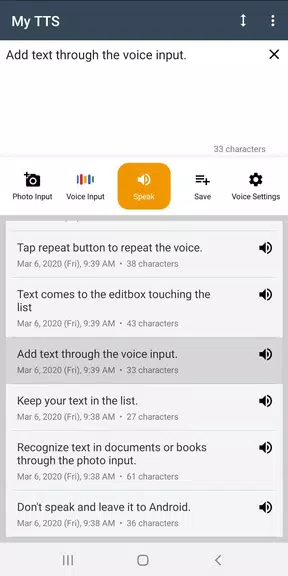
Playback controls are intentionally simple: play, pause, skip and a scrub bar for precise seeking that works well on touch screens. Notification-based playback and Bluetooth media button support make hands-free listening possible while commuting or working. Sliders for rate and pitch respond immediately so you can audition changes in real time, and a compact equalizer provides tonal tweaks. Keyboard shortcuts and a focused player view reduce friction for users who repeatedly edit and listen to the same passages.
Project progression and workflow organization
The app treats conversions like lightweight projects so you can progress from draft text to finished audio with predictable steps. Import a file, audition several voices, apply pronunciation corrections via a built-in dictionary, save those adjustments as a preset, and then queue multiple files for sequential conversion. Scheduled jobs let you run batch exports during off-peak hours. This progression system is useful for students preparing study materials, podcasters assembling scripts, or anyone who needs to manage repeated conversion tasks over time.
Voice selection, languages and customization
Choose from a range of male and female voices that cover conversational tones and more formal narration. Language support includes major global languages and selected regional variants for clearer localized pronunciation. Voice previews let you compare intonation at different speeds before exporting, and advanced customization offers pronunciation dictionaries and configurable breathing pauses to reduce mechanical cadence. Presets save voice, speed and pronunciation settings so you can quickly recall a preferred narration style without reconfiguring controls.
Offline use, performance and compatibility
Offline voices are available for users who need local conversion for privacy or reduced latency; these require additional storage but keep sensitive text on-device. Background conversions and scheduled queues are optimized to limit CPU and battery impact, and the app is tuned to run reliably on modern mid-range Android hardware. Cloud-enhanced voices are optional when higher fidelity or additional accents are desired, letting you balance quality against bandwidth and privacy considerations.
Handling long files and reliability
Large documents are processed in segments so conversions avoid timeouts and make progress easy to monitor. Checkpointing lets you resume long runs without starting from scratch, and error handling surfaces clear messages for unsupported file elements while offering fallback text extraction when PDF layouts are complex. These safeguards reduce the need to manually split content before conversion and make multi-hour reading projects more manageable.
Accessibility and visual design
The interface emphasizes clarity with large touch targets, adjustable font scaling, and high-contrast themes for better readability. Simple player controls and notification-based playback support listening without visual attention, and accessibility settings let users enlarge controls or simplify screens. The visual style is intentionally minimal to reduce distractions and keep focus on text-to-audio tasks whether you are using a phone or a tablet.
Practical tips, replay value and best practices
To get started, install My TTS: Text-to-Speech, try a sample passage and preview a voice at several speeds to find a comfortable tempo. Install one offline voice to test local conversions, then export a short MP3 or WAV file to confirm settings. Break dense paragraphs into shorter sentences and use punctuation to guide emphasis for more natural output. Saving commonly used pronunciation corrections and presets increases replay value, letting you reproduce a chosen narration style quickly across multiple projects.
Show More
Information
Screenshots
Latest Update












Latest News
-
![Revealing the Launch Playlists and Cross-Progression for COD Warzone Mobile News]()
-
![March 2024 Free Redemption Codes for Honkai: Star Rail News]()
-
PUBG Mobile Teams Up with Bentley Motors: Luxury Cars, Exclusive Collectibles, and Beyond 2024-04-18
![PUBG Mobile Teams Up with Bentley Motors: Luxury Cars, Exclusive Collectibles, and Beyond News]()
-
![Monster Never Cry is now accessible on both Android and iOS mobile devices. News]()
-
V2.2 of the Farlight 84 update introduces an overhauled Season structure, fresh in-game currency, an 2024-04-16
![V2.2 of the Farlight 84 update introduces an overhauled Season structure, fresh in-game currency, an News]()
-
![Arrival of Genshin Impact 4.6 Update: 'Embers of Two Realms, Twilight of Crimson' News]()
-
April 2024 Clash of Clans Update: Unveiling a Fresh Companion, Enhanced Levels, Chat Tagging, and Be 2024-04-16
![April 2024 Clash of Clans Update: Unveiling a Fresh Companion, Enhanced Levels, Chat Tagging, and Be News]()






