

Oxford Dictionary of English
Version:15.5.1105
Published:2026-10-31
Introduction
Oxford Dictionary of English places a comprehensive, contemporary language reference in your pocket: detailed definitions, British and American pronunciation audio, usage examples, and grammatical notes are all available for quick lookups or longer study sessions. The app’s entries combine etymology, register labels and cross-references so you can check meaning, form and tone fast — a practical tool whether you are editing text, preparing lesson materials, or expanding vocabulary for work and travel. Oxford Dictionary of English also supports offline use and personalized study tools to help learners make steady progress.
Key capabilities
The dictionary database emphasizes current usage while preserving traditional senses and word histories. Look up single words, compounds, idioms and common phrases and find concise meanings with modern example sentences that show words in context. Entries show part of speech, usage notes and related-word links that make it easy to explore synonyms, antonyms and collocations. Built-in audio files for both British and American accents accompany phonetic transcriptions so you can verify pronunciation at a glance.
Lookup and search tools
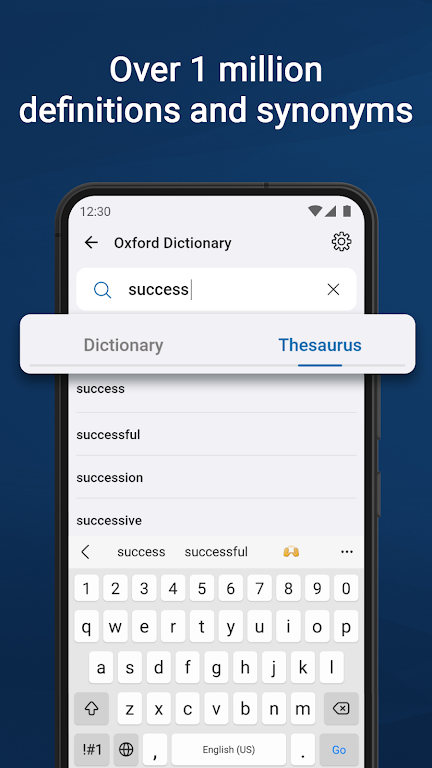
Search is forgiving and designed for speed: type a fragment and suggestions appear instantly, use wildcard-style input when you only remember part of a word, and apply filters by part of speech to narrow results. An instant preview pane shows definitions as you type so you rarely need to open multiple pages. Phrase-level lookup returns contextual examples that demonstrate how words behave in sentences rather than offering isolated glosses, which is especially useful when checking idiomatic or register-sensitive usage.
Learning, progression and challenge
Learning tools are task-focused and user-directed: save entries to custom word lists and turn them into flashcard-style review sessions. The review system tracks lookup history and repetition, so words you encounter frequently can be prioritized for practice. Review sessions are adjustable for pace and intensity — you can increase intervals between repetitions as you master items or focus on newly added terms until they become familiar. These retention-focused mechanics create a sensible progression from initial exposure to longer-term recall without adding unnecessary gamification.
Controls and user experience
The interface favors predictable, fast controls: search from the top bar, long-press entries to add them to lists or share definitions, and swipe between recent results. Text sizing and tap targets are tuned for one-handed use on phones as well as comfortable navigation on larger tablets. Menus and gestures are consistent so routine tasks — looking up a word, saving an entry, starting a review session — remain efficient whether you are at a desk or on the move.
Customization and visual style
Adjust display themes, choose font sizes, and enable high-contrast mode to match your reading preferences and lighting conditions. The app’s visual style emphasizes clarity: clean type, consistent spacing and highlighted examples help you scan information quickly. Custom lists let you group vocabulary by topic, project or course, and display settings persist across sessions so your study environment feels familiar every time you open the app.
Accessibility and inclusive features
Accessibility options include screen-reader friendly labels, keyboard-friendly search and clear audio controls for pronunciation playback. Phonetic transcriptions and adjustable playback speed support learners with different needs, while consistent labeling and high-contrast themes help users who rely on magnification or alternative input methods. The app is built to be usable by a broad range of learners and professionals.
Offline access and data management
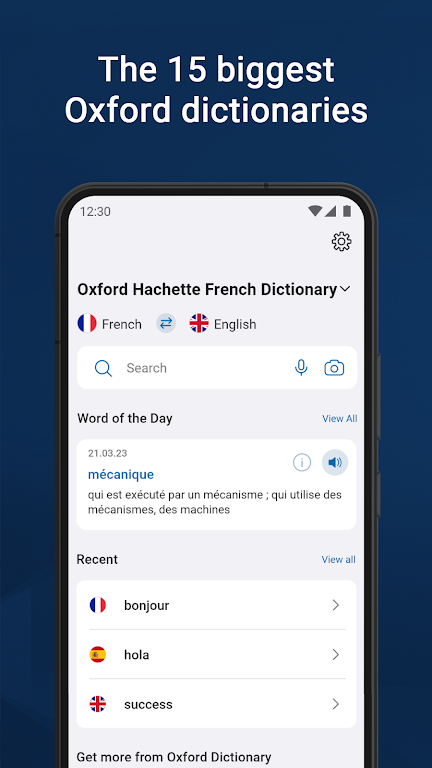
Download the core content once to retain full offline access when you are travelling or in low-connectivity areas; supplemental content packs are optional so you control storage. Local indexing is compact yet fast, returning near-instant search results without a network connection. Data screens let you review storage use, remove or re-download packs, and manage backups of custom lists so your study materials remain under your control.
Pronunciation and multimedia
Audio plays instantly from entry pages and includes both regional accents; short usage notes and phonetic spelling accompany each clip so you can practice accurately. Multimedia controls allow repeated listening and easy comparison between accents, which supports learners preparing for presentations, interviews or spoken exams. Example sentences highlight collocations and common register to help visual learners absorb usage patterns.
Integration and sharing
Oxford Dictionary of English integrates with other Android apps through standard sharing intents: highlight text in a browser or document and send it to the dictionary to view definitions without typing. Export custom word lists for offline study or share single entries by messaging or email to clarify wording with colleagues, students or classmates. These simple integrations make it easy to fold the dictionary into everyday workflows.
Practical use cases and tips
Writers can check tone and regional register before publishing, students can build course-specific vocabulary lists, and professionals can use the reference for clear translation and localization decisions. To begin, install the app, download the offline data over Wi‑Fi, and create an initial favorites list of twenty to thirty words you encounter most. Use daily review sessions, adjust playback and text settings to your environment, and let lookup history guide which words need more attention. With reliable search, practical learning tools and robust offline support, Oxford Dictionary of English is a steady, long-term reference for writing, study and professional language work.
Show More
Information
Screenshots
Latest Update












Latest News
-
![Revealing the Launch Playlists and Cross-Progression for COD Warzone Mobile News]()
-
![March 2024 Free Redemption Codes for Honkai: Star Rail News]()
-
PUBG Mobile Teams Up with Bentley Motors: Luxury Cars, Exclusive Collectibles, and Beyond 2024-04-18
![PUBG Mobile Teams Up with Bentley Motors: Luxury Cars, Exclusive Collectibles, and Beyond News]()
-
![Monster Never Cry is now accessible on both Android and iOS mobile devices. News]()
-
V2.2 of the Farlight 84 update introduces an overhauled Season structure, fresh in-game currency, an 2024-04-16
![V2.2 of the Farlight 84 update introduces an overhauled Season structure, fresh in-game currency, an News]()
-
![Arrival of Genshin Impact 4.6 Update: 'Embers of Two Realms, Twilight of Crimson' News]()
-
April 2024 Clash of Clans Update: Unveiling a Fresh Companion, Enhanced Levels, Chat Tagging, and Be 2024-04-16
![April 2024 Clash of Clans Update: Unveiling a Fresh Companion, Enhanced Levels, Chat Tagging, and Be News]()






