
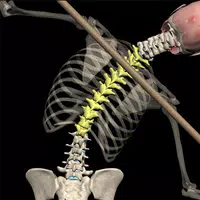
Muscle & Motion: Posture
Version:2.5.7
Published:2026-10-31
Introduction
Muscle & Motion: Posture is an interactive anatomy and posture reference designed to help clinicians, trainers and individuals understand movement patterns and correct alignment. The app combines detailed 3D anatomy models with biomechanical visualizations so you can observe muscle action, tendon attachments and joint behavior in real time, making it easier to see why pain or imbalance occurs and which structures are overactive or lengthened.
Key features and visual tools
Muscle & Motion: Posture offers layered 3D animations that allow you to isolate muscle groups, view tendon insertions and follow joint motion from multiple camera angles. The visual style emphasizes clear anatomy with color-coded muscles and transparent overlays so complex relationships are easier to interpret. Interactive controls—pinch to zoom, two-finger rotate and tap to highlight—let users explore anatomy at their own pace and focus on specific regions.
Interactive simulations and diagnostics
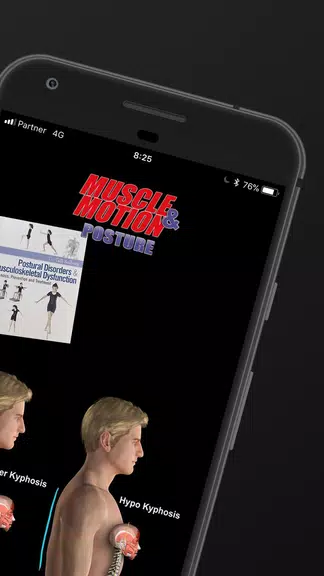
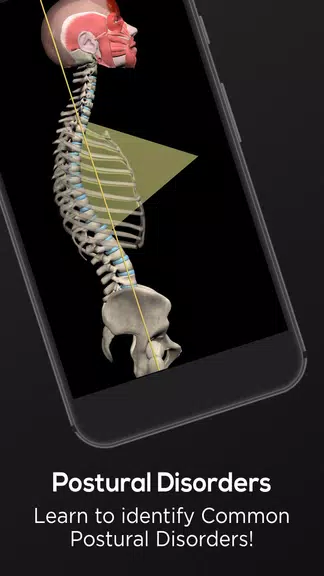
Built-in simulations demonstrate common postural deviations such as rounded shoulders, forward head posture and increased lumbar lordosis, showing how load distribution and muscle length-tension relationships change with different positions. Sliders and playback controls let you exaggerate or reduce deviations to test cause-and-effect relationships. These simulation tools function as a diagnostic aid for visualizing potential root causes of pain, not as a substitute for hands-on clinical assessment.
Corrective strategies and progression
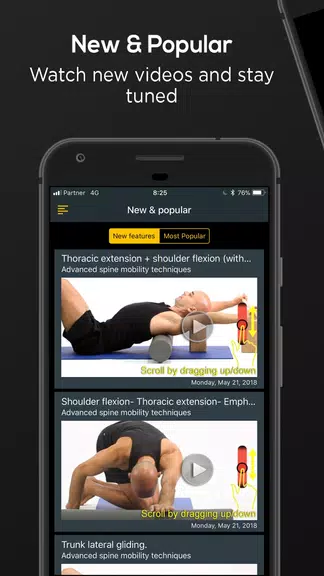
The app includes a curated library of corrective mobility drills and strengthening exercises paired with animated guidance and verbal cues. Content is organized into progressive modules so users can follow a clear learning path: foundational anatomy, pattern recognition, corrective movement drills, and applied rehabilitation sequences. Each module builds on the previous one and includes suggested practice sessions to reinforce learning and track improvement over time.
Controls, customization and playback
Controls are designed to be intuitive across touch devices: gestures adjust the camera and object focus, timeline scrubbing navigates animations, and simple toggles switch between tissue layers or biomechanical overlays. Customization options let users show or hide labels, change color contrasts for better visibility, and slow or speed animations to study specific movement phases. You can save preferred views and create a short list of frequently used exercises for quick access.
Learning aids and assessment
To support learning, the app pairs visual demonstrations with concise written descriptions that explain muscle function and practical cues for correction. Short self-assessment tasks and guided practice sections help users consolidate knowledge and test their ability to recognize common patterns. These features increase replay value by encouraging repeated practice and review rather than a single passive viewing.
User experience and performance
The interface is focused on clarity and minimal distraction: high-resolution 3D models are optimized to run smoothly on a wide range of devices while preserving anatomical detail. Content organization prioritizes quick access to frequently used references so clinicians can use the app in a clinical setting, and individuals can use it at home to follow a structured progression. Selected lessons and demonstrations can be downloaded for offline review when preferred, providing flexibility for use without continuous internet access.
Accessibility and settings
Muscle & Motion: Posture includes adjustable text sizes, captioning for narrated segments and options to increase contrast or simplify visuals for clearer viewing. Playback speed controls and repeat loops support users who benefit from slower demonstrations, and straightforward navigation reduces barriers for those new to anatomy apps. These settings are intended to make the app more usable across a variety of learning needs.
Who will benefit
The app is built for physical therapists, chiropractors, strength coaches, sports medicine professionals, anatomy students and anyone seeking practical ways to improve posture. Clinicians will find it useful for explaining conditions to patients with visual evidence, while non-professionals will appreciate structured corrective strategies and clear demonstrations that translate into daily practice.
Limitations and subscriptions
While Muscle & Motion: Posture provides detailed visual tools and a practical exercise library, it is not a replacement for a hands-on assessment by a qualified professional. A free sample trial is available so users can explore core content before opting to upgrade; full access requires a subscription to unlock the complete simulation and exercise library. Users should treat the app as an educational and corrective resource that complements, rather than replaces, professional care.
Show More
Information
Screenshots
Latest Update












Latest News
-
![Revealing the Launch Playlists and Cross-Progression for COD Warzone Mobile News]()
-
![March 2024 Free Redemption Codes for Honkai: Star Rail News]()
-
PUBG Mobile Teams Up with Bentley Motors: Luxury Cars, Exclusive Collectibles, and Beyond 2024-04-18
![PUBG Mobile Teams Up with Bentley Motors: Luxury Cars, Exclusive Collectibles, and Beyond News]()
-
![Monster Never Cry is now accessible on both Android and iOS mobile devices. News]()
-
V2.2 of the Farlight 84 update introduces an overhauled Season structure, fresh in-game currency, an 2024-04-16
![V2.2 of the Farlight 84 update introduces an overhauled Season structure, fresh in-game currency, an News]()
-
![Arrival of Genshin Impact 4.6 Update: 'Embers of Two Realms, Twilight of Crimson' News]()
-
April 2024 Clash of Clans Update: Unveiling a Fresh Companion, Enhanced Levels, Chat Tagging, and Be 2024-04-16
![April 2024 Clash of Clans Update: Unveiling a Fresh Companion, Enhanced Levels, Chat Tagging, and Be News]()






