

Multi Timer Plus
Version:2.0.11
Published:2026-11-01
Introduction
Multi Timer Plus is a flexible and user-friendly Android utility that helps you manage multiple countdowns, alarms and reminders simultaneously. Designed for productivity and everyday tasks, it provides clear visual cues, voice alerts and scheduling options so you can run timers for cooking, workouts, study sessions or professional workflows with confidence.
Main capabilities
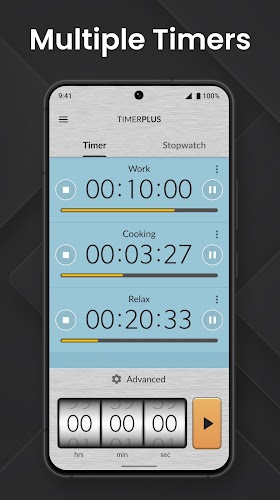
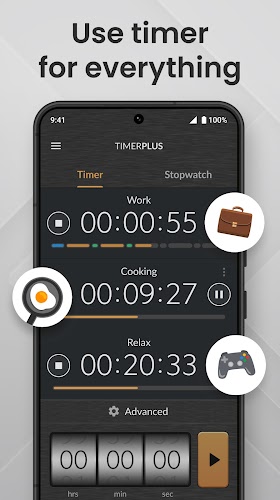
With Multi Timer Plus you can create an unlimited number of timers that run in parallel, pause and resume individual timers, and group related timers into profiles. Timers can be named, color-coded and assigned icons so you recognize them at a glance. The app supports multiple alarm tones and spoken alerts, ensuring you won’t miss important events even when your device is locked or in Do Not Disturb mode.
How the app organizes timing tasks
The workflow centers on quick creation and intuitive control. Tap to add a new timer, set duration or exact end time, and place it into a custom group. Groups act like folders: start, stop or reset every timer in a group with one command. Reusable templates let you save commonly used timers—handy for repeating routines such as interval training, laundry cycles or kitchen recipes.
Customization and automation
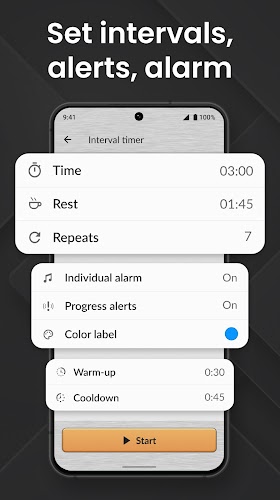
Customization is a strong point of Multi Timer Plus. Choose from presets or fine-tune each timer’s behavior: select fade-in tones, vibration patterns, or text-to-speech announcements. The app also offers flexible repeat rules and chained timers so one finishes and another begins automatically. Advanced users can rely on export/import features to back up configurations or share setups between devices.
User interface and accessibility
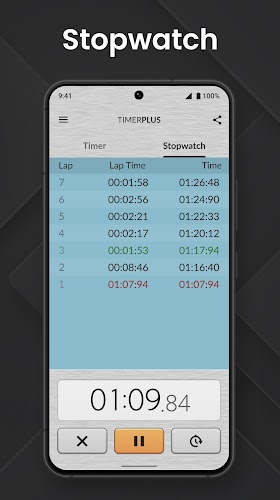
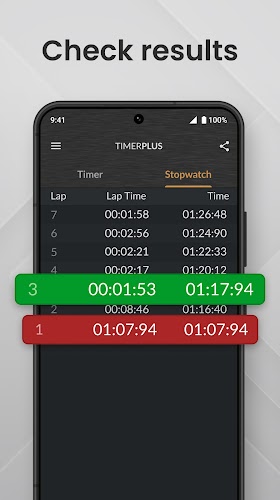
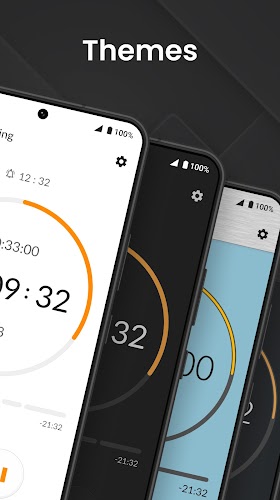
The interface balances simplicity with power. A compact dashboard presents active timers with remaining time and progress bars, while an expanded view reveals details and actions. Large buttons and contrast-friendly color schemes improve visibility. Accessibility support includes voice feedback and adjustable font sizes, making the app practical for a wide range of users and use environments.
Practical use cases
- Home and kitchen: Manage multiple dishes or steeping times without keeping a mental checklist.
- Fitness and wellness: Configure interval circuits, rest periods, and cooldown timers with precise control.
- Study and work: Implement the Pomodoro technique by chaining focused sessions and breaks.
- Professional tasks: Track project steps, meetings, or equipment cycles in workshops and labs.
Performance and battery considerations
Multi Timer Plus is engineered to be lightweight and efficient. Background timers continue reliably even when the screen is off, and the app minimizes battery drain by avoiding unnecessary wake locks. Notifications and alarms use the native Android system for low-overhead handling, and users can fine-tune update frequency to balance responsiveness with power savings.
Compatibility and integrations
The app supports a broad range of Android versions and device types, from phones to tablets. Integration with system notifications and calendar apps allows you to convert scheduled events into timers or vice versa. For users who need external control, the app exposes simple import/export formats and works well with file-based backup services.
Getting started quickly
Begin by creating a profile for a common activity such as cooking or study. Add two or three timers, assign colors, and test alert sounds to verify behavior. Save the profile for reuse and explore templates to speed up setup. Multi Timer Plus also includes helpful onboarding tips that explain gestures and group actions so you can become productive within minutes.
Why choose Multi Timer Plus
Multi Timer Plus blends accessibility, advanced features and stable background operation into a single timing tool. It fits casual household routines as well as professional multitasking needs, and its flexible customization options let you tailor alerts, sequences and groups to match your workflow. If you need a reliable way to keep many concurrent timers organized, this app provides a practical and polished solution.
Show More
Information
Screenshots
Latest Update












Latest News
-
![Revealing the Launch Playlists and Cross-Progression for COD Warzone Mobile News]()
-
![March 2024 Free Redemption Codes for Honkai: Star Rail News]()
-
PUBG Mobile Teams Up with Bentley Motors: Luxury Cars, Exclusive Collectibles, and Beyond 2024-04-18
![PUBG Mobile Teams Up with Bentley Motors: Luxury Cars, Exclusive Collectibles, and Beyond News]()
-
![Monster Never Cry is now accessible on both Android and iOS mobile devices. News]()
-
V2.2 of the Farlight 84 update introduces an overhauled Season structure, fresh in-game currency, an 2024-04-16
![V2.2 of the Farlight 84 update introduces an overhauled Season structure, fresh in-game currency, an News]()
-
![Arrival of Genshin Impact 4.6 Update: 'Embers of Two Realms, Twilight of Crimson' News]()
-
April 2024 Clash of Clans Update: Unveiling a Fresh Companion, Enhanced Levels, Chat Tagging, and Be 2024-04-16
![April 2024 Clash of Clans Update: Unveiling a Fresh Companion, Enhanced Levels, Chat Tagging, and Be News]()






